




-
 Out of StockVendor:Turtle Beach
Turtle Beach VelocityOne Premium Flight Simulator Control System (Xbox Series X|S, One, PC)
Modular premium yoke system with a throttle quadrant and trim wheel, offering 180 degree yoke travel and 18 mappable buttons for full command of any simulated aircraft.
Regular price $399.99Sale price $399.99 Regular priceUnit price per$379.95 -
 Out of StockVendor:Turtle Beach
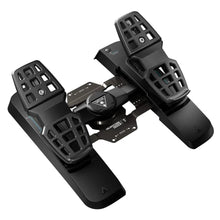
Turtle Beach VelocityOne Precision Flight Simulator Rudder Pedals (Xbox Series X|S, One, PC)
Universal rudder pedals with adjustable toe brakes and smooth glide, connecting via USB for realistic rudder control in Microsoft Flight Simulator, X-Plane and DCS World.
Regular price $319.99Sale price $319.99 Regular priceUnit price per$299.95 -
Fresh from The Hangar
The latest from top aviation brands. -
 Out of StockVendor:Thrustmaster
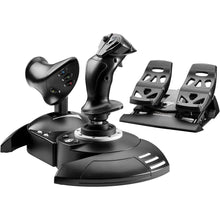
Thrustmaster T.Flight Full Kit X (Xbox Series X|S, One, PC)
All-in-one HOTAS stick, throttle and rudder kit for beginners, with 14 action buttons and 5 axes of control in a plug-and-play setup ready to fly on Xbox or PC.
Regular price $199.99Sale price $199.99 Regular priceUnit price per -
 Vendor:Thrustmaster
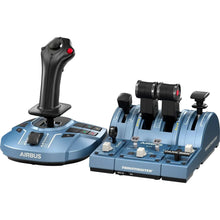
Thrustmaster TCA Captain Pack X Airbus Edition (Xbox Series X|S, One, PC)
Airbus-style sidestick and throttle captain set with officially licensed 1:1 scale replicas, built for pilots practicing A320neo procedures on a realistic airliner rig.
Regular price $299.99Sale price $299.99 Regular priceUnit price per -
 Out of StockVendor:Thrustmaster
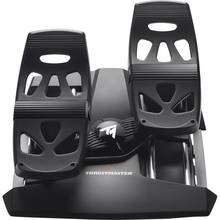
Thrustmaster T.Flight Rudder Pedals (PS5, PS4, Xbox Series X|S, One, PC)
Rudder pedals with toe brakes and adjustable resistance for sims, a self-centering design that adds realistic differential braking and steering across PS5, Xbox, and PC.
Regular price $129.99Sale price $129.99 Regular priceUnit price per -
 Out of StockVendor:Thrustmaster
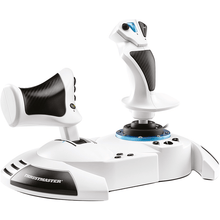
Thrustmaster HOTAS One Microsoft Flight Simulator Edition (Xbox Series X|S, One, PC)
Entry HOTAS stick and throttle, plug-and-play with 14 buttons, officially licensed for realistic simulator flying on both Xbox and PC without extra setup.
Regular price $99.99Sale price $99.99 Regular priceUnit price per -
 Out of StockVendor:Thrustmaster
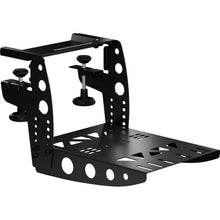
Thrustmaster TM Flying Clamp
Desk clamp that locks flight sim controls to your table or rig, an all-metal mount built for TCA and T.16000M accessories to stay rock-solid through hard maneuvers.
Regular price $79.99Sale price $79.99 Regular priceUnit price per -
 Vendor:Thrustmaster
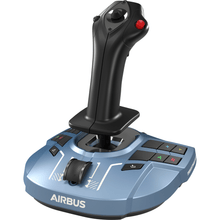
Thrustmaster TCA Sidestick X Airbus Edition (Xbox Series X|S, One, PC)
Airbus-style sidestick for realistic airliner sim flying, an officially licensed 1:1 scale replica with 17 tactile action buttons for full control of aircraft systems.
Regular price $119.99Sale price $119.99 Regular priceUnit price per -
 Out of StockVendor:Thrustmaster
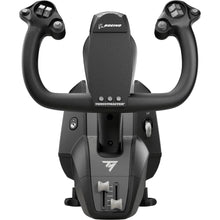
Thrustmaster TCA Yoke Boeing Edition (Xbox Series X|S, One, PC)
Boeing-style airliner yoke for study-level airline simming, an officially licensed Boeing 787 replica built for pilots who want authentic heavy-jet hand-flying feel.
Regular price $399.99Sale price $399.99 Regular priceUnit price per -
 Vendor:Thrustmaster
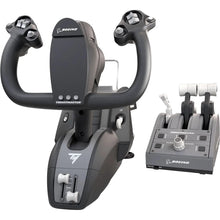
Thrustmaster TCA Yoke Pack Boeing Edition (Xbox Series X|S, One, PC)
Boeing-style yoke and throttle quadrant for airliner sim flying, replicating full-scale 787 flight deck controls for authentic airliner procedures.
Regular price $499.99Sale price $499.99 Regular priceUnit price per -
 NewVendor:Thrustmaster
Thrustmaster SOL-R 4 HOTAS - Advanced Flight Simulation System (PC)
An ambidextrous joystick and a robust throttle combine into an accessible HOTAS setup that gives everyday flight simmers precise, confident control without a steep price.
Regular price $339.99Sale price $339.99 Regular priceUnit price per$349.99


Frequently Asked Questions
Can you use a yoke with Microsoft Flight Simulator on Xbox?
Yes. Microsoft Flight Simulator on Xbox Series X|S and Xbox One supports Xbox-compatible yokes such as the Thrustmaster TCA Boeing yoke and the all-in-one Turtle Beach VelocityOne. The yoke plugs straight into the console, so you can fly airliners and general aviation aircraft with realistic pitch and roll control rather than a gamepad.
What flight simulator controls are compatible with Xbox Series X|S?
Xbox Series X|S supports controls explicitly built for Xbox, including Thrustmaster TCA yokes, the TCA Airbus sidestick, the Thrustmaster HOTAS One MSFS Edition, and the Turtle Beach VelocityOne system with its rudder pedals. Anything labeled PC-only will not connect to the console, so always check the platform listing before buying.
Is a yoke or HOTAS better for Microsoft Flight Simulator on Xbox?
It depends on what you fly. A yoke suits airliners and general aviation aircraft, which use a control wheel in real life, so it feels most realistic for those flights. A HOTAS stick is better for fighters, aerobatics, bush flying, and Airbus sidestick aircraft. Many pilots eventually own both for different missions.
Do you need rudder pedals to play Microsoft Flight Simulator on Xbox?
No, rudder pedals are optional. Many Xbox controls include twist or rocker yaw, and the VelocityOne yoke has integrated rudder control, so you can fly without pedals. Pedals add precise foot control for taxiing and crosswind landings, but on Xbox they pair with a host yoke or HOTAS rather than working as standalone devices.
Will PC flight sim controls work on Xbox?
No. PC-only flight sim controls will not connect to an Xbox, even with a USB adapter, because the console only recognizes peripherals licensed for Xbox. Always confirm a product is labeled Xbox Series X|S or Xbox One compatible before buying. Every control on this page is selected for console use.
What is the best beginner flight sim setup for Xbox?
For most beginners on Xbox, the Thrustmaster HOTAS One MSFS Edition or the T.Flight Full Kit X is the easiest start, since the kit includes a stick, throttle, and pedals in one box. If you mainly want to fly airliners, the all-in-one Turtle Beach VelocityOne gives you a yoke, throttle, and rudder together.
No questions match your search. Try another term or ask our team.
