



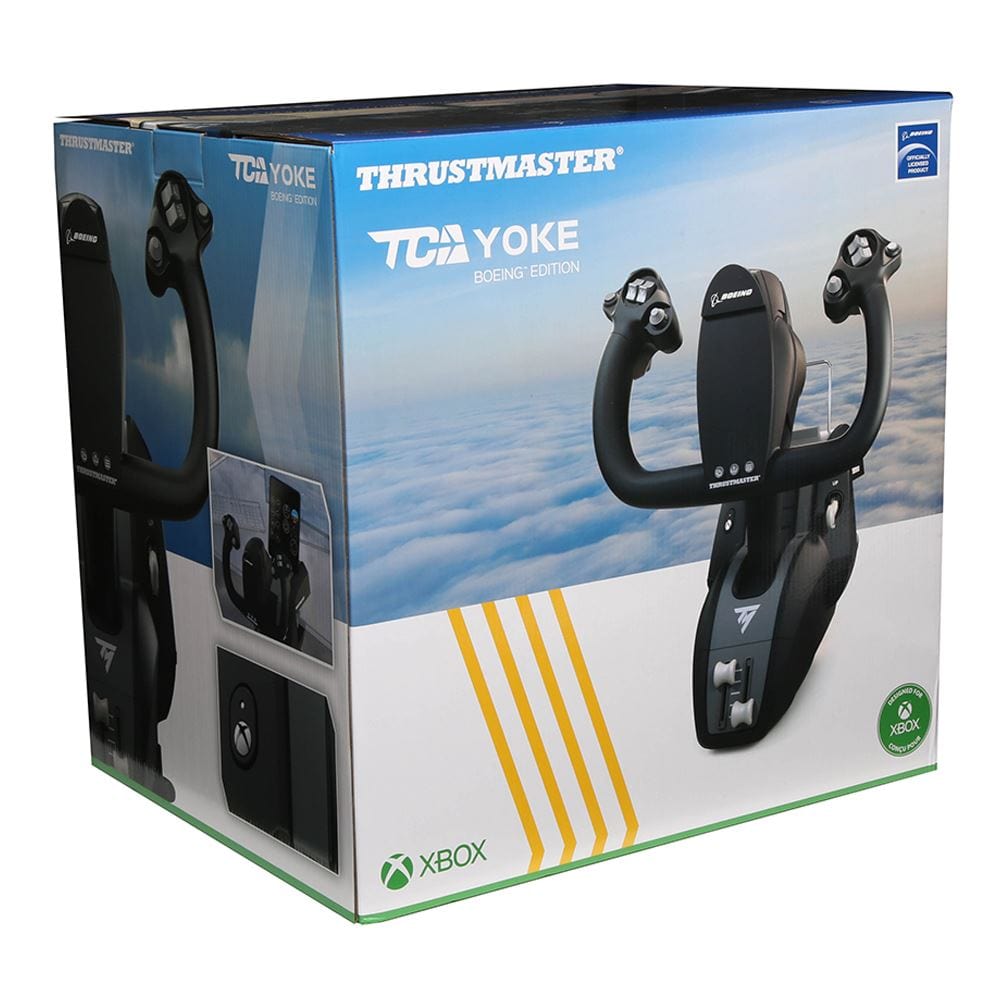
Thrustmaster TCA Yoke Boeing Edition (Xbox Series X|S, One, PC)
Boeing-style airliner yoke for study-level airline simming, an officially licensed Boeing 787 replica built for pilots who want authentic heavy-jet hand-flying feel.
Same-day shipping when ordered by 3 PM ET, Mon to Fri.
30-day returns on this item. Return policy
Earn $7.99 in Captain's Club Dividend. How it works
42278
Benefits
Benefits
Shipping & Delivery
Shipping & Delivery
Returns
Returns
The Thrustmaster TCA Yoke Boeing Edition brings professional-grade Boeing 787 flight simulation to Xbox Series X|S, Xbox One, and PC platforms with officially licensed authenticity.
This flight simulator yoke for PC and Xbox is the most realistic yoke for Microsoft Flight Simulator, featuring dual Boeing and Xbox licensing that ensures 1:1 scale accuracy.
Realism and Engineering Excellence
When aviation enthusiasts and student pilots ask, "What is the most realistic flight yoke for Xbox?" they find the answer in Thrustmaster's innovative pendular yoke design, inspired by real Boeing airliners. The advanced engineering of this Boeing flight yoke Xbox system includes a robust 100% metal internal frame for superior durability. The proprietary pendular mechanism provides fluid, lifelike motion that mirrors actual Boeing 787 Dreamliner controls. High-precision magnetic sensors ensure smooth, precise input across all control movements, while adjustable resistance springs allow pilots to customize the feel to match their training preferences or personal flying style.
Immersive Experience for All Users
Whether you're practicing real procedures to reinforce muscle memory as a flight student, showcasing advanced setups as a content creator, or seeking the ultimate immersive experience in Microsoft Flight Simulator, this civil aviation flight controls system addresses every critical pain point that has frustrated simulation enthusiasts for years. The seamless plug-and-play compatibility eliminates setup headaches, while the configurable design accommodates both left- and right-handed pilots. Flight training organizations particularly value the consistent, professional-grade build quality that withstands intensive use across multiple training stations, making it an ideal bridge between expensive professional equipment and basic gaming peripherals that lack the realism serious pilots demand.
Unlock authentic Boeing 787 flight simulation with the officially licensed Thrustmaster TCA Yoke, offering unparalleled realism and durable, high-fidelity control for Xbox and PC. Upgrade your experience now! Throttle Quadrant Sold Separately.



Frequently Asked Questions
What platforms is the TCA Yoke Boeing Edition compatible with?
It is officially licensed by both Boeing and Xbox and works with Xbox Series X and S, Xbox One, and PC running Windows. The same yoke covers all three platforms, so you can use it on a console now and move it to a PC simulator later as your setup grows.
Does it work with Microsoft Flight Simulator?
Yes. Thrustmaster built this yoke for civil aviation simulation and it is the most realistic yoke for Microsoft Flight Simulator, with plug and play setup on Xbox and PC. Its pendular design mirrors real Boeing 787 controls, which makes it well suited to airliner flying and reinforcing realistic procedures.
Does the Thrustmaster TCA Yoke Boeing Edition include the throttle quadrant?
No. This is the yoke on its own; the throttle quadrant is sold separately. The matching Boeing quadrant adds the iconic Boeing autopilot and thrust levers for altitude and speed control, but you can fly with the yoke by itself and add the quadrant later if you want it. PilotMall carries a full range of flight sim controls. Check out our Thrustmaster flight sim controls collection for more options.
What makes this yoke more realistic than a basic game controller?
It uses a pendular yoke mechanism inspired by real Boeing airliners and built to 1 to 1 scale on the Boeing 787, giving fluid, lifelike motion. A 100 percent metal internal frame adds durability, while high precision magnetic sensors deliver smooth, accurate input. Adjustable resistance springs let you customize the feel to your liking.
Is the yoke suitable for left handed and right handed pilots?
Yes. It has a configurable design with swappable levers that accommodates both left handed and right handed pilots, so you can set it up to match how you fly. Adjustable resistance springs also let you tune the control feel to your training preference or personal style, which helps when several people share one simulator station.
How does the TCA Yoke Boeing Edition connect to a PC or Xbox?
It connects to your computer or console over USB, so setup is plug and play. On PC the same connection lets you use Thrustmaster's free programming software, and on Xbox it works as a licensed device without needing extra drivers. That makes it easy to start flying soon after you take it out of the box.
Can I program or customize the buttons on PC?
Yes. On PC you can use Thrustmaster's free programming software to remap controls and build custom presets for different aircraft and simulators, so you can tailor the axes and buttons to your preferred setup. On Xbox the yoke uses the console's licensed support and is configured through each game's own control settings.
Can I use rudder pedals with this yoke?
Yes. The yoke works alongside Thrustmaster rudder pedals for yaw control, which adds a more complete and immersive feel for both airliner and general aviation flying. Rudder pedals are sold separately. PilotMall carries a full range of flight sim controls. Check out our Thrustmaster flight sim controls collection for more options.
Is this yoke good for flying small general aviation aircraft, not just airliners?
It is modeled on the Boeing 787 and built for airliner style flying, but it works as a standard control yoke in your simulator and can fly many aircraft types, including general aviation planes. Keep in mind the pendular feel and resistance are tuned for large airliners, so the experience suits Boeing style flying best.
What is the difference between the Boeing yoke and the Airbus sidestick version?
This Boeing Edition uses a traditional control yoke modeled on Boeing airliners, with a pendular motion that pulls and pushes like a real Boeing 787. Thrustmaster's Airbus version instead uses a side mounted control stick that reflects Airbus cockpit design. Choose the Boeing yoke if you prefer Boeing style aircraft and want that authentic yoke feel.
What is the difference between the TCA Yoke and the TCA Yoke Pack bundle?
This is the yoke on its own. The Yoke Pack is a separate bundle that pairs the same yoke with the matching Boeing throttle quadrant for a more complete airliner setup. If you want only the yoke now, this is the right choice, and you can add the quadrant separately whenever you are ready.
-
 NewVendor:Thrustmaster
Thrustmaster TCA Sky Yoke (PS5, PC)
All in one general aviation yoke with throttle, trim, and yaw built in, Thrustmaster's first GA yoke with a steel pitch axis shaft and 16 bit Hall effect sensors, for PS5 and PC.
Regular price $199.99Sale price $199.99 Regular priceUnit price per -
 Vendor:Logitech G
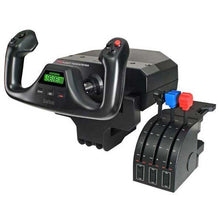
Logitech G Saitek Pro Saitek Flight Yoke & Throttle Quadrant System (PC)
Desktop yoke and throttle quadrant for realistic GA sim flying, with programmable buttons across multiple profiles that build real muscle memory for the cockpit.
Regular price $179.99Sale price $179.99 Regular priceUnit price per$229.99 -
 NewVendor:Thrustmaster
Thrustmaster TCA Sky Yoke (Xbox Series X|S, PC)
All in one general aviation yoke with throttle, trim, and yaw built in, Thrustmaster's first GA yoke with a steel pitch axis shaft and 16 bit Hall effect sensors, for Xbox and PC.
Regular price $199.99Sale price $199.99 Regular priceUnit price per -
 Vendor:Logitech G
Logitech G Saitek Basic Flight Simulation Bundle w/Microsoft Flight Simulator Standard Digital Download (PC)
Complete starter bundle: yoke, throttle, rudder pedals and software, a plug-and-play USB setup with 20 aircraft and 30 airports ready to fly right out of the box.
Regular price $389.99Sale price $389.99 Regular priceUnit price per$519.97 -
 Vendor:Thrustmaster
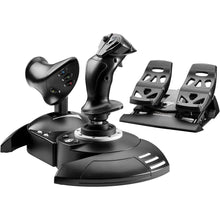
Thrustmaster T.Flight Full Kit X (Xbox Series X|S, One, PC)
All-in-one HOTAS stick, throttle and rudder kit for beginners, with 14 action buttons and 5 axes of control in a plug-and-play setup ready to fly on Xbox or PC.
Regular price $229.99Sale price $229.99 Regular priceUnit price per -
 Vendor:Thrustmaster
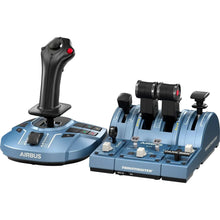
Thrustmaster TCA Captain Pack X Airbus Edition (Xbox Series X|S, One, PC)
Airbus-style sidestick and throttle captain set with officially licensed 1:1 scale replicas, built for pilots practicing A320neo procedures on a realistic airliner rig.
Regular price $299.99Sale price $299.99 Regular priceUnit price per -
 NewNewVendor:Thrustmaster
Thrustmaster Airbus Add-On Grip (PC)
Upgrade your compatible Thrustmaster modular base with this officially licensed 1:1 Airbus sidestick replica, featuring 5 buttons and 16 bit precision for PC.
Regular price $129.99Sale price $129.99 Regular priceUnit price per -
 Vendor:Logitech G
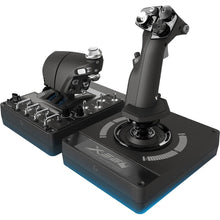
Logitech G Saitek Pro Flight X-56 H.O.T.A.S. System (PC)
Dual-throttle HOTAS with RGB lighting for immersive space sims, using 16-bit precision contact-free sensors for the most accurate control response in flight sims.
Regular price $249.99Sale price $249.99 Regular priceUnit price per$249.99 -
 Vendor:Thrustmaster
Thrustmaster TCA Officer Pack Airbus Edition (PC)
Airbus-style throttle quadrant and add-ons with an ambidextrous joystick and 4 swappable grip heads, rounding out a complete officer-side airliner sim rig for the desk.
Regular price $189.99Sale price $189.99 Regular priceUnit price per -
 Vendor:Thrustmaster
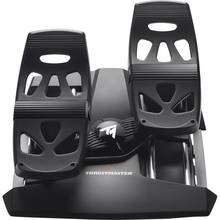
Thrustmaster T.Flight Rudder Pedals (PS5, PS4, Xbox Series X|S, One, PC)
Rudder pedals with toe brakes and adjustable resistance for sims, a self-centering design that adds realistic differential braking and steering across PS5, Xbox, and PC.
Regular price $129.99Sale price $129.99 Regular priceUnit price per


