




Thrustmaster TCA Sky Yoke (PS5, PC)
All in one general aviation yoke with throttle, trim, and yaw built in, Thrustmaster's first GA yoke with a steel pitch axis shaft and 16 bit Hall effect sensors, for PS5 and PC.
43061
Benefits
Benefits
Shipping & Delivery
Shipping & Delivery
Returns
Returns
The Thrustmaster TCA Sky Yoke is Thrustmaster's first general aviation yoke, bringing the yoke, throttle, trim, and yaw controls together in a single all in one unit for PlayStation 5 and PC.
Most simulator yokes cover pitch and roll and leave the rest to add on hardware. This general aviation flight yoke for PlayStation 5 and PC instead builds 7 axes, throttle control, a trim system, and yaw controls into one housing, so a complete light aircraft control setup is one purchase connected by one USB cable.
Control Feel Built Around a Steel Pitch Axis
The TCA Sky Yoke uses a steel pitch axis shaft combined with a self centering damped mechanism, with no central detent and a minimal dead zone, so small inputs near neutral translate into the aircraft rather than being lost in slack. The yoke wheel turns through 180 degrees of rotation on the roll axis and the shaft gives 3.5 inches, 9 cm, of travel on the pitch axis, enough range to fly precise approaches instead of working against a short throw. Every axis is read by H.E.A.R.T. HallEffect AccuRate Technology, with 16 bit resolution on all yoke and quadrant axes. Because Hall effect sensing is contactless, it is not subject to the wear of contact based sensors, which is what keeps the yoke accurate over the long term.
A Complete General Aviation Cockpit, Developed With Real Pilots
Thrustmaster developed the TCA Sky Yoke in collaboration with real pilots, and the control layout reflects that: 24 action buttons, an 8 way directional hat switch, one stick, and two analog triggers, which is enough to keep your hands on the yoke through a full flight. Mounting brackets on the base let you attach commercially available external modules and organize a virtual instrument cluster around the yoke, and three additional connectors, two RJ12 and one USB-A, accept optional Thrustmaster devices. The yoke is natively Plug and Play in Microsoft Flight Simulator 2024 on PlayStation 5 and PC.
Expandable to a Full Setup on One Cable
The TCA Sky Yoke works with the TCA Sky Quadrant throttle quadrant and the T.Flight Rudder Pedals for rudder control. Software support lets both connect through the yoke itself, so a single USB cable still runs to your console or computer instead of filling every port. A second TCA Sky Yoke can also be connected for a dual control configuration, which suits instruction and two pilot flying.
Put a genuine general aviation yoke at the center of your simulator, with the throttle and trim you actually need already built in. TCA Sky Quadrant and T.Flight Rudder Pedals sold separately.
Frequently Asked Questions
What platforms does the Thrustmaster TCA Sky Yoke work with?
This version is built for PlayStation 5 and for PC running Windows 10 or 11. It is natively Plug and Play in Microsoft Flight Simulator 2024 on PlayStation 5 and PC, so you can connect it and fly without a separate driver install.
Is this a general aviation yoke or an airliner yoke?
It is a general aviation yoke, and it is Thrustmaster's first. The controls are laid out for light aircraft flying, with 7 axes plus throttle, trim, and yaw all built into the one unit rather than split across separate airliner style modules.
Does the TCA Sky Yoke include a throttle?
Yes. Throttle control is built into the yoke itself, along with a trim system and yaw controls, for 7 axes in total. That means you do not need a separate throttle unit to fly, though you can add the TCA Sky Quadrant later if you want more thrust levers.
How much travel does the yoke have?
The yoke wheel turns through 180 degrees of rotation on the roll axis, and the shaft gives 3.5 inches, 9 cm, of travel on the pitch axis. That combination is what allows precise, controlled inputs rather than the abrupt response of a short throw control.
What is H.E.A.R.T. technology?
H.E.A.R.T. stands for HallEffect AccuRate Technology, Thrustmaster's magnetic sensing system. It delivers 16 bit resolution on all yoke and quadrant axes. Because the sensing is contactless there are no wearing contacts, which is what preserves precision over years of use.
Does the yoke have a center detent or a dead zone?
No central detent, and the dead zone is minimal. The yoke uses a steel pitch axis shaft paired with a self centering damped mechanism, so it returns to center on its own with a damped, progressive feel, and inputs just off center still register.
How many buttons and switches does it have?
The yoke is a fully featured controller with 24 action buttons, an 8 way directional hat switch, one stick, and two analog triggers. That is enough to map the switches, lights, and view controls you reach for most without taking your hands off the yoke.
Can I add rudder pedals and a throttle quadrant?
Yes. The TCA Sky Yoke is compatible with the TCA Sky Quadrant throttle quadrant and the T.Flight Rudder Pedals, both sold separately. Software support lets them connect through the yoke, so only a single USB cable runs to your PC or console. PilotMall carries a full range of flight sim controls. Check out our Thrustmaster flight sim controls collection for more options.
Can I use two yokes for a dual control setup?
Yes. A second TCA Sky Yoke can be connected for a dual control configuration, so an instructor and a student, or two pilots, can each have a yoke. This is the same arrangement used in a side by side training aircraft.
Can I attach external modules or instruments to it?
Yes. The base has mounting brackets for attaching commercially available external modules, which lets you organize a virtual instrument cluster around the yoke. There are also three additional connectors, two RJ12 and one USB-A, for connecting optional Thrustmaster devices.
What comes in the box?
The box contains 1 yoke, 1 USB Type-C to USB Type-A cable, 2 mounting brackets, and a warranty certificate with the instruction manual.
How large is the TCA Sky Yoke and how much does it weigh?
The yoke measures 7.09 inches, 180 mm, high by 13.5 inches, 344 mm, wide by 17.3 inches, 440 mm, deep, and it weighs 5.5 lbs, 2,495 g. It is a substantial desk mounted unit, so plan for the depth in front of your monitor when you set up your simulator position.
-
 Vendor:Logitech G
Logitech G Saitek Basic Flight Simulation Bundle w/Microsoft Flight Simulator Standard Digital Download (PC)
Complete starter bundle: yoke, throttle, rudder pedals and software, a plug-and-play USB setup with 20 aircraft and 30 airports ready to fly right out of the box.
Regular price $389.99Sale price $389.99 Regular priceUnit price per$519.97 -
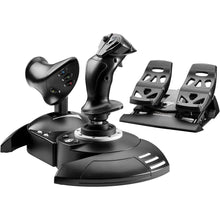 Vendor:Thrustmaster
Thrustmaster T.Flight Full Kit X (Xbox Series X|S, One, PC)
All-in-one HOTAS stick, throttle and rudder kit for beginners, with 14 action buttons and 5 axes of control in a plug-and-play setup ready to fly on Xbox or PC.
Regular price $199.99Sale price $199.99 Regular priceUnit price per -
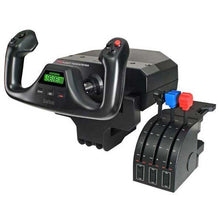 Vendor:Logitech G
Logitech G Saitek Pro Saitek Flight Yoke & Throttle Quadrant System (PC)
Desktop yoke and throttle quadrant for realistic GA sim flying, with programmable buttons across multiple profiles that build real muscle memory for the cockpit.
Regular price $179.99Sale price $179.99 Regular priceUnit price per$229.99 -
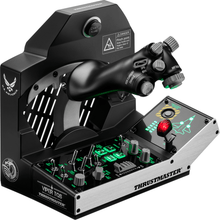 Vendor:Thrustmaster
Thrustmaster Viper TQS Mission Pack: Metal Throttle Quadrant System (PC)
All-metal fighter throttle and control panel with an authentic F-16 Viper design, a 1:1 scale replica for combat simmers who want genuine cockpit switchology.
Regular price $499.99Sale price $499.99 Regular priceUnit price per -
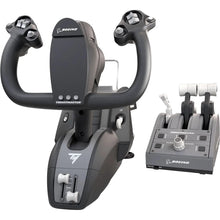 Vendor:Thrustmaster
Thrustmaster TCA Yoke Pack Boeing Edition (Xbox Series X|S, One, PC)
Boeing-style yoke and throttle quadrant for airliner sim flying, replicating full-scale 787 flight deck controls for authentic airliner procedures.
Regular price $499.99Sale price $499.99 Regular priceUnit price per -
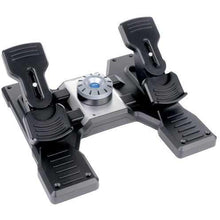 Vendor:Logitech G
Logitech G Saitek Pro Saitek Flight Rudder Pedals (PC)
Self-centering rudder pedals with toe brakes for desktop sims, a simple USB setup compatible with Microsoft Flight Simulator, X-Plane, FSX and Prepar3D.
Regular price $179.99Sale price $179.99 Regular priceUnit price per$229.99 -
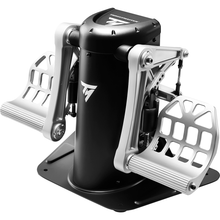 Vendor:Thrustmaster
Thrustmaster TPR Pendular Rudder Pedals (PC)
Pendular rudder pedals with contactless magnetic sensors delivering over 65,000 positions per axis, built on a 15.4-pound all-metal frame for serious sim pilots.
Regular price $599.99Sale price $599.99 Regular priceUnit price per -
 NewVendor:Thrustmaster
Thrustmaster SOL-R 4 HOTAS - Advanced Flight Simulation System (PC)
An ambidextrous joystick and a robust throttle combine into an accessible HOTAS setup that gives everyday flight simmers precise, confident control without a steep price.
Regular price $339.99Sale price $339.99 Regular priceUnit price per$349.99 -
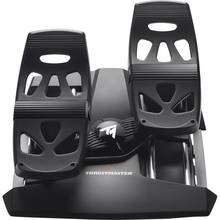 Vendor:Thrustmaster
Thrustmaster T.Flight Rudder Pedals (PS5, PS4, Xbox Series X|S, One, PC)
Rudder pedals with toe brakes and adjustable resistance for sims, a self-centering design that adds realistic differential braking and steering across PS5, Xbox, and PC.
Regular price $129.99Sale price $129.99 Regular priceUnit price per -
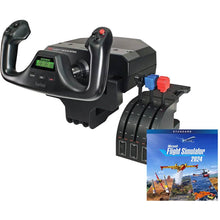 Vendor:Logitech G
Logitech G Saitek Pro Yoke Flight Bundle w/Microsoft Flight Simulator Standard Digital Download (PC)
Yoke and throttle bundle with the sim to start flying today, a plug-and-play USB setup that includes 20 aircraft ready to explore from the first flight.
Regular price $229.99Sale price $229.99 Regular priceUnit price per$289.98


