




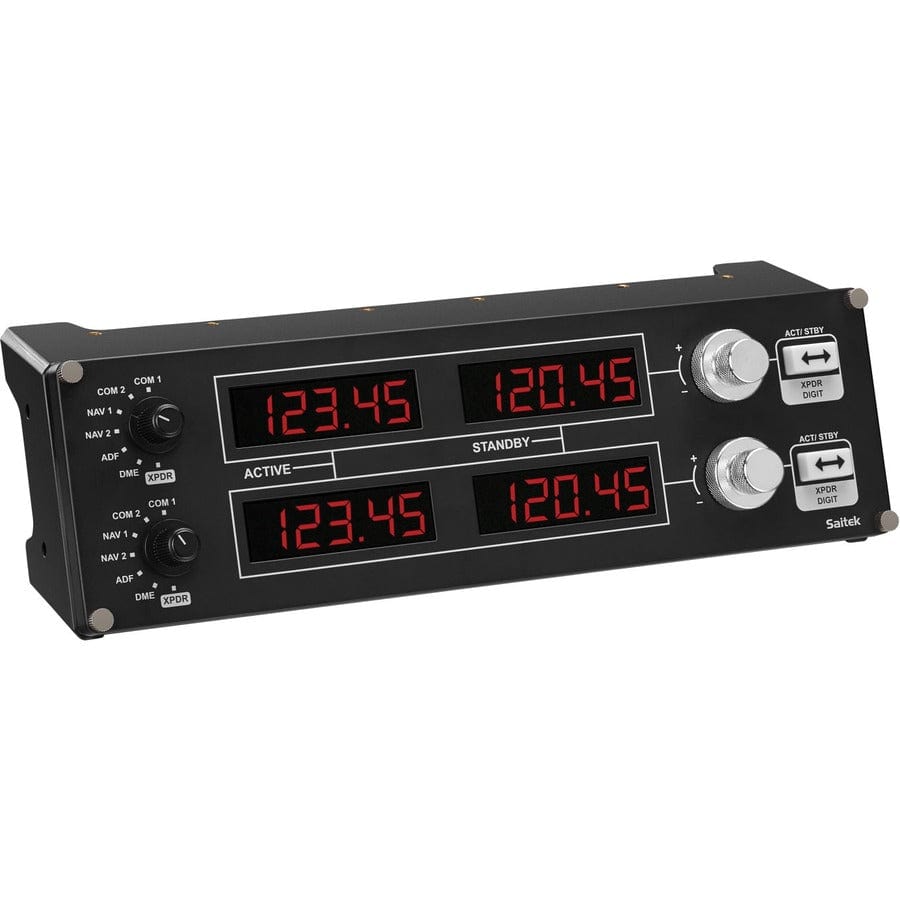
Logitech G Saitek Pro Flight Radio Panel (PC)
Radio and nav frequency panel that plugs into a hardware sim cockpit, connecting via USB for real-time control in Microsoft Flight Simulator, X-Plane, and FSX.
Same-day shipping when ordered by 3 PM ET, Mon to Fri.
30-day returns on this item. Return policy
Earn $3.39 in Captain's Club Dividend. How it works
22865
Benefits
Benefits
Shipping & Delivery
Shipping & Delivery
Returns
Returns
The Logitech G Saitek Pro Flight Radio Panel transforms your PC flight simulator into a realistic cockpit experience with dedicated hardware controls, eliminating cumbersome on-screen radio management.
This flight simulator radio panel offers seamless plug-and-play functionality. It connects instantly via USB, providing real-time control over communication and navigation systems in Microsoft Flight Simulator, X-Plane, FSX, and Prepar3D.
Enhanced Realism for Flight Sim Enthusiasts
Whether you're a flight sim enthusiast building a custom home cockpit or a student pilot practicing communication procedures, this Logitech G flight panel bridges the gap between virtual and real-world aviation. The four bright LED displays ensure clear visibility of frequency settings, while dual adjustment dials allow precise tuning of communications, navigation, and transponder controls. What makes this the best radio panel for flight simulator setups is its immediate two-way synchronization, changes made on the physical panel instantly appear in your sim software, and vice versa. Flight training schools appreciate how this realistic cockpit hardware helps students develop muscle memory for actual aircraft procedures, while aviation gamers enjoy the enhanced immersion that comes from tactile frequency management instead of mouse clicking through virtual radio stacks.
Seamless Integration with Windows PCs
Compatible exclusively with Windows PCs, this flight sim radio controller requires only a single USB 2.0 connection and works across Windows 7 through 11 operating systems. The compact design integrates seamlessly into existing simulator setups, and Logitech G's trusted engineering ensures reliable performance backed by comprehensive warranty support. For pilots wondering, "Does the Saitek radio panel work with Microsoft Flight Simulator?" the answer is absolutely, a simple plugin installation enables full compatibility with all major simulation platforms, making this an essential flight sim upgrade for anyone serious about realistic aviation training or entertainment.
Stop fumbling with on-screen radios and gain precise, real-time control with the Logitech G Saitek Pro Flight Radio Panel. Its seamless plug-and-play setup gets you flying with enhanced immersion instantly, upgrade now!



Frequently Asked Questions
What flight simulators does the Logitech G Saitek Pro Flight Radio Panel work with?
It is compatible with Microsoft Flight Simulator, X-Plane, FSX, and Prepar3D. A plugin installation enables full two-way synchronization with each supported platform, so frequency changes on the hardware appear instantly in your sim and vice versa.
Does it work on Mac or only Windows?
This panel is compatible exclusively with Windows PCs. It supports Windows 7 through Windows 11. Mac and Linux are not supported. Make sure your sim rig is running a compatible Windows version before purchasing.
How does it connect to my PC?
The panel uses a single USB 2.0 connection for both data and power. No external power supply is required. It is designed for true plug-and-play setup, though installing the Logitech G software plugin is recommended for full sim integration.
What radio functions does it control?
The panel provides real-time control over COM and NAV frequencies as well as transponder and DME settings. Dual concentric adjustment dials let you tune both active and standby frequencies with the same precision you would expect in a real aircraft radio stack.
How many LED displays does it have?
It features four bright LED displays that show your active and standby frequencies for both COM and NAV radios. The displays are designed for clear visibility across a range of ambient lighting conditions in your home cockpit setup.
Is this useful for student pilots practicing cockpit procedures?
Yes. Flight training schools and student pilots use this panel to build muscle memory for radio tuning and ATC communication procedures. The tactile dials replicate real aircraft controls far more effectively than clicking through a virtual radio stack with a mouse.
Can I stack multiple panels together?
Yes. The Logitech G Saitek flight panel system is designed to be modular. You can connect multiple panels (radio, multi, switch, etc.) to build out a more complete home cockpit. Each panel connects independently via its own USB connection.
What is included in the box?
The box includes the Logitech G Saitek Pro Flight Radio Panel unit and a USB cable. Software and drivers are available for download from Logitech G. No additional hardware or power adapter is needed for operation.
Is this suitable for a beginner sim pilot?
Yes. The plug-and-play USB setup is straightforward, and the concentric dials are intuitive to use. Beginners will find that having dedicated hardware controls for radio tuning significantly reduces cockpit workload and improves the overall simulation experience.
Does it come with a warranty?
Logitech G products are backed by Logitech's standard manufacturer warranty. For the current warranty terms and support options, refer to the documentation included with the panel or visit the Logitech G support website.
-
 Vendor:Logitech G
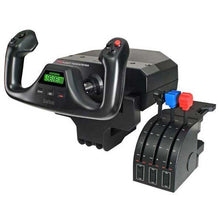
Logitech G Saitek Pro Saitek Flight Yoke & Throttle Quadrant System (PC)
Desktop yoke and throttle quadrant for realistic GA sim flying, with programmable buttons across multiple profiles that build real muscle memory for the cockpit.
Regular price $179.99Sale price $179.99 Regular priceUnit price per$229.99 -
 Vendor:Logitech G
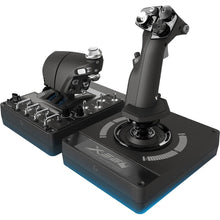
Logitech G Saitek Pro Flight X-56 H.O.T.A.S. System (PC)
Dual-throttle HOTAS with RGB lighting for immersive space sims, using 16-bit precision contact-free sensors for the most accurate control response in flight sims.
Regular price $249.99Sale price $249.99 Regular priceUnit price per$249.99 -
 Vendor:Logitech G
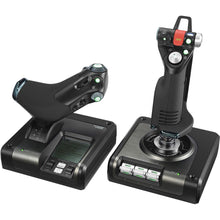
Logitech G Saitek X52 Pro H.O.T.A.S. Flight Control System (PC)
Programmable HOTAS with a multifunction display for deep control, a professional-grade PC system built for precise, realistic flight simulation control.
Regular price $229.99Sale price $229.99 Regular priceUnit price per$259.99 -
 Vendor:Logitech G
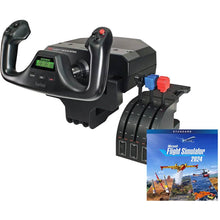
Logitech G Saitek Pro Yoke Flight Bundle w/Microsoft Flight Simulator Standard Digital Download (PC)
Yoke and throttle bundle with the sim to start flying today, a plug-and-play USB setup that includes 20 aircraft ready to explore from the first flight.
Regular price $229.99Sale price $229.99 Regular priceUnit price per$289.98 -
 Vendor:Logitech G
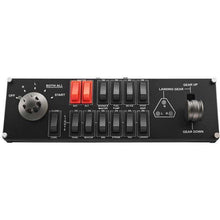
Logitech G Saitek Pro Flight Switch Panel (PC)
Add-on switch and landing-gear panel for a hardware sim cockpit, delivering authentic tactile clicks and real-time LED status feedback for a realistic setup.
Regular price $119.99Sale price $119.99 Regular priceUnit price per$129.99
