




ASA Color E6B Flight Computer with Enhanced Readability
Color-coded manual E6B with enhanced readability for students, using intuitive color cues to speed up wind correction and flight-planning calculations in training.
29558
Benefits
Benefits
Shipping & Delivery
Shipping & Delivery
Returns
Returns
The ASA Color E6B Flight Computer transforms the traditional manual flight calculator into a modern pilot navigation tool. Its enhanced color-coding makes critical aviation calculations clearer and faster than ever before.
Enhanced Usability with Color-Coding
This innovative color E6B flight computer uses intuitive visual cues to differentiate functions. Red indicates east wind correction angles, blue for west corrections, and distinct colors for time, distance, and weight calculations. This eliminates the guesswork that slows down flight planning.
Reliable Navigation for All Pilots
Whether you're a student pilot wondering "what's the best flight computer for student pilots" or a seasoned aviator seeking reliable backup navigation tools, this metal flight calculator delivers the trusted ASA quality you expect with breakthrough usability improvements. The solid aluminum construction ensures this aviation flight computer withstands daily cockpit demands. The familiar circular design maintains the proven functionality pilots have relied on for decades. Flight instructors particularly appreciate how the color-coding helps students grasp complex wind correction concepts more quickly, turning challenging calculations into intuitive visual processes.
Efficient Wind Correction Calculations
For pilots asking "how to find wind correction angle" efficiently, the ASA Color E6B's visual system provides immediate clarity. No more squinting at identical markings or second-guessing calculations during critical flight planning moments. This manual flight calculator serves as both an essential training tool and a dependable backup to electronic systems. It gives you confidence whether you're preparing for checkrides or navigating real-world flight operations. The enhanced readability reduces cockpit workload and improves accuracy, making it an indispensable addition to any pilot's flight planning tools collection.
Experience faster calculations and intuitive wind correction with the ASA Color E6B's enhanced color readability. Its durable aluminum construction ensures lasting reliability, upgrade your flight kit today!
Frequently Asked Questions
What is the ASA Color E6B Flight Computer and what does it do?
It is a manual slide-rule flight computer for aviation calculations. Pilots use it to work out wind correction angle, ground speed, time, distance, fuel burn, true airspeed, density altitude, and unit conversions. The familiar circular design packs a slide rule and a wind-solving plotter into one tool, with no electronics required for flight planning.
How does the color-coding improve readability?
Color accents help you identify functions at a glance. On the wind side, red marks east wind correction angles and blue marks west corrections. On the circular side, distinct colors separate the time, distance, and weight scales. This reduces guesswork, lowers cockpit workload, and helps you avoid squinting at identical markings during flight planning.
How is the Color E6B different from the standard ASA-E6B?
It is identical in functionality and size to the standard ASA-E6B, so every calculation works exactly the same way. The only difference is the added color-coding that makes the scales and wind corrections easier to read and faster to use. If you already know the classic ASA E6B, there is no new method to learn.
What is it made of and how durable is it?
The Color E6B is built from solid aluminum for long-lasting use in the cockpit. Unlike cardboard or plastic models, aluminum will not bend, warp, or wear out with daily handling over the years. The solid metal construction is designed to withstand routine cockpit demands while keeping the markings crisp and readable.
Does the E6B need batteries or software updates?
No. This is a manual flight computer, so it needs no batteries, charging, or software updates. It gives immediate results and cannot fail from a dead battery or a screen washed out by sunlight. That reliability is why many pilots carry one as a dependable backup to electronic systems and aviation apps.
How do you find the wind correction angle using this E6B?
Use the wind side. Rotate the disk so the wind direction is at the top and mark the wind speed up from the grommet. Then rotate the disk to your true course, slide it so the mark lines up with your true airspeed, and read the wind correction angle between the center line and the mark. The color-coding flags east versus west corrections.
What is included with the Color E6B?
The Color E6B ships as a complete manual flight computer ready for flight planning. It includes a protective vinyl case and an instruction booklet to help you learn the scales and calculations. PilotMall carries a full range of pilot flight computers. Check out our Pilot Flight Computers & Plotters collection for more options.
What size is it?
The Color E6B uses the full-size circular ASA E6B format and is the same size as the standard ASA-E6B it is based on. It measures roughly 9-3/4 by 5 inches. The full-size scales are easier to read than pocket versions, which helps during training and detailed cross-country planning.
Is the Color E6B a good choice for student pilots?
Yes. It is a popular flight computer for student pilots and is widely used in training. Flight instructors value how the color-coding helps students grasp wind correction concepts more quickly, turning challenging calculations into intuitive visual steps. It works well for ground school, checkride preparation, and everyday cross-country flight planning.
Can I use this E6B during FAA knowledge tests and checkrides?
Manual E6B flight computers are commonly permitted aids for FAA knowledge exams, and many test questions are built around E6B calculations. Because this model needs no power and stores no data, it suits exam settings well. Always confirm the current testing-center rules with your instructor or the FAA before your exam, since policies can change.
Does it convert temperatures and measure distance on charts?
Like the standard ASA E6B it is based on, this model includes a Celsius and Fahrenheit conversion scale and mileage scales for measuring distance on sectional charts. Combined with its scales for time, speed, fuel, and density altitude, it covers the core calculations needed for VFR cross-country flight planning.
How do you read the numbers on the scales correctly?
E6B scales are read by context, not literally. A printed 10 can represent 100, 1000, or 0.1 depending on the calculation, so you place the decimal based on your known values. Working through the included instruction booklet a few times makes this second nature, and the color-coding helps you stay on the correct scale.
-
 Vendor:ASA
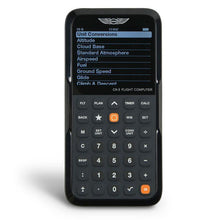
ASA CX-3 Flight Computer: Ultimate Electronic E6-B Calculator
Electronic E6B that runs flight and fuel math, approved for the ACS and the only electronic E6B certified for both FAA and Canadian knowledge exams.
Regular price $127.99Sale price $127.99 Regular priceUnit price per$149.95 -
 NewVendor:Runway Selector
Aviation Runway Selector and Crosswind Component Tool
Slide tool that picks the best runway and reads crosswind component in seconds, a compact aid that cuts cockpit workload during preflight planning.
Regular price $19.95Sale price $19.95 Regular priceUnit price per -
 Vendor:ASA
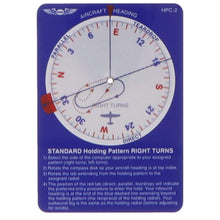
ASA IFR Holding Pattern Visualizer for Pilots
Holding pattern visualizer that shows the correct entry every time, a compact double-sided IFR tool for fast, accurate entry selection under any holding clearance.
Regular price $13.49Sale price $13.49 Regular priceUnit price per$15.95 -
 Vendor:ASA
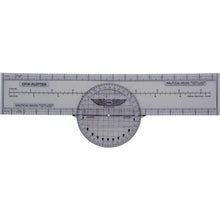
ASA Rotating Plotter Precision VFR Flight Navigation
Rotating plotter with a direct course readout, a fast and reliable way for VFR pilots to plot true headings and distances on any sectional chart.
Regular price $13.49Sale price $13.49 Regular priceUnit price per$14.95 -
 Vendor:ASA
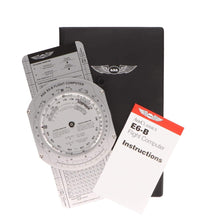
ASA Premium Aluminum E6B Flight Computer
Premium aluminum E6B built to last for manual flight math, sized 9-3/4 x 5 inches to solve wind correction angles, true airspeed, and time and distance.
Regular price $41.99Sale price $41.99 Regular priceUnit price per$49.95 -
 Vendor:ASA
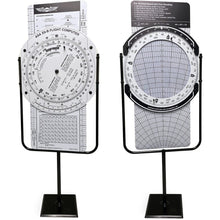
ASA E6B Classroom Trainer: Oversized Flight Computer
Oversized E6B for instructors to demonstrate to a classroom, operating just like a handheld E6B so students learn authentic navigation calculations together.
Regular price $2,495.00Sale price $2,495.00 Regular priceUnit price per$1,995.00 -
 Vendor:ASA
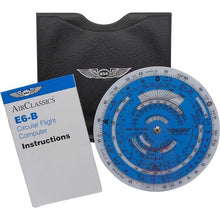
ASA E6B Flight Computer: Precision Manual Calculator
Manual circular E6B for wind, fuel and time-speed-distance math, with dual-sided functionality that keeps flight planning fast and dependable in the cockpit or classroom.
Regular price $28.99Sale price $28.99 Regular priceUnit price per$34.95 -
 Vendor:Jeppesen Sanderson
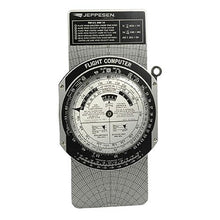
Jeppesen Metal E6-B Flight Computer: Durable Pilot Calculator (CSG)
Durable metal E6B with a wind slide for lasting daily use, trusted by student pilots and cross-country aviators for precise, screen-free navigation.
Regular price $44.95Sale price $44.95 Regular priceUnit price per -
 Vendor:Jeppesen Sanderson
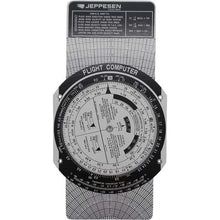
Jeppesen E6B Student Pilot Flight Computer (CSG)
Student E6B with a wind-correction slide for training math, a budget-friendly tool that pairs with official training materials to master flight calculations early.
Regular price $17.49Sale price $17.49 Regular priceUnit price per -
 Vendor:ASA
ASA E6B Paper Flight Computer: Reliable Manual Pilot Tool
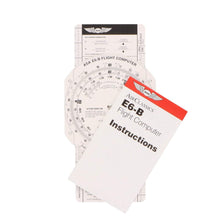
Low-cost paper E6B for students learning manual calculations, a battery-free backup that keeps working reliably when electronic devices fail during critical phases.
Regular price $13.99Sale price $13.99 Regular priceUnit price per$15.95

