




Thrustmaster T.16000M FCS Space Sim Duo Stick (PC)
Dual-stick setup for six-axis control in space and flight sims, with H.E.A.R.T magnetic sensors delivering 256x greater precision than standard controllers.
42269
Benefits
Benefits
Shipping & Delivery
Shipping & Delivery
Returns
Returns
The Thrustmaster T.16000M FCS Space Sim Duo Stick revolutionizes PC flight simulation with its dual joystick system, designed for ambidextrous control in space and flight games.
This space sim joystick offers 256x greater precision than standard controllers, thanks to its H.E.A.R.T magnetic sensor technology.
Enhanced Precision and Control
Whether navigating the cosmos in Star Citizen or engaging in combat in Elite Dangerous, this precision space sim controller for PC answers the question: can I use two joysticks in Elite Dangerous? The answer is transformative. Each stick has 16 programmable buttons with Braille-style identification, creating an intuitive control surface. This design works seamlessly in VR environments where visual button identification is challenging. The ambidextrous design provides left-handed pilots access to professional-grade hardware, while ergonomic hand rests and weighted bases ensure comfort during extended sessions.
Advanced Features for Immersive Gaming
This PC flight sim controller departs from traditional single-stick setups, offering the best dual joystick for Star Citizen PC gaming and serving as a versatile HOTAS alternative for space games. The magnetic sensor technology eliminates wear and drift common in potentiometer systems. T.A.R.G.E.T software enables custom mapping profiles for each simulation title. From asteroid mining requiring delicate maneuvering to high-speed dogfights demanding split-second reactions, the dual-stick configuration provides independent control over translation and rotation movements that keyboard and mouse setups cannot match.
Command your simulation with the Thrustmaster T.16000M FCS Space Sim Duo: dual ambidextrous joysticks deliver unmatched precision via H.E.A.R.T magnetic sensors and total control with 32 programmable buttons. Upgrade your experience now!
Frequently Asked Questions
What is the Thrustmaster T.16000M FCS Space Sim Duo Stick?
It is a dual joystick set that pairs two T.16000M FCS sticks so you can fly with one joystick in each hand. The ambidextrous design gives independent control over translation and rotation movements, which is ideal for PC space and flight simulation and not possible with a keyboard and mouse alone.
Can I really use two joysticks at the same time, one in each hand?
Yes. This set is built for dual-stick play, letting you assign one joystick to translation and the other to rotation. It directly answers the common question about using two joysticks in titles like Elite Dangerous, giving simultaneous control that single-stick or traditional HOTAS layouts cannot match for space and flight sims.
What games does it work with?
It is designed for PC space and flight simulators. The product is built for titles such as Star Citizen and Elite Dangerous, and it works as a flexible alternative to a single-stick or HOTAS setup. Compatibility depends on the individual game allowing dual-stick input, which most modern space sims support.
How precise is it, and what is H.E.A.R.T technology?
Each stick uses H.E.A.R.T magnetic sensor technology, which Thrustmaster describes as delivering precision up to 256 times greater than standard controllers. Because the sensors are magnetic and contactless, the mechanism resists the wear and drift common in older potentiometer-based joysticks, helping the sticks stay accurate over long-term use.
How many buttons does each joystick have?
Each of the two joysticks has 16 programmable buttons, for 32 total across the pair. The buttons feature Braille-style physical identification you can feel by touch, so they are easy to find without looking. That tactile design is especially helpful in VR, where seeing the physical controls in front of you is not possible.
Is it ambidextrous, and is it good for left-handed pilots?
Yes. Both sticks use an ambidextrous design, giving left-handed pilots access to the same professional-grade hardware as right-handed users. Ergonomic hand rests and weighted bases keep each stick stable and comfortable during long sessions, and the matched pair lets you set up one stick for each hand however you prefer.
Is it compatible with PlayStation, Xbox, or Mac?
This set is designed exclusively for PC. It is not compatible with PlayStation or Xbox consoles. On Mac, usable joystick support depends on the individual simulator rather than the hardware itself. For the intended dual-stick space and flight sim experience, a Windows PC is the recommended platform.
How do I connect it to my PC?
Each of the two joysticks connects to your computer, and your PC recognizes them as two separate controllers. Once both are connected and detected, you can map each stick independently in your simulator or in Thrustmaster software, assigning one to translation and the other to rotation for full dual-stick control.
What software is used to program the buttons?
Thrustmaster T.A.R.G.E.T software lets you build custom mapping profiles for each simulation title, combine the two sticks, and remap controls to your liking. Many PC space and flight sims also let you assign or import keybindings directly within the game itself, so you can tune each stick to how you like to fly.
Does it come with a throttle?
No. This Space Sim Duo configuration is two matched joysticks intended for dual-stick flying, not a stick-and-throttle HOTAS bundle. It is positioned as a HOTAS alternative for space games. If you prefer a throttle-based layout, look for a separate stick and throttle pack. Click for Price to see current availability of this dual-stick set.
Why might both sticks not work at once in my game?
Each stick is a separate controller, so both must be connected, detected, and the game must support two joysticks. Some titles need you to assign the second device manually or load a dual-stick profile. Community keybinding profiles for games like Star Citizen and Elite Dangerous can make this setup faster.
-
 Vendor:Logitech G
Logitech G Saitek Basic Flight Simulation Bundle w/Microsoft Flight Simulator Standard Digital Download (PC)
Complete starter bundle: yoke, throttle, rudder pedals and software, a plug-and-play USB setup with 20 aircraft and 30 airports ready to fly right out of the box.
Regular price $389.99Sale price $389.99 Regular priceUnit price per$519.97 -
 Vendor:Thrustmaster
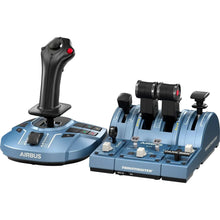
Thrustmaster TCA Captain Pack X Airbus Edition (Xbox Series X|S, One, PC)
Airbus-style sidestick and throttle captain set with officially licensed 1:1 scale replicas, built for pilots practicing A320neo procedures on a realistic airliner rig.
Regular price $299.99Sale price $299.99 Regular priceUnit price per -
 Vendor:Logitech G
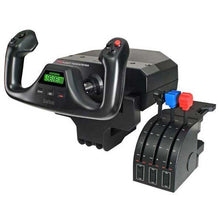
Logitech G Saitek Pro Saitek Flight Yoke & Throttle Quadrant System (PC)
Desktop yoke and throttle quadrant for realistic GA sim flying, with programmable buttons across multiple profiles that build real muscle memory for the cockpit.
Regular price $179.99Sale price $179.99 Regular priceUnit price per$229.99 -
 Vendor:Thrustmaster
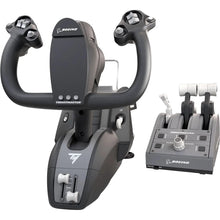
Thrustmaster TCA Yoke Pack Boeing Edition (Xbox Series X|S, One, PC)
Boeing-style yoke and throttle quadrant for airliner sim flying, replicating full-scale 787 flight deck controls for authentic airliner procedures.
Regular price $499.99Sale price $499.99 Regular priceUnit price per -
 Vendor:Thrustmaster
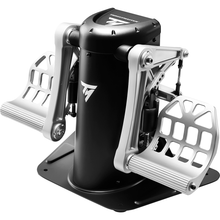
Thrustmaster TPR Pendular Rudder Pedals (PC)
Pendular rudder pedals with contactless magnetic sensors delivering over 65,000 positions per axis, built on a 15.4-pound all-metal frame for serious sim pilots.
Regular price $599.99Sale price $599.99 Regular priceUnit price per -
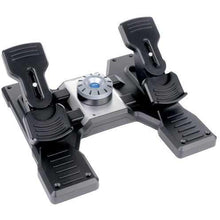 Vendor:Logitech G
Logitech G Saitek Pro Saitek Flight Rudder Pedals (PC)
Self-centering rudder pedals with toe brakes for desktop sims, a simple USB setup compatible with Microsoft Flight Simulator, X-Plane, FSX and Prepar3D.
Regular price $179.99Sale price $179.99 Regular priceUnit price per$229.99 -
 NewVendor:Thrustmaster
Thrustmaster SOL-R 4 HOTAS - Advanced Flight Simulation System (PC)
An ambidextrous joystick and a robust throttle combine into an accessible HOTAS setup that gives everyday flight simmers precise, confident control without a steep price.
Regular price $339.99Sale price $339.99 Regular priceUnit price per$349.99 -
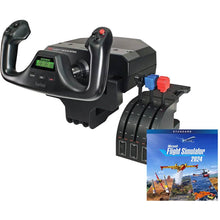 Vendor:Logitech G
Logitech G Saitek Pro Yoke Flight Bundle w/Microsoft Flight Simulator Standard Digital Download (PC)
Yoke and throttle bundle with the sim to start flying today, a plug-and-play USB setup that includes 20 aircraft ready to explore from the first flight.
Regular price $229.99Sale price $229.99 Regular priceUnit price per$289.98 -
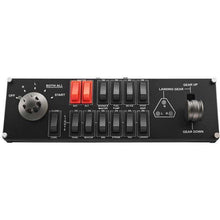 Vendor:Logitech G
Logitech G Saitek Pro Flight Switch Panel (PC)
Add-on switch and landing-gear panel for a hardware sim cockpit, delivering authentic tactile clicks and real-time LED status feedback for a realistic setup.
Regular price $119.99Sale price $119.99 Regular priceUnit price per$129.99 -
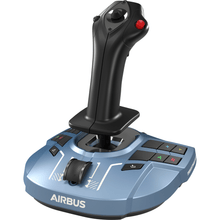 Vendor:Thrustmaster
Thrustmaster TCA Sidestick X Airbus Edition (Xbox Series X|S, One, PC)
Airbus-style sidestick for realistic airliner sim flying, an officially licensed 1:1 scale replica with 17 tactile action buttons for full control of aircraft systems.
Regular price $119.99Sale price $119.99 Regular priceUnit price per


