




How To Calculate Flight Time Manually (Or With A Calculator)
As a passenger, going on a journey across countries with different airlines is a thrilling adventure that fuels our wanderlust. As we gaze out the window to enjoy the view, it's easy to forget the intricate planning and calculations that make this extraordinary experience possible.
While a passenger can simply enjoy the ride, those of you who want to become pilots need to know what it takes to be in the pilot's seat when it comes to flight planning. Let's plan ahead for your trip, this article will guide you through the process of calculating flight time.


Time en route drives everything in flight planning: fuel load, alternate selection, weather windows, even whether you land before the FBO closes. Knowing how to calculate flight time is one of the first skills every student pilot learns, and it never stops mattering, whether you fly a Cessna 152 or a turboprop.
This guide covers the math behind flight time, how to work it on an E6B whiz wheel, when an electronic flight computer like the ASA CX-3 earns a spot in your bag, and the online calculators and apps that speed up planning. Let's dive in.

Key Takeaways
- Flight time is distance divided by ground speed. Fly 48 NM at 120 knots ground speed and the leg takes 24 minutes.
- Estimate true airspeed quickly by adding 2% of your calibrated airspeed for every 1,000 ft of pressure altitude.
- Ground speed, not true airspeed, is the number that matters: always correct for winds aloft before you trust an estimate.
- A manual E6B never needs batteries and teaches the underlying math; the electronic ASA CX-3 is faster and is approved for FAA knowledge tests.
- ForeFlight, SkyVector, and online calculators give you a quick ETE, but cross-check them with your own numbers before every cross-country.
How Is Flight Time Calculated?
The flight duration of an airplane is determined by the distance between the departure and destination airports and the average ground speed of the aircraft along the route. The core formula is simple: time equals distance divided by ground speed. Multiply the decimal result by 60 to convert to minutes.
Many factors affect flight duration, including the airplane model, weight, altitude, wind speed, and atmospheric conditions. Air traffic control restrictions and the planned route of the aircraft may also be incorporated into the estimation of flying time.
Curious about the best way to estimate your airspeed so you can calculate accurate flight times? That starts with true airspeed.
Estimating True Airspeed
For quick mental math, you can get a general estimate of your TAS by adding 2% of the Calibrated Airspeed (CAS) for every 1,000 ft of pressure altitude.
For example, if you are flying at an altitude of 3,000 ft with a CAS of 100 kt:
- 100 + ((2% x 100) x 3)
- 100 + (2 x 3) = 106
According to these results, your true airspeed would be 106 kt.

Quick tip: to sort out your different airspeeds, such as calibrated airspeed, true airspeed, indicated airspeed, and ground speed, check out our guide to the 4 types of airspeed.
Mind Your Time Zone
Estimating the duration of a flight requires careful consideration of the time zones of the airports you intend to depart from and arrive at, especially on longer trips. Also account for any changes to the time, such as daylight saving time. This is exactly why flight plans run on UTC (Zulu time): convert once at the start of planning and local offsets cannot trip you up.

Using a Flight Computer (E6B)
Flight computers, also known as "whiz wheels," are an important addition to any pilot's flight bag. Their purpose is to help with calculations for flight planning and cross-country flights. Not only do they handle fuel consumption, they also estimate flight times, altitude corrections, headings, and wind correction.
Here is a worked example. Say your speed is 120 kt and your distance is 48 NM:
- Turn the inner wheel to line up the rate arrow (the 60 mark) on your E6B with your ground speed.
- For our example, place the arrow under 12 on the outer wheel, which represents 120 kt.
- Find 48 on the outer ring; directly below it on the inner wheel you will see 24.
- It will take roughly 24 minutes (not counting wind correction) to travel a flight distance of 48 NM at a speed of 120 kt.
You can also try out this online E6B. Input your ground speed and the distance in nautical miles to calculate the estimated flight time. Keep in mind that factors such as wind will affect your flight time.
E6B vs ASA CX-3: Manual or Electronic?
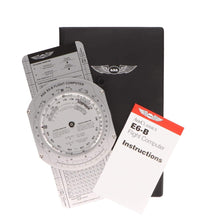
Sooner or later every pilot chooses between the classic slide-rule E6B and an electronic flight computer. Both produce the same answers; they differ in speed, workflow, and what they teach you along the way. The benchmark manual unit is the ASA Premium Aluminum E6B, and the electronic flight computer we recommend most is the ASA CX-3.
| Feature | Manual E6B (Whiz Wheel) | ASA CX-3 |
|---|---|---|
| Power | None needed, works forever | Batteries with a backlit display |
| Speed | Slower, each problem is set by hand | Menu-driven answers across dozens of functions |
| Wind problems | Wind side with grommet and pencil marks | Prompts for inputs, no plotting required |
| Learning value | Teaches the speed-distance-time relationships | Gives answers fast but teaches less |
| Knowledge test | Allowed | Approved for FAA knowledge exams |
| Durability | Aluminum versions last decades | Solid, but treat it like any electronic device |
| Best for | Students building fundamentals and backup use | Checkride prep, working pilots, fast planning |
Our take: learn the manual E6B first. Setting the wheel by hand burns the speed-distance-time and wind relationships into your head in a way no screen can. Once the concepts are solid, the CX-3 becomes a speed tool: time en route, fuel burn, density altitude, weight and balance, and wind triangles in a few keystrokes, with the whiz wheel riding along as the battery-free backup.
Using a Flight Time Calculator
Several sites and apps provide flight time calculators. To use them properly, you will need the airport codes of both your departure and arrival airports, along with airspeeds such as ground speed and true airspeed, and you will need to factor in winds. Double-check the time zone of your arrival airport as well.
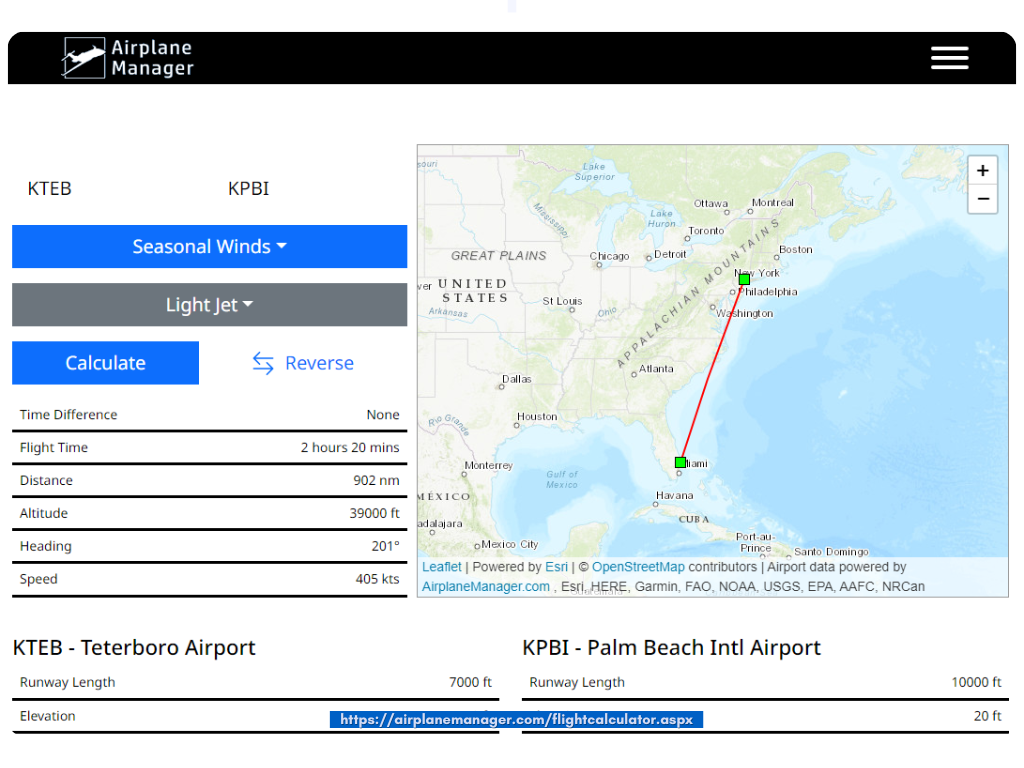
Airplane Manager has a useful online flight calculator that can help estimate flight times, but do not use any single calculator as your only source for planning.
Using ForeFlight to Determine Flight Time

ForeFlight continues to be one of the most trusted sources of planning information for pilots. On top of time estimates, you can pull weather briefings and fuel consumption figures, and even file your flight plan. It is a great addition to the cockpit, while keeping that whiz wheel handy for on-the-go calculations in case your battery runs low.
Look for "FPL" at the top of the application, then add your departure and arrival airports. The advantage of ForeFlight is that once you enter your aircraft's performance details, you receive the most accurate estimates for your specific flight.
Using SkyVector to Determine Flight Time
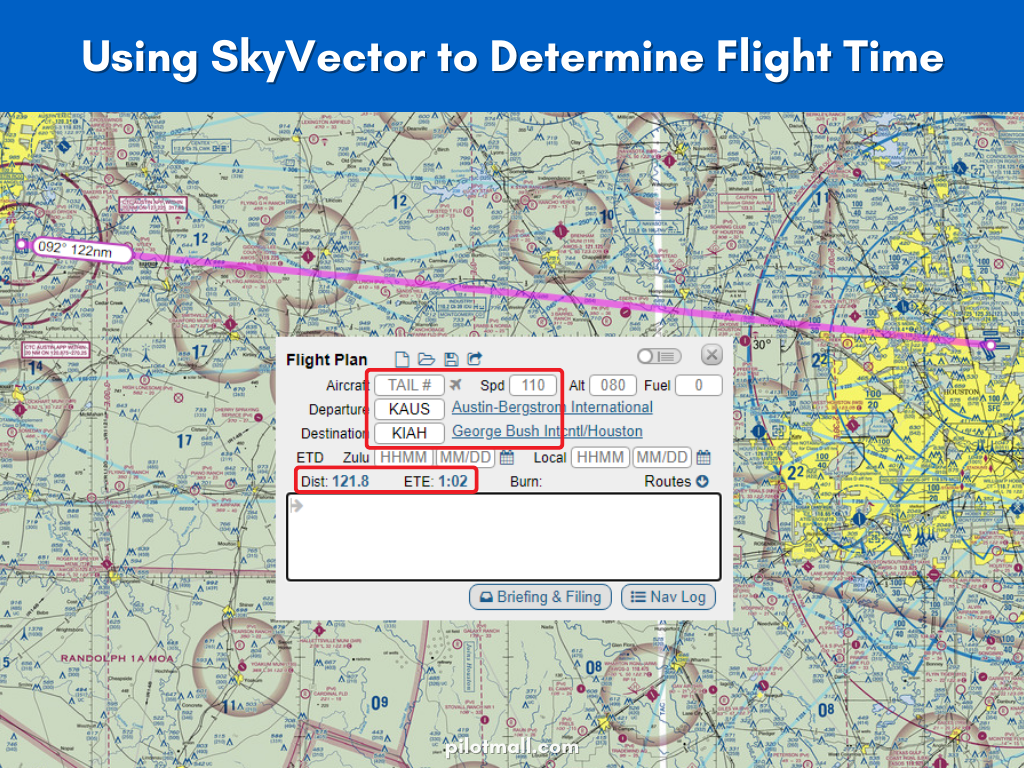
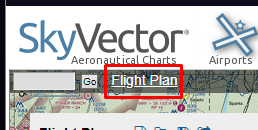
To figure out your flight time using SkyVector, visit skyvector.com and click the Flight Plan link in the upper left-hand corner of the page. Then simply input the airport codes and your speed to receive an ETE.
Gear Up: Flight Computers Worth Carrying
Every pick below is in stock at PilotMall and pairs with the methods above. Browse the full flight computers and plotters collection, and grab a kneeboard so your nav log and whiz wheel stay strapped down where you can use them.

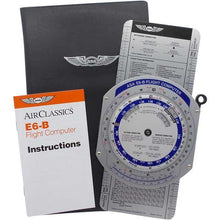
ASA Premium Aluminum E6B Flight Computer
The buy-once whiz wheel: solid aluminum, crisp lettering, zero batteries.
- Heavy-duty aluminum construction that survives years of flight bag abuse
- Full wind side for ground speed, wind correction angle, and drift problems
- The same instrument your examiner probably learned on
Perfect for: pilots who want one E6B for life.
Click for Price →
ASA Color E6B Flight Computer
The same aluminum E6B with color-coded scales that are faster to read in a bouncing cockpit.
- Identical functions and size to the standard aluminum ASA E6B
- Color accents separate the time, distance, and fuel scales at a glance
Perfect for: pilots who want quicker scale reading under workload.
Click for Price →
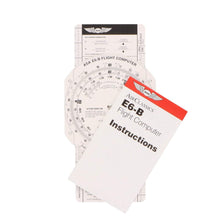
ASA E6B Paper Flight Computer
The lowest-cost way to learn the wheel, with the exact same scales as the aluminum version.
- Solid fiberboard construction, light enough to forget it is in your bag
- Great as a classroom unit or a backup to an electronic computer
Perfect for: student pilots on a budget and ground school classes.
Click for Price →
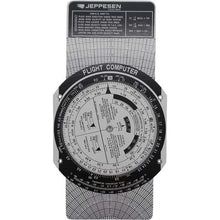
Jeppesen E6B Student Pilot Flight Computer (CSG)
Jeppesen's take on the classic CSG wheel, matched to its training materials.
- Time, speed, distance, fuel, and wind solutions on a proven layout
- Pairs naturally with Jeppesen private pilot courseware
Perfect for: students training in a Jeppesen curriculum.
Click for Price →
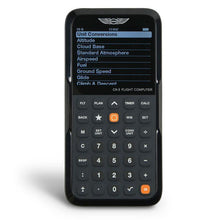
ASA CX-3 Flight Computer
The electronic E6B: menu-driven answers for time en route, fuel, winds, and weight and balance.
- Approved for use on FAA knowledge exams
- Backlit display and dedicated flight, plan, timer, and calculator modes
- Far faster than a manual wheel once fundamentals are solid
Perfect for: checkride prep and pilots who plan often and want speed.
Click for Price →
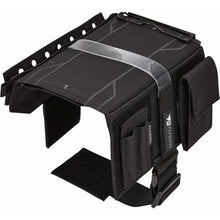
Flyboys Reversible Pilot Kneeboard with Clipboard
Keeps your nav log, pencil, and flight computer strapped to your leg instead of under the seat.
- Ambidextrous, reversible design that works on either leg
- Clipboard surface sized for standard nav logs and checklists
Perfect for: keeping in-flight time checks organized on cross-countries.
Click for Price →Frequently Asked Questions
- How do you calculate flight time manually?
- Divide the distance by your ground speed, then multiply by 60 to get minutes. A 48 NM leg flown at 120 knots ground speed takes 48 divided by 120, which is 0.4 hours, or 24 minutes. The accuracy of the result depends entirely on the ground speed you use, so correct your true airspeed for the forecast winds aloft before you run the numbers. Add a few minutes per leg for climb, taxi, and pattern work when you build your nav log.
- What is the difference between Hobbs time and tach time?
- Hobbs time measures total time the engine is running (or the master switch is on) and is what most flight schools bill against. Tach time counts engine revolutions, so it runs slower than Hobbs time at low RPM settings like taxi and idle, and it is the number used for maintenance intervals such as 100-hour inspections. On a typical training flight, tach time comes out roughly 10 to 20 percent lower than Hobbs time.
- How do winds aloft affect flight time?
- Headwinds reduce your ground speed and increase flight time, while tailwinds increase ground speed and shorten it. Crosswinds also cost you a little time because the crab angle needed to hold your course points some of your airspeed off the route. Always pull the winds aloft forecast for your planned altitude, compute a wind-corrected ground speed for each leg, and use that number, not your true airspeed, when you estimate time en route.
- Does altitude affect flight time?
- Yes. Higher altitudes generally give you a higher true airspeed because the air is thinner, but the climb takes time and burns it back. Winds also change with altitude, and the difference between a headwind at 4,500 feet and a tailwind at 8,500 feet can swing a leg by ten minutes or more. For each cross-country, compare two or three altitude options and pick the one with the best combination of wind, terrain clearance, and climb time.
- What is block time?
- Block time is the total time from when the aircraft first moves under its own power for the purpose of flight until it comes to rest at the destination gate or parking spot. It includes taxi time on both ends, so it always runs longer than the airborne time you calculate from distance and ground speed. Airlines schedule and pay crews on block time, and for light aircraft it lines up closely with what the Hobbs meter records.
- Can I use an electronic flight computer on the FAA knowledge test?
- Yes, provided it is an approved model with no documents stored in memory. The ASA CX-3 is accepted at FAA testing centers because it is purpose-built for aviation calculations and cannot store notes or test material. Proctors may clear the memory before you start. A manual whiz wheel is always allowed as well, so many pilots bring both and use whichever is faster for the question in front of them.
- Should student pilots learn the manual E6B first?
- Yes. Working problems on a manual E6B forces you to understand the relationships between speed, distance, time, fuel burn, and wind instead of just reading an answer off a screen. That understanding is exactly what the FAA knowledge test and your checkride oral probe. Once the concepts are solid, an electronic flight computer becomes a speed tool rather than a crutch, and the whiz wheel stays in your bag as a battery-free backup.
About the author: Neil S. Glazer is a commercial pilot with multi-engine and instrument ratings and the founder of PilotMall.com, where he writes hands-on guides and flies with the gear the store sells before recommending it.

1 comment
Thank you for sharing how we will estimate our travel time. This is a great guide!