The 17 Best Flight Simulator Yokes, Pedals & Controls (Updated for 2026)


Can't be in a real cockpit every day? A home flight simulator is the next best thing, especially when you pair your sim with realistic controls like a yoke or stick, throttle, and rudder pedals. The right hardware improves immersion, builds better muscle memory, and makes training sessions feel far closer to real-world flying, especially for takeoffs, landings, rudder work, and instrument scanning.
In this updated 2026 guide we answer the common buyer questions (PC vs Xbox, yoke vs joystick, pedals, panels, mounting, and compatibility), then give you a side-by-side comparison of our current lineup so you can pick the right setup and buy with confidence. Whether you want a budget first stick or a full Boeing-style cockpit, almost every product below is in stock and ready to ship from Pilot Mall's flight simulator equipment shelves.
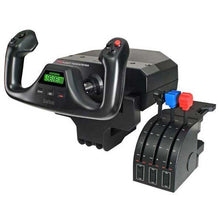
Quick answer: For most PC pilots, the best value flight sim controls are the Logitech G Saitek Pro Flight Yoke and Throttle Quadrant ($179.99) paired with Saitek Pro Flight Rudder Pedals ($179.99). Best budget starter: Thrustmaster T.Flight Stick X ($49.99). Best for Xbox: Thrustmaster HOTAS One MSFS Edition ($99.99). Best full cockpit: HOTAS Warthog MKII ($599.99) plus TPR Pendular Pedals ($599.99).
Key Takeaways
- Match the controls to the aircraft you actually fly: a yoke for Cessna and Piper-style GA training, a sidestick for Airbus flows, and a HOTAS for high-workload combat, helicopter, or space flying.
- Pick your platform first. PC has the widest compatibility and the deepest add-on ecosystem; on Xbox, only buy gear explicitly labeled Xbox-compatible.
- Rudder pedals are the single biggest realism upgrade you can make. They transform takeoffs, crosswind landings, slips, and ground handling.
- Best-value starter setup: the Logitech G Saitek Pro Flight Yoke and Throttle Quadrant ($179.99) plus Saitek rudder pedals ($179.99). Best full cockpit: a premium HOTAS or control center paired with pendular pedals.
- Bundles that include a copy of Microsoft Flight Simulator let you fly the day the box arrives.
How to Choose the Right Flight Sim Controls
Do You Need a Yoke for Flight Simulator?
No, you can fly with a controller, keyboard and mouse, or a joystick. But if you want a more realistic "airplane" feel (especially for Cessna and Piper-style GA flying), a yoke + throttle + pedals is usually the most natural setup. If you fly aircraft that use a stick in real life (many military aircraft, helicopters, or Airbus-style sidestick flying), a HOTAS or sidestick can make more sense for training and muscle memory.
If you just want the fastest path to flying, jump to our best starter setup vs best full cockpit verdict or scan the comparison table below.
PC or Xbox: Which Platform Are You Flying On?
Start with platform. PC has the widest compatibility and support across sims and add-ons, including the deep Logitech G (Saitek) modular panel ecosystem. Xbox Series X|S and Xbox One are more limited, so choose products specifically labeled Xbox-compatible if you are flying on console. We note the supported platforms for every product in the comparison table.
Yoke, Joystick, or HOTAS: Which Control Type Fits Your Flying?
- Yoke: Best match for most GA aircraft and many airliners. See the Logitech G Saitek Pro Flight Yoke and Throttle Quadrant ($179.99) for an affordable PC entry point.
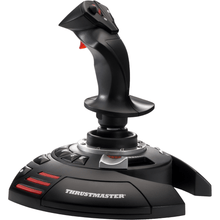
- Sidestick / Joystick: Great for Airbus-style flying, many trainers, and casual setups. The Thrustmaster T.Flight Stick X ($49.99) is a low-cost way to start.
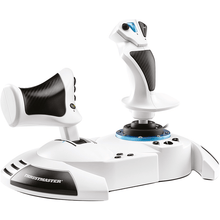
- HOTAS: Best for high-workload flying where hands-on throttle and stick matter (combat sims, space and helicopter flying, complex aircraft workflows). The Thrustmaster HOTAS One MSFS Edition ($99.99) is a popular first HOTAS.

Are Rudder Pedals Worth It?
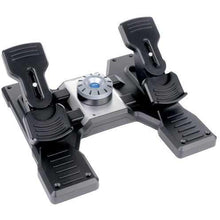
If you want better takeoffs, crosswind landings, slips, coordinated turns, and realistic ground handling, pedals are one of the best upgrades you can make. Twist-grip rudders work, but pedals are the closer-to-real training option. PC pilots on a budget love the best-selling Logitech G Saitek Pro Flight Rudder Pedals ($179.99), while console flyers can add the Turtle Beach VelocityOne Precision Rudder Pedals ($319.99).
I will say this from my own instrument training days: the first time I flew a sim session with pedals instead of a twist grip, my real-world crosswind corrections got noticeably sharper within a couple of lessons. Feet-on-the-floor flying does not transfer; feet-on-pedals flying does.
How Much Desk Space and Mounting Do You Need?
Before you buy, measure your setup. Some yokes need deeper desk space and benefit from clamps or a dedicated stand. Larger pedal sets may require a non-slip mat or a way to brace them so they do not slide.
Flight Sim Controls Comparison Table (2026 Lineup)
Here is our current lineup at a glance with live prices. Compare control type, supported platforms, price, and who each one is for, then click any model name to jump to its full review.
| Model | Control Type | Platforms | Price | Best For |
|---|---|---|---|---|
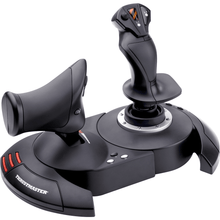
| Thrustmaster T.Flight Stick X | Joystick | PC | $49.99 | Cheapest way to start flying |
| Thrustmaster HOTAS One MSFS Edition | HOTAS (stick + throttle) | Xbox Series X|S, Xbox One, PC | $99.99 | Best budget first HOTAS for Xbox + PC |
| Thrustmaster T-Flight HOTAS X | HOTAS (stick + detachable throttle) | PC | $69.99 | Entry HOTAS for casual PC flying |
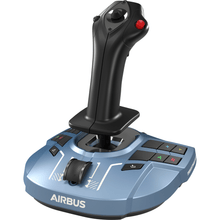
| Thrustmaster TCA Sidestick X Airbus Edition | Sidestick | Xbox Series X|S, Xbox One, PC | $119.99 | Airbus-style sidestick on a budget |
| Logitech G Saitek Pro Flight Yoke & Throttle Quadrant | Yoke + throttle quadrant | PC | $179.99 | Best-value GA yoke setup for PC |
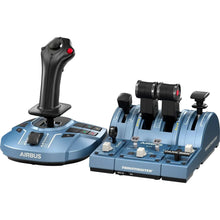
| Thrustmaster TCA Captain Pack X Airbus Edition | Sidestick + throttle | Xbox Series X|S, Xbox One, PC | $299.99 | Airbus airliner flows on Xbox or PC |
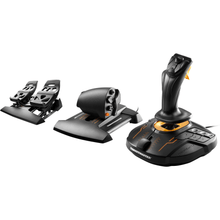
| Thrustmaster T.16000M FCS Flight Pack | HOTAS + rudder pedals bundle | PC | $259.99 | Complete stick + throttle + pedals in one box |
| Logitech G X56 H.O.T.A.S. | HOTAS (stick + throttle) | PC | $249.99 | Feature-rich mid-range HOTAS |
| Thrustmaster SOL-R 4 HOTAS | HOTAS (stick + throttle) | PC | $339.99 | Modern HOTAS for advanced sim flying |
| Turtle Beach VelocityOne Flightdeck Ultimate | HOTAS control center | PC | $379.99 | Premium PC HOTAS with many mappable controls |
| Turtle Beach VelocityOne Premium Control System | Yoke + integrated throttle | Xbox Series X|S, Xbox One, PC | $399.99 (out of stock) | All-in-one yoke, especially for Xbox |
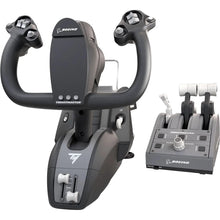
| Thrustmaster TCA Yoke Pack Boeing Edition | Yoke + throttle quadrant | Xbox Series X|S, Xbox One, PC | $499.99 | Boeing-style airliner yoke feel |
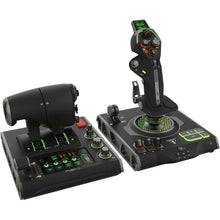
| Thrustmaster HOTAS Warthog MKII Stick & Throttle | Premium metal HOTAS | PC | $599.99 | High-fidelity combat and DCS-style flying |
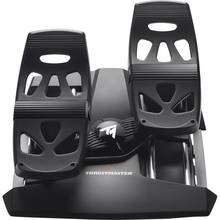
| Thrustmaster T.Flight Rudder Pedals | Rudder pedals | PS5, PS4, Xbox Series X|S, Xbox One, PC | $129.99 | Cross-platform pedal option |
| Logitech G Saitek Pro Flight Rudder Pedals | Rudder pedals | PC | $179.99 | Best-value PC rudder pedals |
| Turtle Beach VelocityOne Precision Rudder Pedals | Rudder pedals | Xbox Series X|S, Xbox One, PC | $319.99 | Best pedals for Xbox flyers |
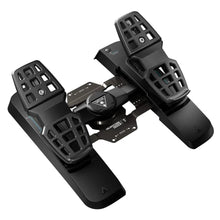
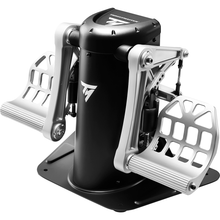
| Thrustmaster TPR Pendular Rudder Pedals | Premium rudder pedals | PC | $599.99 | Highest-realism rudder work |
Best Starter Setup vs Best Full Cockpit (Our Verdict)
Best Starter Setup
If you are starting from scratch and want the best value, our pick is the Logitech G Saitek Pro Flight Yoke and Throttle Quadrant ($179.99) paired with the Logitech G Saitek Pro Flight Rudder Pedals ($179.99). Together they give you the three primary controls (yoke, throttle, and pedals) for realistic GA training on PC without overspending. Flying on console instead? The Thrustmaster HOTAS One MSFS Edition ($99.99) is the easiest and most affordable way to get a stick and throttle in your hands on Xbox.
Best Full Cockpit
If you are building a serious, immersive rig, go with the Turtle Beach VelocityOne Flightdeck Ultimate ($379.99) or the metal Thrustmaster HOTAS Warthog MKII Stick and Throttle ($599.99) for hands-on control, then add the premium Thrustmaster TPR Pendular Rudder Pedals ($599.99) for the most realistic rudder feel money can buy. Airliner fans should look at the Thrustmaster TCA Yoke Pack Boeing Edition ($499.99) or the TCA Captain Pack X Airbus Edition ($299.99).
Our Picks: The Best Flight Simulator Yokes, Pedals and Controls
Below is the full detail on every product in the table above, in the same order. Use the comparison table for a quick scan, then read the detail on the picks that fit your platform and flying style.

Thrustmaster T.Flight Stick X the lowest-cost way to start flying on PC
- Control type Joystick
- Compatibility Windows PC
- Price $49.99
- Ergonomic stick with twist-grip rudder control built in
- Integrated throttle slider on the base
- Programmable buttons for views, gear, flaps, and trim
- Hard to beat as a first stick; the twist rudder means you can fly coordinated without buying pedals on day one.
- PC-only, and once you get serious about crosswind work you will outgrow the twist rudder and want real pedals.
Perfect for the brand-new sim pilot who wants to find out if the hobby sticks before spending real money.
$49.99 - View Details
Thrustmaster HOTAS One Microsoft Flight Simulator Edition the easiest budget HOTAS for Xbox and PC
- Control type HOTAS (stick + throttle)
- Compatibility Xbox Series X|S, Xbox One, Windows PC
- Price $99.99
- Detachable full-size throttle for one-piece or two-piece setups
- Official Xbox licensing, so it just works on console
- 14 action buttons plus a rapid-fire trigger
- Simple, approachable, and versatile; a great first HOTAS for helicopters, warbirds, and civilian aircraft.
- Not the same realism as dedicated yokes for GA; pedals still improve realism a lot.
Perfect for new sim pilots and Xbox flyers who want a stick and throttle in hand without a big investment.
$99.99 - View DetailsPicks #3 through #17 (Thrustmaster T-Flight HOTAS X $69.99, TCA Sidestick X Airbus $119.99, Logitech G Saitek Pro Flight Yoke $179.99, TCA Captain Pack X Airbus $299.99, T.16000M FCS Flight Pack $259.99, Logitech G X56 HOTAS $249.99, Thrustmaster SOL-R 4 HOTAS $339.99, Turtle Beach VelocityOne Flightdeck Ultimate $379.99, VelocityOne Premium Control System $399.99, TCA Yoke Pack Boeing $499.99, HOTAS Warthog MKII $599.99, T.Flight Rudder Pedals $129.99, Saitek Pro Flight Rudder Pedals $179.99, VelocityOne Precision Rudder Pedals $319.99, and TPR Pendular Rudder Pedals $599.99) are detailed in the comparison table above with live prices and best-for guidance.
Related Reading
Frequently Asked Questions
- Which is better for flight training: yoke or joystick?
- If you fly a yoke-equipped aircraft in real life, a yoke usually provides better training value and muscle memory. If you fly a stick-equipped or Airbus-style aircraft, a joystick or sidestick may be the better match. The goal is transfer: the closer your sim controls match your real aircraft, the more your home practice carries over. For GA training on PC, the Logitech G Saitek Pro Flight Yoke ($179.99) is a great value starting point.
- Are rudder pedals worth it for home flight simulation?
- Yes, pedals are one of the biggest realism upgrades you can make. They improve takeoffs, crosswind landings, slips, coordinated turns, and ground handling, and they build foot coordination that twist-grip rudders cannot teach. Budget PC pilots can start with the Logitech G Saitek Pro Flight Rudder Pedals ($179.99).
- What should I buy first: yoke or stick, pedals, or panels?
- Start with the primary controls: a yoke or stick plus a throttle. Next, add rudder pedals for realism, since they change how every takeoff and landing feels. Panels are great for immersion but are usually a third step. Building in this order means every purchase improves your flying immediately.
- Will these controls work with Microsoft Flight Simulator on Xbox?
- Only certain units support Xbox, so check the label before you buy. Items explicitly marked as Xbox compatible (Series X, Series S, and Xbox One) are your safest choices for console flying; PC-only hardware will not connect to an Xbox at all, even with adapters.
- Do I need a special stand or mount for my yoke or HOTAS?
- A stand is not required but is highly recommended for yokes and higher-end HOTAS gear. A stable mount improves control precision and prevents gear from shifting during the flare or crosswind correction. Desk clamps work for most setups; heavier metal gear benefits from a dedicated stand, and pedals should sit on carpet or a non-slip mat.
- What is the best beginner flight sim setup?
- For PC, a yoke, throttle, and pedals combo gives the most realistic training feel for the money, and the Logitech G Saitek line is the classic budget path to all three. On Xbox, an officially licensed budget HOTAS such as the Thrustmaster HOTAS One ($99.99) is the easiest affordable entry. A Microsoft Flight Simulator bundle adds the sim in one box.
- Do flight simulator yokes and pedals work with X-Plane and other sims?
- Yes, most PC flight sim controls work across Microsoft Flight Simulator, X-Plane, DCS World, and other major titles because they register as standard USB game controllers in Windows. You may need to map axes and buttons inside each sim the first time. Console gear is different: Xbox-licensed hardware works only with the sims available on Xbox.
- Can home flight simulator practice improve my real-world flying?
- Yes, within limits. A home sim with a yoke or stick, throttle, and pedals is excellent for procedure training: instrument scans, checklist flows, radio navigation, approach briefings, and holding entries. Home hardware cannot reproduce control loading or seat-of-the-pants cues, and setups generally do not count as loggable simulator time unless the device is FAA-approved.
About the Author
Neil S. Glazer is a commercial pilot with multi-engine and instrument ratings and the founder of PilotMall.com. He has spent more than two decades helping student pilots, instructors, and aircraft owners pick the right gear, and he still flies the same procedures at home on a sim that he flies in the airplane.