




Thrustmaster HOTAS One Microsoft Flight Simulator Edition (Xbox Series X|S, One, PC)
42256
Benefits
Benefits
Shipping & Delivery
Shipping & Delivery
Returns
Returns
The Thrustmaster HOTAS One Microsoft Flight Simulator Edition transforms your gaming setup into a realistic cockpit experience for Xbox Series X|S, Xbox One, and PC platforms.
This officially licensed Microsoft Flight Simulator controller is the only HOTAS (Hands-On Throttle And Stick) system specifically designed and optimized for Microsoft Flight Simulator 2024, ensuring seamless integration that generic flight sticks cannot match.
Innovative Design for Realistic Flight
For those wondering, "What is the best joystick for Microsoft Flight Simulator 2024?" this flight simulator joystick for Xbox provides the answer. Its innovative dual rudder system and detachable throttle design offer high-precision controls with 5 axes, 14 buttons, and an 8-way viewpoint controller. Whether navigating a commercial airliner or executing maneuvers in a fighter jet, the detachable throttle adapts to your setup, allowing relaxed flying on your lap or a realistic cockpit configuration on your desk.
Seamless Ecosystem Integration
Part of the comprehensive Thrustmaster flight simulation ecosystem, this HOTAS controller integrates with additional equipment like the TFRP rudder pedals. The ergonomic design and adjustable resistance ensure comfort during extended sessions while maintaining precision. Cross-platform compatibility means you'll never need separate Xbox flight peripherals again, as this versatile flight stick with throttle works flawlessly across your entire gaming library.
Experience Microsoft Flight Simulator with unparalleled authenticity and control thanks to the officially licensed Thrustmaster HOTAS One, designed for Xbox and PC. Take flight now!
Frequently Asked Questions
What platforms does the Thrustmaster HOTAS One work with?
The HOTAS One Microsoft Flight Simulator Edition is built for Xbox Series X and S, Xbox One, and Windows PC. One controller covers all three platforms, so you can move it between your console and computer without buying separate flight peripherals. It is officially licensed by Microsoft for use with Microsoft Flight Simulator.
Does the HOTAS One work on PlayStation or Xbox 360?
No. The HOTAS One is designed for Xbox Series X and S, Xbox One, and Windows PC only. It is not built for PlayStation consoles or the older Xbox 360. If you fly on those platforms, you would need a different flight stick made for that specific system.
Is the controller wired or wireless?
The Thrustmaster HOTAS One uses a wired connection that plugs directly into your Xbox console or your PC, so there are no batteries to charge or replace. A wired link also helps keep input lag low for responsive control during demanding flight maneuvers across airliners and fast jets alike.
How does the detachable throttle work?
The throttle separates fully from the joystick. You can keep it attached to the stick for a compact, stable setup that takes less space, or detach and reposition it for a more authentic cockpit layout. This flexibility lets you fly comfortably on your lap or arrange the controls across your desk.
Does the HOTAS One have rudder control without separate pedals?
Yes. It features a dual rudder system, so you can steer the rudder by twisting the joystick handle or by using the progressive lever on the throttle. This built-in rudder control means you can fly coordinated turns out of the box without owning dedicated rudder pedals.
Can I add rudder pedals to the HOTAS One?
Yes. The HOTAS One is part of the Thrustmaster flight ecosystem and works with compatible Thrustmaster rudder pedals such as the TFRP pedals, which are sold separately. Adding pedals frees the stick twist for other inputs and gives you more realistic foot-controlled yaw for serious simming.
How many buttons and axes does the HOTAS One have?
The HOTAS One offers 5 axes and 14 buttons along with an 8-way viewpoint hat controller, giving you plenty of mapping options for throttle, trim, views, and aircraft systems. The 10-bit precision on the main controls helps deliver smooth, fine inputs for both airliners and fast jets.
Is software or driver installation required to use it?
The HOTAS One works out of the box with default controls on both Xbox and PC, so you can plug in and fly right away. On PC you can optionally install Thrustmaster drivers to fine tune and personalize button and axis assignments to match your preferred aircraft and flying style.
Can I adjust the stick resistance?
Yes. The joystick has adjustable resistance, letting you set how firm or light the stick feels. Combined with the ergonomic hand rest and button layout, this lets you tailor comfort and control for long sessions and for different aircraft, from gentle general aviation flying to aggressive combat maneuvers.
What is the difference between the MSFS Edition and the standard HOTAS One?
The Microsoft Flight Simulator Edition carries officially licensed Microsoft Flight Simulator styling and is optimized for that title. The core hardware, including the detachable throttle, dual rudder system, 5 axes, and 14 buttons, matches the standard HOTAS One, so you get the same trusted controls with the official Flight Simulator presentation.
Can I use the HOTAS One for games other than Microsoft Flight Simulator?
Yes. While it is optimized and officially licensed for Microsoft Flight Simulator, the HOTAS One is a standard wired flight stick and throttle that works with many other PC and Xbox flight titles that support HOTAS controllers. Mapping options let you configure the buttons and axes to suit each game.
Does the HOTAS One work with Microsoft Flight Simulator 2024?
Yes. The Microsoft Flight Simulator Edition is optimized for Microsoft Flight Simulator 2024 as an officially licensed controller, giving you integration that generic flight sticks may not match. Its 5 axes, 14 buttons, and dual rudder system map well to the cockpit controls used across the simulator's aircraft.
-
 SaleVendor:Logitech G
Logitech G Saitek Basic Flight Simulation Bundle w/Microsoft Flight Simulator Standard Digital Download (PC)
Regular price $389.99Sale price $389.99 Regular priceUnit price per$519.97 -
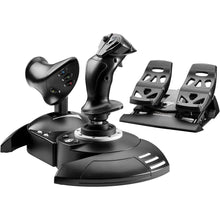 Vendor:Thrustmaster
Thrustmaster T.Flight Full Kit X (Xbox Series X|S, One, PC)
Regular price $199.99Sale price $199.99 Regular priceUnit price per -
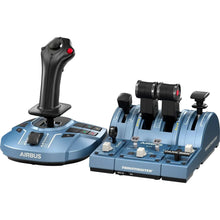 Vendor:Thrustmaster
Thrustmaster TCA Captain Pack X Airbus Edition (Xbox Series X|S, One, PC)
Regular price $299.99Sale price $299.99 Regular priceUnit price per -
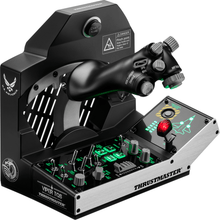 Vendor:Thrustmaster
Thrustmaster Viper TQS Mission Pack: Metal Throttle Quadrant System (PC)
Regular price $499.99Sale price $499.99 Regular priceUnit price per -
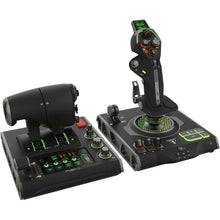 Vendor:Turtle Beach
Turtle Beach VelocityOne Flightdeck Ultimate PC HOTAS Controller (PC)
Regular price $379.99Sale price $379.99 Regular priceUnit price per -
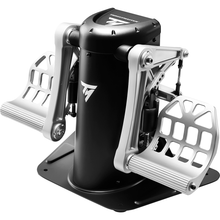 Vendor:Thrustmaster
Thrustmaster TPR Pendular Rudder Pedals (PC)
Regular price $599.99Sale price $599.99 Regular priceUnit price per -
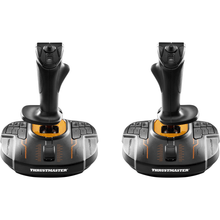 Vendor:Thrustmaster
Thrustmaster T.16000M FCS Space Sim Duo Stick (PC)
Regular price $159.99Sale price $159.99 Regular priceUnit price per -
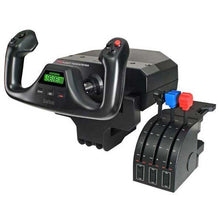 SaleVendor:Logitech G
Logitech G Saitek Pro Saitek Flight Yoke & Throttle Quadrant System (PC)
Regular price $179.99Sale price $179.99 Regular priceUnit price per$229.99 -
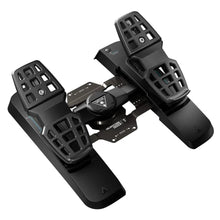 Vendor:Turtle Beach
Turtle Beach VelocityOne Precision Flight Simulator Rudder Pedals (Xbox Series X|S, One, PC)
Regular price $319.99Sale price $319.99 Regular priceUnit price per$299.95 -
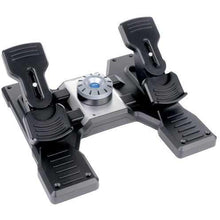 SaleVendor:Logitech G
Logitech G Saitek Pro Saitek Flight Rudder Pedals (PC)
Regular price $179.99Sale price $179.99 Regular priceUnit price per$229.99


-
 FREE U.S. Shipping (on $100+)Save on outbound delivery!
 -
 4.8/5 StarsReviewed by 26,000+ Fellow Pilots
 -
 Expert Pilot SupportGear Tested by Real Pilots
 -
SHIPS TODAY (Order by 3 PM ET)Get It Faster!
- Choosing a selection results in a full page refresh.
- Opens in a new window.