




Aviation Runway Selector and Crosswind Component Tool
Slide tool that picks the best runway and reads crosswind component in seconds, a compact aid that cuts cockpit workload during preflight planning.
42825
Benefits
Benefits
Shipping & Delivery
Shipping & Delivery
Returns
Returns
Fly smarter and reduce your cockpit workload with the Aviation Runway Selector. This compact, action-ready tool is designed to make choosing the best runway for takeoff or landing completely effortless. By allowing you to visually set your runways and wind direction, it simplifies complex directional calculations and wind corrections in seconds.
Crafted by experienced pilots, the Runway Selector is more than just a directional aid; the reverse side features a high-utility crosswind component chart for quick reference when precision is critical. Highly reviewed and trusted by professionals, this tool is perfect for flight schools, instructors, and individual pilots seeking to enhance their situational awareness. Whether you are a beginner mastering traffic patterns or a seasoned aviator, this selector ensures reliability for every flight.
Frequently Asked Questions
What is the Aviation Runway Selector and what does it do?
The Aviation Runway Selector is a compact, pilot-designed tool that helps you choose the best runway for takeoff or landing. You visually set your runways and the wind direction, and it simplifies directional calculations and wind corrections in seconds. The reverse side adds a crosswind component chart, so one tool covers both runway choice and crosswind reference.
How does the Runway Selector help me pick the best runway?
You align the tool to show your airport runways, then set the wind direction arrow to match the reported wind. Seeing the runways and wind together gives you a fast visual picture of which runway best opposes the wind. This streamlines choosing the optimal runway and reduces cockpit workload during a busy phase of flight.
What is the crosswind component chart on the back used for?
The reverse side features a crosswind component chart for quick reference during flight planning. A crosswind chart lets you estimate how much of the wind acts across the runway versus down it, based on wind speed and the angle between the wind and the runway. It is handy when precision matters and you want to confirm a runway is within comfortable limits.
Is the Runway Selector good for student pilots and flight training?
Yes. Its intuitive design makes it an ideal training aid for student pilots while remaining reliable for seasoned aviators. It helps build a mental picture of runways and wind, which supports situational awareness when learning traffic patterns. Flight schools and instructors use it to teach new pilots, and it complements electronic flight bag tools rather than replacing them.
Can the Runway Selector confirm my takeoff runway too?
Yes. The tool works for both takeoff and landing. You can preset your departure or destination runway orientation, then reference the wind arrow to confirm the favorable runway before you taxi or as you approach. Using the same visual method for both phases helps keep your runway decisions consistent and quick.
Who designed and makes the Runway Selector?
The Runway Selector was crafted by experienced pilots who understand the practical needs of real-world flying. It is sold under the Runway Selector brand. Because it was created by aviators for cockpit use, the layout focuses on fast, at-a-glance runway and crosswind information rather than complex menus or settings.
Does the Runway Selector need batteries, power, or an app?
No. It is a self-contained manual reference tool, so there are no batteries to charge, no app to install, and nothing to update. That makes it dependable as a backup to electronic flight bags and avionics, since it keeps working even if a device fails or loses power in the cockpit.
How is the Runway Selector different from an electronic flight bag or app?
Modern electronic flight bags can suggest a runway automatically, but the Runway Selector lets you reason through the choice yourself with a simple visual model. That makes it valuable for learning, for teaching students, and as a low-tech backup. Many pilots use it alongside their apps to build and confirm their own situational awareness.
Is the Runway Selector durable enough for regular cockpit use?
It is built for cockpit use and is described as a compact, durable tool trusted by pilots for accuracy and ease of use across diverse flight conditions. As with any handheld reference, store it where it will not be crushed and handle the moving parts gently so the alignment stays accurate over time.
Is the Runway Selector easy to carry in a flight bag?
Yes. It is a compact, action-ready tool built for the cockpit, so it fits easily in a flight bag, kneeboard pocket, or chart case. Its small footprint is part of the appeal, letting you keep it within reach for quick runway and crosswind reference without taking up the space of a full flight computer.
How do I read a crosswind component to know if a runway is within limits?
Find the angle between the wind direction and your runway heading, then use the wind speed with the chart to split the wind into a headwind component and a crosswind component. Compare the crosswind value to your aircraft and personal limits. Always check your aircraft flight manual for the demonstrated crosswind value and fly within your own comfort.

-
 Vendor:ASA
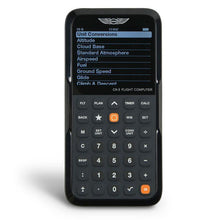
ASA CX-3 Flight Computer: Ultimate Electronic E6-B Calculator
Electronic E6B that runs flight and fuel math, approved for the ACS and the only electronic E6B certified for both FAA and Canadian knowledge exams.
Regular price $127.99Sale price $127.99 Regular priceUnit price per$149.95 -
 Vendor:ASA
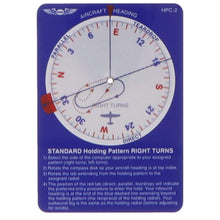
ASA IFR Holding Pattern Visualizer for Pilots
Holding pattern visualizer that shows the correct entry every time, a compact double-sided IFR tool for fast, accurate entry selection under any holding clearance.
Regular price $13.49Sale price $13.49 Regular priceUnit price per$15.95 -
 Vendor:ASA
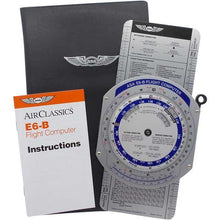
ASA Color E6B Flight Computer with Enhanced Readability
Color-coded manual E6B with enhanced readability for students, using intuitive color cues to speed up wind correction and flight-planning calculations in training.
Regular price $43.99Sale price $43.99 Regular priceUnit price per$52.95 -
 Vendor:ASA
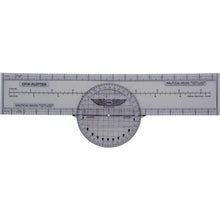
ASA Rotating Plotter Precision VFR Flight Navigation
Rotating plotter with a direct course readout, a fast and reliable way for VFR pilots to plot true headings and distances on any sectional chart.
Regular price $13.49Sale price $13.49 Regular priceUnit price per$14.95 -
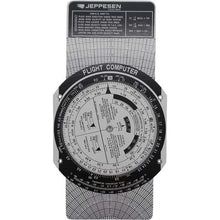 Vendor:Jeppesen Sanderson
Jeppesen E6B Student Pilot Flight Computer (CSG)
Student E6B with a wind-correction slide for training math, a budget-friendly tool that pairs with official training materials to master flight calculations early.
Regular price $17.49Sale price $17.49 Regular priceUnit price per -
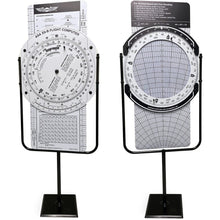 Vendor:ASA
ASA E6B Classroom Trainer: Oversized Flight Computer
Oversized E6B for instructors to demonstrate to a classroom, operating just like a handheld E6B so students learn authentic navigation calculations together.
Regular price $2,495.00Sale price $2,495.00 Regular priceUnit price per$1,995.00 -
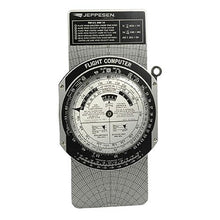 Vendor:Jeppesen Sanderson
Jeppesen Metal E6-B Flight Computer: Durable Pilot Calculator (CSG)
Durable metal E6B with a wind slide for lasting daily use, trusted by student pilots and cross-country aviators for precise, screen-free navigation.
Regular price $44.95Sale price $44.95 Regular priceUnit price per -
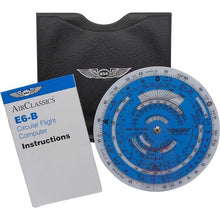 Vendor:ASA
ASA E6B Flight Computer: Precision Manual Calculator
Manual circular E6B for wind, fuel and time-speed-distance math, with dual-sided functionality that keeps flight planning fast and dependable in the cockpit or classroom.
Regular price $28.99Sale price $28.99 Regular priceUnit price per$34.95 -
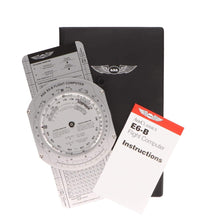 Vendor:ASA
ASA Premium Aluminum E6B Flight Computer
Premium aluminum E6B built to last for manual flight math, sized 9-3/4 x 5 inches to solve wind correction angles, true airspeed, and time and distance.
Regular price $41.99Sale price $41.99 Regular priceUnit price per$49.95 -
 Vendor:ASA
ASA E6B Paper Flight Computer: Reliable Manual Pilot Tool
Low-cost paper E6B for students learning manual calculations, a battery-free backup that keeps working reliably when electronic devices fail during critical phases.
Regular price $13.99Sale price $13.99 Regular priceUnit price per$15.95
