How to Read METAR Aviation Reports (Complete Guide)
One of the skills pilots must learn and excel at is meteorology. It is important to be adept at reading weather reports and forecasts then using them to make informed flight decisions. There are multiple reports to consult, and METARs are one of the primary sources for current weather information. Learning how to read a METAR is a key part of being a safe pilot.


Whether you are a student pilot just starting out or an experienced aviator brushing up on your weather knowledge, this guide is designed to be your complete resource for reading METAR aviation reports. We’ll walk through how to read a METAR step by step, all 11 parts in order, compare METARs with TAFs, explain PIREPs, AIRMETs, and SIGMETs, and show you how to use all of them together to make safer, smarter flight decisions.
Picture a student pilot preparing for a cross-country flight. The forecast looks marginal, with a TEMPO condition in the destination TAF calling for low ceilings. An hour later, a newly issued PIREP from a similar aircraft along the planned route reports moderate turbulence and icing precisely where the forecast showed only scattered clouds. Armed with the complete picture, the forecast of what might be and the pilot report of what is, the student makes the correct, safe, no-go decision. That is the essence of airmanship. Weather literacy transcends memorizing codes: it is the skill of interpreting atmospheric data to make life-or-death decisions, and it starts with the humble METAR.
Key Takeaways
- A METAR is an observation of current weather, issued hourly and valid until the next report; a TAF is a forecast covering 24 to 30 hours. Plan with the TAF, verify with the METAR.
- Every METAR reads left to right in the same 11-part order: report type, station, date/time, modifier, wind, visibility, present weather, sky condition, temperature/dew point, altimeter, and remarks.
- A SPECI is an unscheduled special METAR, and it is a red flag that conditions are changing faster than the normal hourly cycle.
- METARs and TAFs are only part of the picture: PIREPs tell you what is actually happening aloft, AIRMETs flag moderate hazards over wide areas, and SIGMETs warn of weather hazardous to all aircraft.
- AviationWeather.gov is the official U.S. source for METARs, TAFs, and advisories; your EFB decodes them, but checkride examiners expect you to read the raw code.
Aviation Weather at a Glance: METAR, TAF, PIREP, AIRMET, and SIGMET
There are multiple reports to consult, and METARs are one of the primary sources for current weather information. Learning how to read a METAR is a key part of being a safe pilot. But the complete picture includes:
- METAR: Current conditions (observation).
- TAF: Forecast for the next 24 to 30 hours at an aerodrome.
- PIREP: Real-time pilot observations aloft.
- AIRMET: Widespread areas of moderate hazards (IFR/mountain obscuration, turbulence, icing).
- SIGMET and Convective SIGMET: Severe non-convective and convective hazards dangerous to all aircraft.
The true mark of expertise is not decoding these in isolation, but synthesizing them to make better decisions.
Where Do You Get Official METARs and TAFs?
For an official weather source in the United States, use the Aviation Weather Center. The site’s current interface (redesigned in late 2023) is clean and mobile-friendly: pull up the Graphical Forecasts for Aviation (GFA) tool and toggle product layers for METARs, TAFs, PIREPs, AIRMETs, and SIGMETs along your route.
EFB apps such as ForeFlight and Garmin Pilot pull the same data, decode it in plain English, and overlay it on your route. Use the decoded view to learn, but practice reading the raw code regularly. Your examiner will hand you raw text on checkride day, and a datalink hiccup in the air leaves you with whatever ATIS or FSS reads to you in code-speak.
METAR vs TAF: What Is the Difference?
Before decoding, understand the core difference: METARs tell you what is happening now; TAFs tell you what is likely to happen later. Pilots plan with TAFs and verify with METARs before departure. For the forecast side of the equation, see our companion guide on how to read a TAF.
| Feature | METAR (Observation) | TAF (Forecast) |
|---|---|---|
| Purpose | “What is the weather right now?” | “What will the weather be like later?” |
| Validity | Valid for 1 hour (until next report) | Valid 24 to 30 hours |
| Issuance | Typically about 55 minutes past the hour | Every 6 hours (4 times daily) |
| Use Case | Immediate conditions, arrival checks | Go/no-go planning, alternates |
How Do You Read a METAR? The 11 Parts Explained
What Is a METAR?
A METAR, also known as a Meteorological Aerodrome Report or Meteorological Terminal Aviation Routine Weather Report, is a concise report on the current weather conditions at a given location. METARs are issued hourly just before the top of the hour and are valid for 1 hour after issuance.
Pilots can access METARs through the NOAA National Weather Service Aviation Weather Center or via EFB apps. For the most robust picture, consult both METARs and TAFs.
The 2 Types of METARs
The standard hourly report is simply called a METAR. If dangerous conditions emerge between routine reports, an unscheduled SPECI (special) is issued. A SPECI is a red flag that conditions are changing quickly.

A METAR contains valuable information condensed into blocks of coded data separated by spaces. Read them in the same order every time and no block can hide from you.
1. Type of Report
METAR (routine) or SPECI (special). SPECI indicates a significant, often rapid change since the last METAR.
2. Station Identifier
Four-letter ICAO code. In the contiguous U.S., station identifiers start with “K” (e.g., KLAX). Alaska and Hawaii begin with “PA” and “PH”; Canada uses “C” prefixes; Mexico uses “MM”.

3. Date and Time
Six digits plus “Z” (Zulu/UTC). First two digits = day of month; next four = time (HHMM). Routine METARs typically appear near :55 past the hour.

4. Modifier
AUTO (fully automated) or COR (corrected). No modifier generally means a human observer or supervised automation.
5. Wind Information
Direction (true) in degrees plus speed in knots, e.g., 19004G10KT (from 190° at 4 kt, gusting 10). VRB indicates variable direction.

6. Visibility
Prevailing visibility in statute miles (e.g., 10SM). Fractions are common (e.g., 1/2SM). M means “less than” (e.g., M1/4SM). Large airports may include RVR (runway visual range).

7. Present Weather
Three-part code: intensity (+ heavy, - light, none = moderate), descriptor (e.g., SH showers, TS thunderstorm, FZ freezing), and phenomenon (e.g., RA rain, SN snow, FG fog, BR mist, HZ haze).
| Code | Meaning | Example |
|---|---|---|
| RA | Rain | +RA (Heavy Rain) |
| SN | Snow | -SN (Light Snow) |
| DZ | Drizzle | FZDZ (Freezing Drizzle) |
| GR | Hail | TSGR (Thunderstorm with Hail) |
| PL | Ice Pellets | PL (Moderate Ice Pellets) |
| FG | Fog | FG (less than 5/8 SM) |
| BR | Mist | BR (5/8 SM or more) |
| HZ | Haze | HZ |
| TS | Thunderstorm | VCTS (TS in the vicinity) |
8. Sky Condition
Reported lowest to highest: coverage (FEW/SCT/BKN/OVC) plus base in hundreds of feet AGL (e.g., SCT028 = scattered at 2,800 ft). Ceiling is the lowest BKN/OVC layer. Special tags may appear (e.g., CB cumulonimbus, TCU towering cumulus, VV vertical visibility).

| Code | Sky Coverage (Oktas) | Meaning |
|---|---|---|
| SKC | 0/8 | Sky clear (manual) |
| CLR | 0/8 | Clear (automated, below 12,000 ft) |
| FEW | 1/8 to 2/8 | Few |
| SCT | 3/8 to 4/8 | Scattered |
| BKN | 5/8 to 7/8 | Broken (ceiling) |
| OVC | 8/8 | Overcast (ceiling) |
9. Temperature and Dew Point
TT/DD in °C (e.g., 18/02). A leading M indicates minus temperatures (e.g., M05). A narrow temperature/dew point spread is your early warning for fog and low ceilings.

10. Altimeter and Pressure
A#### in inches of mercury (e.g., A2990 = 29.90”). Outside the U.S., Q#### in hPa (e.g., Q1013).

11. Remarks (RMK)
Additional details often overlooked by beginners: station type (e.g., AO2 has a precipitation discriminator), sea-level pressure (SLP), exact temperatures (T group), pressure trends (PRESFR/PRESRR), lightning, hail sizes, virga, and more.

Example: KLAX METAR Fully Decoded
METAR KLAX 180845Z 19004G10KT 10SM -SHRA FEW018 SCT028 OVC040 18/02 A2990 RMK AO2 SLP121 T01820021
- METAR: Routine hourly observation.
- KLAX: Los Angeles International.
- 180845Z: On the 18th at 08:45Z.
- 19004G10KT: Wind from 190° at 4 kt, gusting to 10 kt.
- 10SM: 10 statute miles visibility.
- -SHRA: Light rain showers.
- FEW018 SCT028 OVC040: Few 1,800 ft; scattered 2,800 ft; overcast 4,000 ft (ceiling 4,000 ft).
- 18/02: Temperature 18°C, dew point 2°C.
- A2990: Altimeter 29.90”.
- RMK AO2 SLP121 T01820021: AO2 station, sea-level pressure 1012.1 hPa, precise temp/dew point 18.2°C/2.1°C.
Practice With a Simpler Sample METAR
METAR KLAL 151250Z 11004KT 10SM SCT030 26/24 A3004
- KLAL: Lakeland Linder International (K = U.S.).
- 151250Z: 15th at 12:50Z.
- 11004KT: Winds 110° at 4 kt.
- 10SM: 10 statute miles.
- SCT030: Scattered 3,000 ft.
- 26/24: Temperature 26°C / dew point 24°C (note that narrow spread; watch for morning fog).
- A3004: Altimeter 30.04”.
- RMK: None.
Want to test your decoding on a gnarly one? Try this excellent challenge:

Watch the METAR to decode, then check your work against the answer video.
How Do You Read a TAF? (TEMPO, FM, BECMG, PROB30/40)
TAFs predict terminal area weather for 24 to 30 hours. They use change groups to indicate how conditions evolve:
- TEMPO: Temporary fluctuations (generally less than 1 hour at a time; less than half the period total).
- FM: “From”, meaning a rapid, significant change to new prevailing conditions after the FM time.
- BECMG: “Becoming”, a gradual change over a window; the new state is fully in place by the end time.
- PROB30/40: 30% or 40% chance of specified phenomena during a time window (often thunderstorms or precipitation).
Example TAF (KORD): Step by Step
TAF KORD 051130Z 0512/0612 14008KT 5SM BR BKN030
TEMPO 0513/0516 1SM -RA FG OVC008
FM051600 16010KT P6SM SCT040
BECMG 0520/0522 24015G25KT P6SM SCT015 BKN025
PROB30 0602/0606 2SM TSRA OVC010CB
- Baseline: 140 at 8 kt, 5SM in mist, BKN030.
- TEMPO 13-16Z: Periods of 1SM -RA FG, OVC008 (IFR; plan alternates).
- FM 16Z: Decisive improvement to VFR (P6SM, SCT040).
- BECMG 20-22Z: Gradual trend to gusty 24015G25, lower layers (SCT015 BKN025).
- PROB30 02-06Z: 30% chance of 2SM TSRA OVC010CB (very conservative planning advised).
This is the condensed version. For full TAF anatomy, amendment rules, and more worked examples, read our dedicated guide on how to read a TAF. The two reports are designed to be used together.
PIREPs: Real-Time Weather From the Cockpit
PIREPs (UA) are pilot observations; UUA denotes urgent conditions (e.g., severe turbulence or icing, tornadoes). Always check two key contexts: time (freshness) and aircraft type (a “light chop” report from a heavy jet can be “moderate” in a light single).
Example PIREP (Decoded)
KCMH UA /OV APE 230010/TM 1516/FL085/TP C172/SK BKN040-TOP080/TB LGT/IC TRACE
- Over APE VOR, 10 NM on the 230 radial; 15:16Z; 8,500 ft; C172; broken 4,000 ft with tops 8,000 ft; light turbulence; trace icing.
AIRMETs and SIGMETs: Area Advisories and Severe Warnings
AIRMET (WA)
- Sierra: IFR and/or extensive mountain obscuration (“Sierra for See”).
- Tango: Moderate turbulence, surface winds of 30 kt or more, non-convective LLWS.
- Zulu: Moderate icing; freezing level info (“Zulu for Zero”).
Remember: an AIRMET outlines a large area; hazards may be localized within it. Use PIREPs and METARs to pinpoint.
SIGMET (WS) and Convective SIGMET (WST)
- SIGMET: Severe icing (non-thunderstorm), severe or extreme turbulence or CAT (non-thunderstorm), widespread dust or sand below 3SM, volcanic ash (valid up to 4 hours; unscheduled).
- Convective SIGMET: Severe thunderstorms in lines, embedded, or covering large areas; tornadoes; hail 3/4 inch or larger; surface gusts of 50 kt or more (issued hourly at :55; valid 2 hours). Treat the entire area with wide avoidance.
From Data to Decision: Real-World Scenarios
Scenario 1: Pre-Flight Go/No-Go
Route: KDEN to KMCI (VFR). TAF KMCI shows BECMG 2022 2SM -TSRA BKN020CB (deterioration near arrival). AIRMETs for turbulence and IFR over eastern Kansas. METARs show falling pressure west of KMCI. PIREPs lacking from light aircraft. Decision: No-Go.
Scenario 2: In-Flight Diversion
Route: KPHX to KABQ at 11,500 ft. New Convective SIGMET for a developing embedded line ahead; UUA PIREP reports severe turbulence at higher altitudes. Action: 180-degree turn, coordinate diversion with ATC (e.g., KFLG). Textbook aeronautical decision-making.
Quick Reference: Weather Hazards and Pilot Actions
| Weather Code/Phenomenon | Found In | Associated Dangers | Recommended Pilot Action |
|---|---|---|---|
| Thunderstorms (TS, CB) | METAR, TAF, SIGMET | Severe turbulence/icing, hail, lightning, wind shear | Avoid by 20 NM or more; do not fly over or under; circumnavigate or divert. |
| Freezing Rain (FZRA) | METAR, TAF, PIREP | Severe structural icing; rapid accumulation | Avoid at all costs; change route or altitude; delay. |
| LIFR (Low IFR) | METAR, TAF, AIRMET | CFIT risk; disorientation | No VFR flight; IFR only if proficient, current, equipped. |
| Severe Turbulence (SEV TURB) | PIREPs, SIGMET | Loss of control; structural risk | Slow to Va; exit the area immediately; avoid SIGMET polygons. |
| Moderate Icing (MOD ICE) | PIREPs, AIRMET Zulu | Performance loss; control issues | Activate anti-ice/de-ice; change altitude or course; exit promptly. |
| Mountain Obscuration | AIRMET Sierra | Terrain/CFIT | Avoid VFR through terrain; use clear passes only. |
Gear Up: Weather Training Tools We Recommend
Decoding METARs is a perishable skill, and the pilots who stay sharp are the ones with a real weather reference on the shelf and a flight computer within reach to turn the numbers into decisions. These are the weather training tools we recommend most often at Pilot Mall.

ASA Aviation Weather Handbook: the FAA weather library condensed into one book
- Softcover FAA reference
- Consolidates six weather Advisory Circulars, including the legacy AC 00-6 and AC 00-45 material
- Covers weather theory plus every report and chart format
- Replaces a shelf of separate FAA publications with one indexed volume, so METAR, TAF, and advisory formats are always one lookup away
- Full-color graphics make the code tables and frontal diagrams actually stick
- The reference we hand pilots who keep missing weather questions on the written
Perfect for: any pilot who wants one authoritative weather book, from first solo through ATP.
Click for Price →
Gleim Aviation Weather & Weather Services: FAA weather references reorganized for actual studying
- Combines the FAA’s aviation weather and weather services material into a single color volume
- Logically arranged for instrument rating and knowledge test prep
- Softcover
- Pairs weather theory with report-decoding practice, an ideal companion while you work through the METAR examples in this guide
- Color charts simplify frontal systems, icing, and thunderstorm life cycles
Perfect for: written-test prep when you want weather theory and report formats organized for studying, not browsing.
Click for Price →
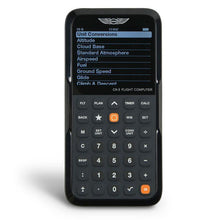
ASA CX-3 Flight Computer: turns METAR numbers into cockpit decisions
- Electronic flight computer
- Approved for all FAA knowledge tests
- Calculates crosswind components, density altitude, cloud bases, and dozens more
- Backlit display
- Enter METAR wind and your runway heading for instant headwind and crosswind components
- Temperature and dew point straight off the METAR give you density altitude and estimated cloud bases in seconds
- Menu-driven and fast under time pressure, in the exam room or the run-up area
Perfect for: students and rated pilots who want fast, error-free numbers from the weather data they just decoded.
Click for Price →
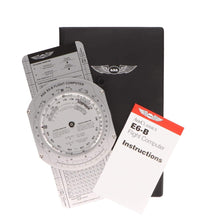
ASA Premium Aluminum E6B Flight Computer: the no-batteries whiz wheel that lasts a flying career
- Solid aluminum construction
- Wind side and calculator side
- Crosswind, true airspeed, and density altitude solutions
- Includes instruction booklet
- Never needs charging and works the same on day one and year thirty
- Clear, durable lettering that holds up in a flight bag
Perfect for: pilots who want a buy-once manual backup for every wind and performance problem a METAR can throw at them.
Click for Price →
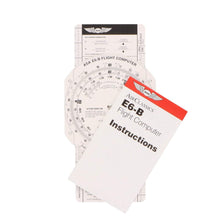
ASA E6B Paper Flight Computer: the budget-friendly way to learn the wind face
- Heavyweight fiberboard construction
- Same scales and functions as the aluminum model
- Light enough to live on a kneeboard
- The most affordable way to learn manual wind triangle and density altitude solutions
- Makes a sensible permanent backup in the flight bag once you upgrade
Perfect for: student pilots who want real E6B skills before committing to metal or electronic versions.
Click for Price →
Aviation Runway Selector and Crosswind Component Tool: from the METAR wind block to a runway choice in seconds
- Compact, action-ready selector
- Visually set your runways and the wind direction to pick the best runway for takeoff or landing
- Crosswind component chart on the reverse side
- Crafted by experienced pilots
- Dial in the wind direction you just decoded from the METAR and the best runway becomes obvious, simplifying directional calculations and wind corrections
- Flip it over for a quick-reference crosswind component chart when precision is critical
- Built to reduce cockpit workload, whether you are mastering traffic patterns or a seasoned aviator
Perfect for: flight schools, instructors, and any pilot who wants METAR wind numbers turned into a runway decision without the mental math.
Click for Price →METAR FAQs
- What is the main difference between a METAR and a TAF?
- A METAR is an observation of current conditions, while a TAF is a forecast of future conditions. METARs are issued hourly, describe the weather at the time of observation, and are effectively valid until the next report about an hour later. TAFs are issued every six hours, cover a 24 to 30 hour window, and describe how conditions at the terminal are expected to change. In practice, pilots plan with the TAF and verify with the METAR: use the forecast for go/no-go and alternate decisions, then check the latest observation before departure to confirm the forecast is holding.
- What is a SPECI and when is one issued?
- A SPECI is an unscheduled special METAR issued when conditions change significantly between routine hourly reports. Triggers include rapid drops in ceiling or visibility, thunderstorm onset, wind shifts, and the start of freezing precipitation. Treat any SPECI as a red flag: the atmosphere at that station is changing faster than the normal reporting cycle, so re-check the trend and the surrounding stations before you launch or continue an approach.
- What does RMK AO2 mean in a METAR?
- RMK AO2 means the station is automated and equipped with a precipitation discriminator, so it can tell rain from snow. An AO1 station is automated but lacks that sensor. The remarks group also carries detail many pilots skip: sea-level pressure (SLP), precise temperature and dew point in the T group, pressure trends like PRESFR, lightning, and hail size. Reading remarks is one of the easiest free upgrades to your weather picture.
- What is the difference between SKC and CLR?
- Both codes mean the sky is clear, but they come from different observers. SKC is reported by a human observer who sees no clouds at any level. CLR is reported by automated stations and only means no clouds were detected below 12,000 feet, the practical limit of the sensor. An automated CLR report can therefore hide a high overcast above 12,000 feet, so if cloud cover aloft matters to your flight, cross-check satellite imagery or nearby PIREPs.
- Why do some codes look odd, like FU for smoke?
- Many abbreviations have French roots: FU comes from fumée (smoke), BR from brume (mist), and GR from grêle (hail). The legacy traces to the French influence on early international meteorology, which is why several codes do not match the English words they represent. You do not need French to decode a METAR; memorize the handful of non-intuitive codes the same way you drilled the phonetic alphabet, until recognition is automatic. Most codes, like SN for snow and HZ for haze, are intuitive, so the French holdovers are worth a few extra repetitions when you study the present weather table.
- What does BECMG mean in a TAF?
- BECMG, short for becoming, signals a gradual change in forecast conditions over a stated time window, with the new conditions fully established by the end of that window. Compare it with FM, which marks a rapid switch to new prevailing conditions at a specific time, and TEMPO, which covers temporary fluctuations generally lasting less than an hour at a time. Reading the change groups correctly is the difference between planning for a trend and being surprised by one.
- How old is too old for a PIREP?
- It depends on the phenomenon being reported. For fast-moving hazards like thunderstorm position or wind shear, a PIREP can be stale in 15 to 20 minutes. Reports of stable cloud layers, tops, and broad icing bands stay useful longer. Always check two pieces of context before acting on a PIREP: the time stamp and the aircraft type. Light chop reported by a heavy jet can be moderate turbulence for a light single, and an icing report from a known-ice aircraft does not clear your non-FIKI airplane.
- Is it safe to fly in an area covered by an AIRMET?
- Often yes, with planning, because an AIRMET flags potential moderate hazards across a broad area rather than guaranteed conditions at every point inside it. AIRMET Sierra covers IFR conditions and mountain obscuration, Tango covers moderate turbulence and strong surface winds, and Zulu covers moderate icing and freezing levels. The hazards may be localized within the outlined area, so use current METARs and fresh PIREPs to pinpoint where the problem actually is, then weigh your route, altitude, aircraft capability, and personal minimums.
- Should a pilot ever fly into an area covered by a SIGMET?
- No. A SIGMET warns of weather hazardous to all aircraft, including severe icing, severe or extreme turbulence, widespread dust or sand cutting visibility below three miles, and volcanic ash. Convective SIGMETs cover severe thunderstorms, embedded storms, tornadoes, large hail, and surface gusts of 50 knots or more. Give the entire outlined area wide avoidance, keep at least 20 nautical miles between you and severe storms, and treat any temptation to cut the corner as a decision-making failure, not a shortcut.
About the Author
Neil S. Glazer is a commercial pilot with multi-engine and instrument ratings and the founder of PilotMall.com. He has spent decades helping pilots find the right training materials and gear, and still reads the raw METAR before every flight.