




Turtle Beach VelocityOne Flightdeck Ultimate PC HOTAS Controller (PC)
42296
Benefits
Benefits
Shipping & Delivery
Shipping & Delivery
Returns
Returns
The Turtle Beach VelocityOne Flightdeck Ultimate is the pinnacle of PC flight sim HOTAS engineering, designed for enthusiasts who demand professional-grade precision and control.
Revolutionary Flight Touch Display — This premium flight simulation controller introduces the world's first integrated Flight Touch Display, revolutionizing pilot interaction with virtual cockpits through an intuitive touchscreen interface. Access critical flight data and 39 additional virtual controls at your fingertips.
Unmatched Versatility and Precision
Whether you're asking, "What is the best flight sim HOTAS for PC?" or seeking the ultimate upgrade for Microsoft Flight Simulator, DCS World, X-Plane, or Star Citizen, this advanced flight sim controller delivers unmatched versatility. With 139 programmable buttons spanning both physical and virtual inputs, it offers extreme customization. Magnetic Hall-effect sensors provide contactless precision, outlasting traditional systems, ensuring surgical accuracy through countless flight hours. Its modular design suits civilian aviation and intense combat missions, while the customizable throttle system adapts to your preferred aircraft type.
Seamless Configuration and Audio Integration
The comprehensive Flight Hangar companion app transforms configuration from a chore into an intuitive experience. It offers seamless firmware updates, RGB lighting customization, and profile management across your flight simulation library. Compatible with Windows 10 and 11 PCs, this flight sim joystick and throttle system integrates the renowned Turtle Beach Audio Advantage. Connect any 3.5mm headset and access advanced audio features like Superhuman Hearing® for enhanced situational awareness during critical flight phases.
Immerse yourself in ultimate flight control with the revolutionary Flight Touch Display, 139 programmable buttons for extreme customization, and ultra-precise Hall-effect sensors for enduring accuracy. Take flight like never before – Get yours now!
Frequently Asked Questions
Which flight simulators does the Turtle Beach VelocityOne Flightdeck work with?
The Flightdeck is built for major PC flight and space sims. It supports Microsoft Flight Simulator, DCS World, X-Plane, and Star Citizen. Its modular design suits both civilian aviation and combat missions, and with 139 programmable buttons across physical and virtual inputs, you can map controls to fit nearly any simulator in your library.
Does the VelocityOne Flightdeck work on Xbox, or is it PC only?
This is the PC version of the Flightdeck. It is compatible with Windows 10 and 11 PCs and is a PC HOTAS controller. If you fly primarily on a Windows desktop or laptop, it is designed to integrate directly with your system and popular flight simulation software.
How does the Flightdeck connect to my computer, and what do I need to run it?
The Flightdeck is compatible with Windows 10 and 11 PCs and integrates with popular flight simulation software. Configuration runs through the Flight Hangar companion app, which handles firmware updates, RGB lighting customization, and profile management across your sim library. You can set up profiles per aircraft or game so your buttons and axes behave the way each title expects.
Is the Flightdeck one combined unit, or a separate stick and throttle?
The Flightdeck is a HOTAS system, meaning hands on throttle and stick. It pairs a combat-ready modular stick with a customizable throttle system that adapts to your preferred aircraft type. The modular design suits both civilian aviation and intense combat missions, so you can tailor the layout to the kind of flying each session calls for.
What is the Flight Touch Display and the OLED HUD on the Flightdeck?
The Flightdeck introduces the world's first integrated Flight Touch Display, a touchscreen that puts critical flight data and 39 additional virtual controls at your fingertips. It also features a customizable OLED head-up display. Together they let you read key information and trigger extra functions without reaching for a keyboard, keeping your hands on the stick and throttle.
How many programmable buttons does the Flightdeck have?
The Flightdeck offers 139 programmable buttons spanning both physical and virtual inputs for extreme customization. That count includes the 39 virtual controls available through the integrated Flight Touch Display. With this many mappable inputs, you can assign almost every function a simulator exposes without leaning on your keyboard during flight.
What are Hall-effect sensors and why do they matter on this controller?
The Flightdeck uses magnetic Hall-effect sensors on its main movement controls. These sensors are contactless, so the moving parts do not wear against each other the way traditional potentiometer designs do. That contactless approach provides surgical accuracy and is built to outlast traditional systems, helping the stick and throttle stay precise through countless flight hours.
What is the Flight Hangar app and can I customize the RGB lighting?
Flight Hangar is the companion app that configures the Flightdeck. It handles firmware updates, RGB lighting customization, and profile management across your flight simulation library. You can adjust the lighting to your taste and build per-aircraft or per-game profiles, then keep the controller current as new firmware is released, all from one place.
Can I plug a headset into the Flightdeck and use Turtle Beach audio features?
Yes. The Flightdeck integrates the renowned Turtle Beach Audio Advantage, so you can connect any 3.5mm headset directly to the controller. You then get access to advanced audio features such as Superhuman Hearing for enhanced situational awareness during critical flight phases, keeping your audio gear connected at the same hub as your flight controls.
Who is the Flightdeck designed for?
The Flightdeck Ultimate is the pinnacle of PC flight sim HOTAS engineering, designed for enthusiasts who demand professional-grade precision and control. With 139 programmable buttons, a Flight Touch Display, and a modular stick, it rewards pilots who want deep customization across titles like Microsoft Flight Simulator, DCS World, X-Plane, and Star Citizen.
-
 SaleVendor:Logitech G
Logitech G Saitek Basic Flight Simulation Bundle w/Microsoft Flight Simulator Standard Digital Download (PC)
Regular price $389.99Sale price $389.99 Regular priceUnit price per$519.97 -
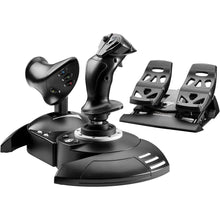 Vendor:Thrustmaster
Thrustmaster T.Flight Full Kit X (Xbox Series X|S, One, PC)
Regular price $199.99Sale price $199.99 Regular priceUnit price per -
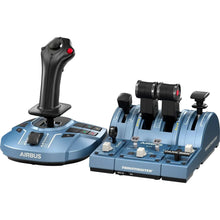 Vendor:Thrustmaster
Thrustmaster TCA Captain Pack X Airbus Edition (Xbox Series X|S, One, PC)
Regular price $299.99Sale price $299.99 Regular priceUnit price per -
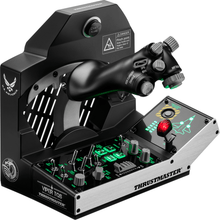 Vendor:Thrustmaster
Thrustmaster Viper TQS Mission Pack: Metal Throttle Quadrant System (PC)
Regular price $499.99Sale price $499.99 Regular priceUnit price per -
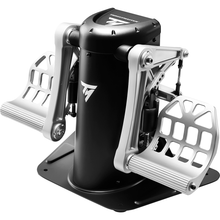 Vendor:Thrustmaster
Thrustmaster TPR Pendular Rudder Pedals (PC)
Regular price $599.99Sale price $599.99 Regular priceUnit price per -
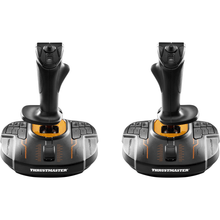 Vendor:Thrustmaster
Thrustmaster T.16000M FCS Space Sim Duo Stick (PC)
Regular price $159.99Sale price $159.99 Regular priceUnit price per -
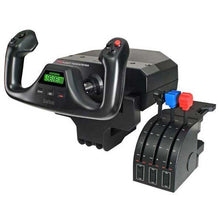 SaleVendor:Logitech G
Logitech G Saitek Pro Saitek Flight Yoke & Throttle Quadrant System (PC)
Regular price $179.99Sale price $179.99 Regular priceUnit price per$229.99 -
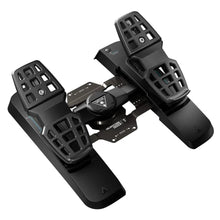 Vendor:Turtle Beach
Turtle Beach VelocityOne Precision Flight Simulator Rudder Pedals (Xbox Series X|S, One, PC)
Regular price $319.99Sale price $319.99 Regular priceUnit price per$299.95 -
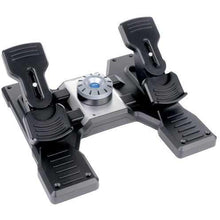 SaleVendor:Logitech G
Logitech G Saitek Pro Saitek Flight Rudder Pedals (PC)
Regular price $179.99Sale price $179.99 Regular priceUnit price per$229.99 -
 Vendor:Thrustmaster
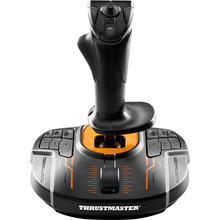
Thrustmaster T.16000M FCS (PC)
Regular price $79.99Sale price $79.99 Regular priceUnit price per


-
 FREE U.S. Shipping (on $100+)Save on outbound delivery!
 -
 4.8/5 StarsReviewed by 26,000+ Fellow Pilots
 -
 Expert Pilot SupportGear Tested by Real Pilots
 -
SHIPS TODAY (Order by 3 PM ET)Get It Faster!
- Choosing a selection results in a full page refresh.
- Opens in a new window.