




Thrustmaster Viper TQS Mission Pack: Metal Throttle Quadrant System (PC)
42263
Benefits
Benefits
Shipping & Delivery
Shipping & Delivery
Returns
Returns
The Thrustmaster Viper TQS Mission Pack offers an authentic F-16 Viper throttle quadrant experience for military flight simulation enthusiasts on PC.
This U.S. Air Force licensed replica provides the most realistic flight sim controls available, featuring a genuine 1:1 scale metal construction that mirrors actual military aircraft hardware.
Realism and Precision in Flight Simulation
For pilots curious about how realistic is the Viper TQS Mission Pack, this throttle transforms your cockpit with 43 precision metal action buttons. It includes mechanical stops for engine idle and afterburner positions, and the iconic CHAFF/FLARE slap switch for deploying countermeasures during combat. The all-metal throttle quadrant features high-precision magnetic sensors delivering 16-bit resolution with 65,535 values. This ensures every throttle movement translates with surgical accuracy in DCS World and other combat flight simulators. Whether executing emergency landing procedures or fine-tuning engine power during aerial refueling, the adjustable resistance and friction controls provide the tactile feedback that separates amateur pilots from virtual aces.
Seamless Integration and Customization
This DCS World compatible throttle offers seamless plug-and-play integration, automatically recognized by the simulation without complex setup procedures. The backlit control panel with adjustable indicator lights creates an immersive cockpit environment during night missions. Thrustmaster's T.A.R.G.E.T software enables custom mapping profiles for different aircraft configurations. For streamers and content creators seeking the best throttle quadrant for DCS World, this PC flight control panel delivers visual authenticity and precise control that captivates audiences and enhances gameplay footage. Military aviation enthusiasts and hardcore flight sim pilots now have access to genuine U.S. Air Force replica hardware, offering the professional-grade HOTAS throttle experience previously reserved for actual fighter pilots.
Experience ultimate F-16 immersion with the official U.S. Air Force licensed Thrustmaster Viper TQS Mission Pack, featuring all-metal construction, pinpoint precision, and seamless DCS World integration. Get yours now!
Frequently Asked Questions
What is included in the Thrustmaster Viper TQS Mission Pack?
The Mission Pack is a two part set: the all metal F-16 Viper throttle quadrant and a matching backlit control panel. Together they provide the throttle side controls used to manage engine power and deploy countermeasures. It is built for PC military flight simulation and is recognized by DCS World, giving serious flight sim pilots authentic fighter throttle hardware out of the box.
Does the Viper TQS Mission Pack include a joystick or flight stick grip?
No. The Mission Pack is a throttle quadrant with a backlit control panel, not a complete setup that includes a flight stick. It delivers the throttle side of your rig, with the engine and countermeasure controls. A flight stick is a separate purchase. For PC pilots it still provides genuine F-16 Viper throttle hardware with all metal construction.
Can I add a separate Thrustmaster flight stick to this throttle?
Yes. The Viper TQS throttle is designed to work alongside a compatible Thrustmaster flight stick so you can build a full hands on throttle and stick setup on your PC. Thrustmaster T.A.R.G.E.T software lets you map the throttle and a separate stick together. The stick itself is sold separately and is not part of this throttle pack.
What controls and features make it realistic, and what is it modeled on?
It is a U.S. Air Force licensed, genuine 1:1 scale metal replica of the F-16 Viper throttle. It includes 43 precision metal action buttons, mechanical stops for engine idle and afterburner, and the iconic CHAFF and FLARE slap switch for countermeasures, plus adjustable resistance and friction for true tactile feedback during demanding maneuvers.
How precise are the sensors, and how does it connect to a PC?
The all metal throttle quadrant uses high precision magnetic sensors delivering 16-bit resolution with 65,535 values, so every throttle movement translates with surgical accuracy. It connects to your PC with the included cable for plug and play recognition, and Thrustmaster T.A.R.G.E.T software lets you build custom mapping profiles for different aircraft configurations.
Is the backlit control panel adjustable?
Yes. The Mission Pack includes a backlit control panel with adjustable indicator lights, so you can tune the brightness to suit your room. This creates an immersive cockpit environment during night missions and keeps the switches and labels readable. The panel pairs with the metal throttle to round out the authentic F-16 Viper throttle side experience on your PC.
Does it work with DCS World, and is any setup required?
Yes. The Viper TQS Mission Pack offers plug and play integration and is automatically recognized by DCS World without complex setup. It is built as one of the most realistic throttle quadrants for serious DCS World flying, and it also works with other PC combat and flight simulators so you can use it across multiple titles.
Can I use it with PC simulators other than DCS World?
Yes. While it is tuned for DCS World and recognized there without setup, this is a standard PC flight controller that works across many Windows combat and flight titles. Thrustmaster T.A.R.G.E.T software lets you build custom button and axis profiles, so you can configure the throttle to behave correctly in each simulator you fly on your PC.
Is the Viper TQS Mission Pack compatible with Xbox or PlayStation?
No. This is a PC flight simulation controller, as stated in the product title and listing. It is built for Windows based combat and flight sims rather than game consoles. If you fly on a console you would need different hardware, but for PC pilots it delivers genuine F-16 Viper throttle controls with authentic metal construction.
Does the Viper TQS Mission Pack work on a Mac?
This is a PC flight simulation controller built for Windows, as stated in the product title and listing. It is not sold as a Mac product, so plan on a Windows PC to get plug and play recognition and full use of Thrustmaster T.A.R.G.E.T software for custom profiles. On a supported PC it delivers the full F-16 Viper throttle experience.
How do I mount the throttle quadrant to my desk or cockpit?
The Viper TQS is built to sit on a desk or be fixed into a home cockpit setup. Its metal housing has mounting points so you can secure it for stable, realistic operation, and Thrustmaster offers separate mount accessories if you want a more permanent rig. The metal construction keeps it steady through firm throttle and afterburner inputs.
-
 SaleVendor:Logitech G
Logitech G Saitek Basic Flight Simulation Bundle w/Microsoft Flight Simulator Standard Digital Download (PC)
Regular price $389.99Sale price $389.99 Regular priceUnit price per$519.97 -
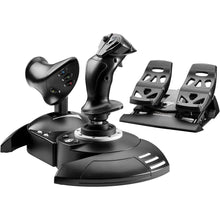 Vendor:Thrustmaster
Thrustmaster T.Flight Full Kit X (Xbox Series X|S, One, PC)
Regular price $199.99Sale price $199.99 Regular priceUnit price per -
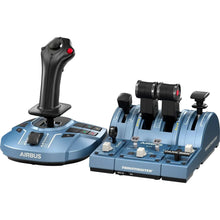 Vendor:Thrustmaster
Thrustmaster TCA Captain Pack X Airbus Edition (Xbox Series X|S, One, PC)
Regular price $299.99Sale price $299.99 Regular priceUnit price per -
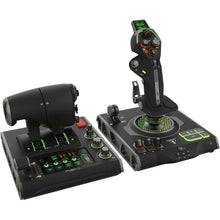 Vendor:Turtle Beach
Turtle Beach VelocityOne Flightdeck Ultimate PC HOTAS Controller (PC)
Regular price $379.99Sale price $379.99 Regular priceUnit price per -
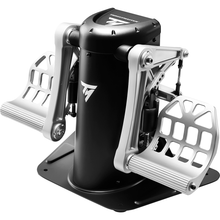 Vendor:Thrustmaster
Thrustmaster TPR Pendular Rudder Pedals (PC)
Regular price $599.99Sale price $599.99 Regular priceUnit price per -
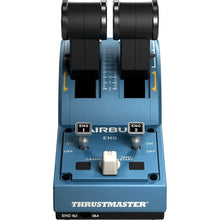 Vendor:Thrustmaster
Thrustmaster TCA Quadrant Airbus Edition (PC)
Regular price $129.99Sale price $129.99 Regular priceUnit price per -
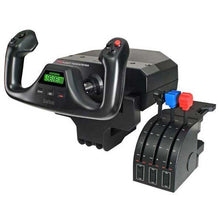 SaleVendor:Logitech G
Logitech G Saitek Pro Saitek Flight Yoke & Throttle Quadrant System (PC)
Regular price $179.99Sale price $179.99 Regular priceUnit price per$229.99 -
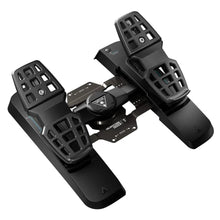 Vendor:Turtle Beach
Turtle Beach VelocityOne Precision Flight Simulator Rudder Pedals (Xbox Series X|S, One, PC)
Regular price $319.99Sale price $319.99 Regular priceUnit price per$299.95 -
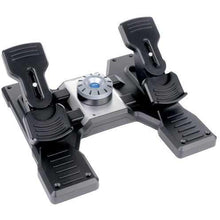 SaleVendor:Logitech G
Logitech G Saitek Pro Saitek Flight Rudder Pedals (PC)
Regular price $179.99Sale price $179.99 Regular priceUnit price per$229.99 -
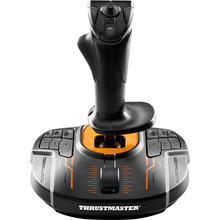 Vendor:Thrustmaster
Thrustmaster T.16000M FCS (PC)
Regular price $79.99Sale price $79.99 Regular priceUnit price per


-
 FREE U.S. Shipping (on $100+)Save on outbound delivery!
 -
 4.8/5 StarsReviewed by 26,000+ Fellow Pilots
 -
 Expert Pilot SupportGear Tested by Real Pilots
 -
SHIPS TODAY (Order by 3 PM ET)Get It Faster!
- Choosing a selection results in a full page refresh.
- Opens in a new window.