




Thrustmaster HOTAS Warthog Flight Stick (PC)
42274
Benefits
Benefits
Shipping & Delivery
Shipping & Delivery
Returns
Returns
Thrustmaster HOTAS Warthog Flight Stick: The ultimate PC-compatible joystick replicating U.S. Air Force A-10C controls for precision flight simulation gaming.
Unmatched Precision: Experience the pinnacle of professional flight simulator controls with the Thrustmaster HOTAS Warthog Flight Stick, featuring precision magnetic sensor technology.
Authentic Flight Experience with Metal Construction
Transform your cockpit setup with this authentic A-10C joystick replica. The all-metal construction weighs over 6 pounds, providing the heft and stability serious flight simulation demands. With 19 action buttons and a multi-directional view control, it offers comprehensive control over every aircraft system. Unlike cheaper alternatives, this joystick features a detachable metal handle and realistic button resistance, mirroring actual U.S. Air Force A-10C aircraft controls for an immersive experience.
Precision and Reliability for Enthusiasts
Whether you're a competitive virtual pilot or an aviation professional, this USB flight stick bridges the gap between simulation and reality. The advanced Hall effect sensors eliminate mechanical wear common in traditional joysticks. Its professional-grade construction ensures reliable performance during extended gaming sessions and intensive training scenarios.
Take command with the Thrustmaster HOTAS Warthog, the authentic A-10C replica delivering unmatched H.E.A.R.T. precision. Experience its superior all-metal construction and get yours now!
Frequently Asked Questions
Does the Thrustmaster HOTAS Warthog Flight Stick include a throttle?
No. This is the flight stick on its own, the joystick portion that replicates the U.S. Air Force A-10C control stick. A throttle is not included. The stick connects over USB and works as a complete standalone joystick for flight simulation, so you can fly with it right away on a PC.
What platform does the Warthog Flight Stick work with?
It is a PC-compatible joystick that connects over USB. It is built for PC flight simulation and is not designed for game consoles. Once plugged in, it functions as a complete USB controller, giving you precise stick input for serious simulator use on a desktop computer.
Which flight simulators does the Warthog Flight Stick work with?
As a standard PC USB joystick, it works across major Windows flight simulators such as DCS World, Microsoft Flight Simulator, X-Plane, Star Citizen, and Elite Dangerous. Its 19 buttons and view hat map well to combat, civil, and space titles, and Thrustmaster's T.A.R.G.E.T software helps you tailor controls per game.
What sensor technology does it use, and will the precision wear out?
It uses H.E.A.R.T Hall Effect AccuRate Technology, a magnetic sensor system delivering 16-bit resolution for ultra-precise input. Because the sensors are magnetic rather than mechanical, they eliminate the wear common in traditional joysticks. The stick is built to hold its accuracy through extended gaming sessions and intensive training scenarios.
How many buttons and controls does it have?
The flight stick features 19 action buttons plus a multi-directional view control for comprehensive command over aircraft systems. The layout mirrors the actual A-10C control stick, including realistic button resistance. This authentic design gives you plenty of mapping options for views and functions during immersive military-style flight simulation.
What is it made of and how much does it weigh?
The Warthog Flight Stick uses all-metal construction and weighs over 6 pounds. That heft keeps it stable on your desk during aggressive maneuvers, so it does not slide around. The handle is metal as well, giving the controller a solid, premium feel that sets it apart from lighter plastic joysticks.
Can the handle be detached or used in a cockpit setup?
Yes. The metal handle is detachable, so you can use the stick on a desk or move the handle into a cockpit configuration. This flexibility lets enthusiasts and aviation professionals integrate the Warthog into a dedicated simulation rig while still allowing easy everyday use on a standard desktop.
Can I program and remap the buttons with software?
Yes. The Warthog Flight Stick works with Thrustmaster's free T.A.R.G.E.T programming software, which lets you test, configure, and remap controls on your PC. You can assign the 19 action buttons and the view hat to suit each simulator, building custom profiles for the aircraft and missions you fly most.
Does the Warthog Flight Stick have a twist rudder for controlling yaw?
No. The Warthog Flight Stick handles pitch and roll and does not include a twisting rudder axis. For yaw control you would add separate rudder pedals. Many sim pilots pair the stick with dedicated pedals to get full three-axis flight, while casual users can map yaw to buttons instead.
Can I add a throttle or rudder pedals to the Warthog Flight Stick later?
Yes. The stick is a standalone USB joystick, and you can expand your setup over time by adding a matching Warthog throttle or compatible rudder pedals. Each device connects through its own USB port, so you can build toward a full hands-on throttle and stick rig at your own pace. PilotMall carries a full range of flight sim controls. Check out our Thrustmaster flight sim controls collection for more options.
-
 SaleVendor:Logitech G
Logitech G Saitek Basic Flight Simulation Bundle w/Microsoft Flight Simulator Standard Digital Download (PC)
Regular price $389.99Sale price $389.99 Regular priceUnit price per$519.97 -
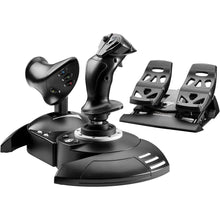 Vendor:Thrustmaster
Thrustmaster T.Flight Full Kit X (Xbox Series X|S, One, PC)
Regular price $199.99Sale price $199.99 Regular priceUnit price per -
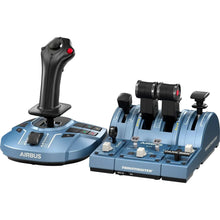 Vendor:Thrustmaster
Thrustmaster TCA Captain Pack X Airbus Edition (Xbox Series X|S, One, PC)
Regular price $299.99Sale price $299.99 Regular priceUnit price per -
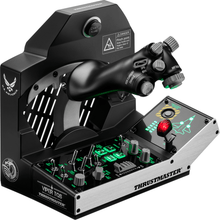 Vendor:Thrustmaster
Thrustmaster Viper TQS Mission Pack: Metal Throttle Quadrant System (PC)
Regular price $499.99Sale price $499.99 Regular priceUnit price per -
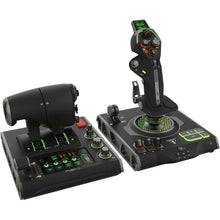 Vendor:Turtle Beach
Turtle Beach VelocityOne Flightdeck Ultimate PC HOTAS Controller (PC)
Regular price $379.99Sale price $379.99 Regular priceUnit price per -
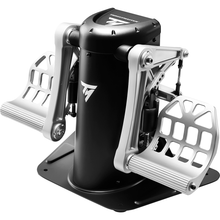 Vendor:Thrustmaster
Thrustmaster TPR Pendular Rudder Pedals (PC)
Regular price $599.99Sale price $599.99 Regular priceUnit price per -
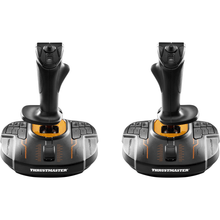 Vendor:Thrustmaster
Thrustmaster T.16000M FCS Space Sim Duo Stick (PC)
Regular price $159.99Sale price $159.99 Regular priceUnit price per -
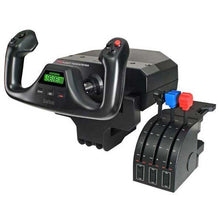 SaleVendor:Logitech G
Logitech G Saitek Pro Saitek Flight Yoke & Throttle Quadrant System (PC)
Regular price $179.99Sale price $179.99 Regular priceUnit price per$229.99 -
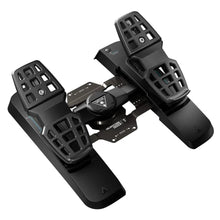 Vendor:Turtle Beach
Turtle Beach VelocityOne Precision Flight Simulator Rudder Pedals (Xbox Series X|S, One, PC)
Regular price $319.99Sale price $319.99 Regular priceUnit price per$299.95 -
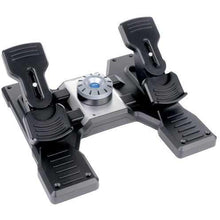 SaleVendor:Logitech G
Logitech G Saitek Pro Saitek Flight Rudder Pedals (PC)
Regular price $179.99Sale price $179.99 Regular priceUnit price per$229.99


-
 FREE U.S. Shipping (on $100+)Save on outbound delivery!
 -
 4.8/5 StarsReviewed by 26,000+ Fellow Pilots
 -
 Expert Pilot SupportGear Tested by Real Pilots
 -
SHIPS TODAY (Order by 3 PM ET)Get It Faster!
- Choosing a selection results in a full page refresh.
- Opens in a new window.