




Logitech G Saitek Pro Saitek Flight Yoke & Throttle Quadrant System (PC)
18854
Benefits
Benefits
Shipping & Delivery
Shipping & Delivery
Returns
Returns
The Logitech G Saitek Pro Flight Yoke & Throttle Quadrant System transforms your PC into a realistic cockpit simulator for aviation enthusiasts and pilots seeking authentic flight controls.
This comprehensive flight simulator yoke system features a durable stainless steel shaft that delivers exceptionally smooth, precise control unlike plastic alternatives found in competing flight simulator hardware.
Realistic Control and Customization
Experience authentic side-to-side and forward/backward movement control with the stainless steel yoke. The configurable flight sim throttle quadrant includes detachable levers for throttle, flaps, mixture, or propeller pitch settings. With 25 programmable buttons and switches across five axes, you'll develop genuine muscle memory that translates directly to real aircraft operation. This makes it ideal for student pilots practicing between actual flight lessons or aviation enthusiasts building their dream cockpit simulator.
Versatility and Compatibility
The system's versatility shines through its 75 programmable options across three profiles, allowing you to tailor controls for different aircraft types from single-engine trainers to complex multi-engine commercial jets. Physical stopping points help you feel throttle positions without looking, while built-in connection ports accommodate additional flight simulator accessories as your setup grows. Compatible with Microsoft Flight Simulator, X-Plane, FSX, and Prepar3D on Windows systems, this pro flight yoke system integrates seamlessly into any flight sim setup, whether you're a beginner exploring flight simulator hardware for the first time or an advanced pilot demanding professional-grade programmable flight controls for your virtual aviation adventures.
Command the skies with the Logitech G Pro Flight Yoke & Throttle: experience exceptionally smooth, precise control from its durable stainless steel build, enjoy a complete all-in-one system for immediate immersion, and tailor every flight with extensive customization. Upgrade your flight experience now!
Frequently Asked Questions
Does the throttle quadrant come included with the Logitech G Saitek Pro Flight Yoke?
Yes. This is a complete all-in-one system that pairs the stainless steel yoke with a separate throttle quadrant in one package, so you are ready to fly. The quadrant adds detachable levers you can assign to throttle, flaps, mixture, or propeller pitch for realistic hands-on control without buying extra hardware.
Which flight simulators and operating systems is it compatible with?
This is the PC version, built for Windows systems, and it works with Microsoft Flight Simulator, X-Plane, FSX, and Prepar3D. It integrates into a Windows flight sim setup, so you can map the controls inside whichever simulator you fly and get authentic yoke and throttle response right away.
What is included with this system?
This is a complete yoke and throttle quadrant set. You get the stainless steel flight yoke with USB connectivity and the configurable throttle quadrant with its detachable levers. With the yoke and quadrant together in one package, you have the core controls needed to set up and start flying once you map them inside your simulator.
How does it connect to my computer, and is anything else required to use it?
The system uses USB 2.0 connectivity to your PC, and the throttle quadrant works alongside the yoke as one complete package. Built-in connection ports let you add more flight simulator accessories as your setup grows. No separate rudder pedals are required to start flying, though many pilots choose to add them later for fuller control.
How many buttons, axes, and programmable controls does it have?
The system offers five axes with 25 programmable buttons and switches, including 14 buttons, a three-position mode switch, and a POV hat switch. Using the three onboard mode positions, that expands to 75 programmable options across three profiles, letting you tailor controls for different aircraft from single-engine trainers to complex multi-engine jets.
How do you program the buttons and customize the controls?
You can configure every button and axis using Saitek's SST programming software, which lets you build and save control profiles. The three onboard mode positions multiply your available commands, and the detachable throttle levers can be reassigned to throttle, flaps, mixture, or propeller pitch. This makes it easy to match real cockpit layouts and build genuine muscle memory.
Can I add more accessories as my cockpit setup grows?
Yes. The yoke includes built-in connection ports that accommodate additional flight simulator accessories as your setup grows, so you can expand toward a fuller cockpit over time. The detachable lever knobs on the quadrant can also be rearranged to match the controls and aircraft configuration you are flying. Additional accessories are sold separately.
Do the throttle levers have physical stopping points you can feel?
Yes. The throttle quadrant provides physical stopping points that help you feel power positions without looking down at the levers. These tactile points let you set throttle, propeller, and mixture by feel during busy phases of flight, supporting more realistic and repeatable handling than a keyboard or a smooth lever with no positional feedback.
Is it good for student pilots, and does it include a timer for IFR practice?
Yes. The yoke includes an integrated chronograph that is handy for timing maneuvers during IFR procedures and cross-country flights. Its stainless steel shaft and precise bearings deliver smooth, predictable control inputs, so student pilots can rehearse procedures between actual lessons and enthusiasts can build an authentic home cockpit that beats a keyboard.
-
 SaleVendor:Logitech G
Logitech G Saitek Basic Flight Simulation Bundle w/Microsoft Flight Simulator Standard Digital Download (PC)
Regular price $389.99Sale price $389.99 Regular priceUnit price per$519.97 -
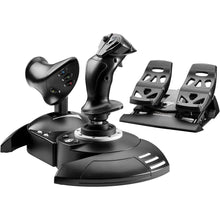 Vendor:Thrustmaster
Thrustmaster T.Flight Full Kit X (Xbox Series X|S, One, PC)
Regular price $199.99Sale price $199.99 Regular priceUnit price per -
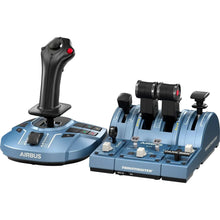 Vendor:Thrustmaster
Thrustmaster TCA Captain Pack X Airbus Edition (Xbox Series X|S, One, PC)
Regular price $299.99Sale price $299.99 Regular priceUnit price per -
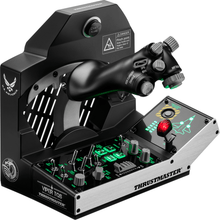 Vendor:Thrustmaster
Thrustmaster Viper TQS Mission Pack: Metal Throttle Quadrant System (PC)
Regular price $499.99Sale price $499.99 Regular priceUnit price per -
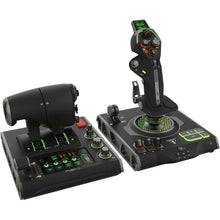 Vendor:Turtle Beach
Turtle Beach VelocityOne Flightdeck Ultimate PC HOTAS Controller (PC)
Regular price $379.99Sale price $379.99 Regular priceUnit price per -
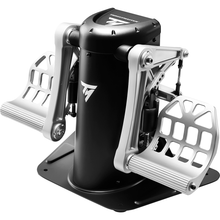 Vendor:Thrustmaster
Thrustmaster TPR Pendular Rudder Pedals (PC)
Regular price $599.99Sale price $599.99 Regular priceUnit price per -
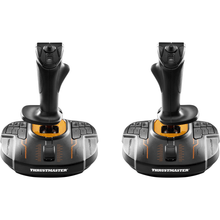 Vendor:Thrustmaster
Thrustmaster T.16000M FCS Space Sim Duo Stick (PC)
Regular price $159.99Sale price $159.99 Regular priceUnit price per -
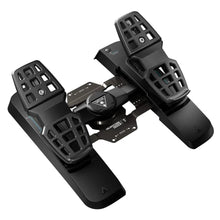 Vendor:Turtle Beach
Turtle Beach VelocityOne Precision Flight Simulator Rudder Pedals (Xbox Series X|S, One, PC)
Regular price $319.99Sale price $319.99 Regular priceUnit price per$299.95 -
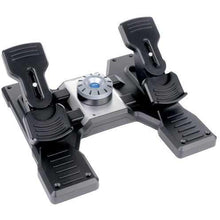 SaleVendor:Logitech G
Logitech G Saitek Pro Saitek Flight Rudder Pedals (PC)
Regular price $179.99Sale price $179.99 Regular priceUnit price per$229.99 -
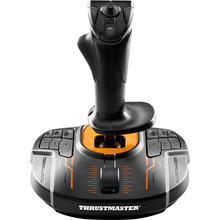 Vendor:Thrustmaster
Thrustmaster T.16000M FCS (PC)
Regular price $79.99Sale price $79.99 Regular priceUnit price per


-
 FREE U.S. Shipping (on $100+)Save on outbound delivery!
 -
 4.8/5 StarsReviewed by 26,000+ Fellow Pilots
 -
 Expert Pilot SupportGear Tested by Real Pilots
 -
SHIPS TODAY (Order by 3 PM ET)Get It Faster!
- Choosing a selection results in a full page refresh.
- Opens in a new window.