



USED Thrustmaster TCA Sky Yoke (PS5, PC)
All in one general aviation yoke with throttle, trim, and yaw built in, Thrustmaster's first GA yoke with a steel pitch axis shaft and 16 bit Hall effect sensors, for PS5 and PC.
Devoluciones en 30 días. El hardware de simulación de vuelo abierto y sin defectos tiene un cargo de reposición del 15%. Política de devoluciones
- Haz tu pedido antes del 15 de diciembre para recibirlo antes de Navidad. Envío terrestre estándar, EE. UU. continental.
- Devoluciones navideñas: si compras ahora, puedes devolverlo hasta el 15 de enero. Siguen aplicando las excepciones habituales (artículos personalizados, cartas de la FAA, RC y software abiertos). Política de devoluciones
43061USED
Beneficios
Beneficios
Envío y entrega
Envío y entrega
Devoluciones
Devoluciones
USED ITEM
This item is used and has been tested and verified to be in proper working order. It may show minor signs of use or cosmetic wear, and the original packaging may be missing or damaged. Quantities are limited, and once it sells, it is gone.
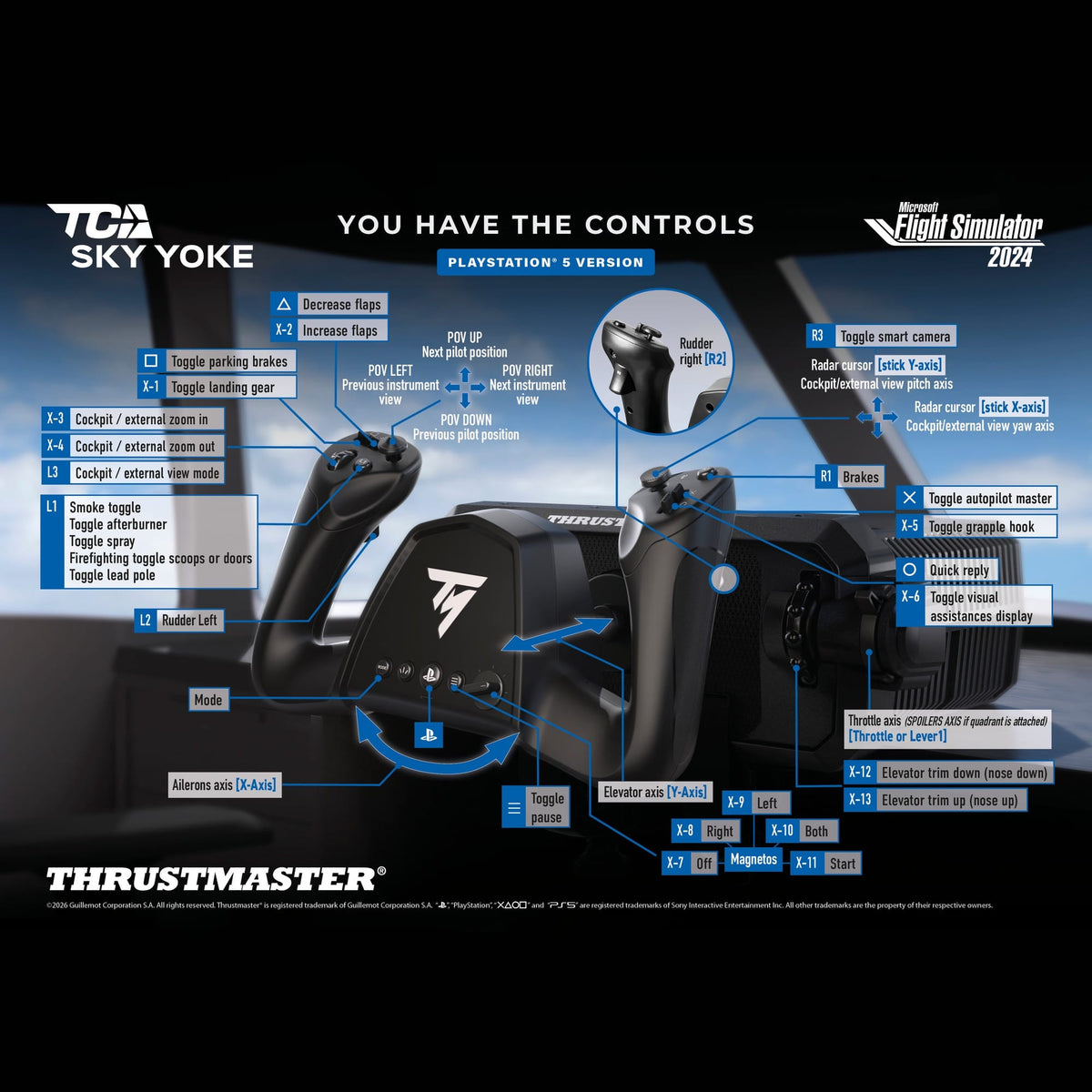
The Thrustmaster TCA Sky Yoke puts the yoke, throttle, trim, and rudder controls of a complete flight sim setup into one controller, with no extra equipment needed to start flying. This version works with Microsoft Flight Simulator 2024 on PlayStation 5 and PC, and with Infinite Flight on iOS and Android.
Thrustmaster's first general aviation yoke combines 7 axes with a built in throttle and rudder controls in a single device. Its trim wheel gives smooth, progressive movement that feels more like the real thing than simple button adjustments, so you can trim the aircraft and stabilize your flight without holding the yoke in position.
Realism in Every Movement
Whether you're flying a light aircraft, a business jet, or an airliner, the TCA Sky Yoke handles like the real thing, with dimensions similar to a real aircraft yoke. Push or pull through 3.5 inches (9 cm) of travel to manage climbs and descents, then rotate the yoke up to 180 degrees to bank into your turns. The pitch axis rides on a steel shaft with a self centering damping mechanism, no central detent, and a minimal dead zone, so the move from climb to descent is smooth and unbroken.
Your Aircraft, Naturally Under Control
From takeoff to landing, the essential functions stay within reach. The 24 action buttons, 8 way Point of View hat switch, mini stick, and two analog triggers are placed for instant access, so your hands stay on the yoke and your attention stays on flying, whatever the phase of flight.
Precision on All Axes
16 bit resolution across all 7 axes faithfully reproduces every adjustment you make. Each axis also uses Thrustmaster's H.E.A.R.T. (HallEffect AccuRate Technology) magnetic sensing. With no mechanical contact there is no drift from wear and tear, just smooth, consistent control flight after flight.
Learn and Fly as a Duo
With Dual Control, connect two TCA Sky Yokes to the same PC to share the controls of one aircraft. An instructor can guide a student through each lesson, or a pilot and copilot can take turns at the controls in flight. Hand over control from one yoke to the other with the push of a button, then announce, "You have the controls."
Build Out Your Setup
Pair the TCA Sky Yoke with the Thrustmaster T.Flight Rudder Pedals (TFRP) to control yaw with your feet, and add the 3 axis TCA Sky Quadrant for three more axes and a more complete, immersive cockpit.
New units ship with the TCA Sky Yoke, a USB-C to USB-A cable, 2 clamps, and the instruction manual. Take the controls of your simulator with a yoke that has the throttle and trim you need already built in. TCA Sky Quadrant and T.Flight Rudder Pedals sold separately.


Frequently Asked Questions
What platforms does the Thrustmaster TCA Sky Yoke work with?
This version works with Microsoft Flight Simulator 2024 on PlayStation 5 and on PC running Windows 10 or 11. It also works with Infinite Flight on iOS and Android, so the same yoke can fly on your console, your computer, or a phone or tablet.
Is this a general aviation yoke or an airliner yoke?
It is a general aviation yoke, and it is Thrustmaster's first. The controls are laid out for light aircraft flying, with 7 axes plus throttle, trim, and yaw all built into the one unit rather than split across separate airliner style modules.
Does the TCA Sky Yoke include a throttle?
Yes. Throttle control is built into the yoke itself, along with a trim system and yaw controls, for 7 axes in total. That means you do not need a separate throttle unit to fly, though you can add the TCA Sky Quadrant later if you want more thrust levers.
How much travel does the yoke have?
The yoke wheel turns through 180 degrees of rotation on the roll axis, and the shaft gives 3.5 inches, 9 cm, of travel on the pitch axis. That combination is what allows precise, controlled inputs rather than the abrupt response of a short throw control.
What is H.E.A.R.T. technology?
H.E.A.R.T. stands for HallEffect AccuRate Technology, Thrustmaster's magnetic sensing system. It delivers 16 bit resolution on all yoke and quadrant axes. Because the sensing is contactless there are no wearing contacts, which is what preserves precision over years of use.
Does the yoke have a center detent or a dead zone?
No central detent, and the dead zone is minimal. The yoke uses a steel pitch axis shaft paired with a self centering damped mechanism, so it returns to center on its own with a damped, progressive feel, and inputs just off center still register.
How many buttons and switches does it have?
The yoke is a fully featured controller with 24 action buttons, an 8 way directional hat switch, one stick, and two analog triggers. That is enough to map the switches, lights, and view controls you reach for most without taking your hands off the yoke.
Can I add rudder pedals and a throttle quadrant?
Yes. The TCA Sky Yoke is compatible with the TCA Sky Quadrant throttle quadrant and the T.Flight Rudder Pedals, both sold separately. Software support lets them connect through the yoke, so only a single USB cable runs to your PC or console. PilotMall carries a full range of flight sim controls. Check out our Thrustmaster flight sim controls collection for more options.
Can I use two yokes for a dual control setup?
Yes, on PC. With Dual Control, two TCA Sky Yokes connect to the same PC so an instructor and a student, or a pilot and copilot, can each have a yoke and hand over control with the push of a button. Thrustmaster lists Dual Control on PC for this PlayStation 5 version.
Can I attach external modules or instruments to it?
Yes. The base has mounting brackets for attaching commercially available external modules, which lets you organize a virtual instrument cluster around the yoke. There are also three additional connectors, two RJ12 and one USB-A, for connecting optional Thrustmaster devices.
What comes in the box?
The box contains the TCA Sky Yoke, a USB-C to USB-A cable, 2 clamps, the instruction manual, and warranty information.
How large is the TCA Sky Yoke and how much does it weigh?
The yoke measures 7.09 inches, 180 mm, high by 13.5 inches, 344 mm, wide by 17.3 inches, 440 mm, deep, and it weighs 5.5 lbs, 2,495 g. It is a substantial desk mounted unit, so plan for the depth in front of your monitor when you set up your simulator position.
-
 Proveedor:Thrustmaster
Thrustmaster T.Flight Full Kit X (Xbox Series X|S, One, PC)
Kit todo en uno de stick HOTAS, acelerador y timón para principiantes, con 14 botones de acción y 5 ejes de control en una configuración plug-and-play lista para volar en Xbox o PC.
Precio habitual $229.99Precio de oferta $229.99 Precio habitualPrecio unitario por -
 Más vendidoNuevoProveedor:Thrustmaster
Thrustmaster TCA Sky Yoke (PS5, PC)
All in one general aviation yoke with throttle, trim, and yaw built in, Thrustmaster's first GA yoke with a steel pitch axis shaft and 16 bit Hall effect sensors, for PS5 and PC.
Precio habitual $199.99Precio de oferta $199.99 Precio habitualPrecio unitario por -
 NuevoProveedor:Thrustmaster
Thrustmaster Airbus Add-On Grip (PC)
Actualice su base modular Thrustmaster compatible con esta réplica de sidestick de Airbus a escala 1:1 con licencia oficial, que cuenta con 5 botones y una precisión de 16 bits para PC.
Precio habitual $129.99Precio de oferta $129.99 Precio habitualPrecio unitario por -
 Proveedor:Logitech G
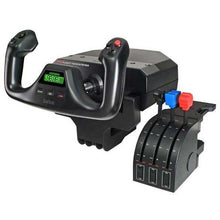
Sistema de yugo y cuadrante de gases Logitech G Saitek Pro Flight (PC)
Desktop yoke and throttle quadrant for realistic GA sim flying, with programmable buttons across multiple profiles that build real muscle memory for the cockpit.
Precio habitual $159.99Precio de oferta $159.99 Precio habitualPrecio unitario por$179.99 -
 Proveedor:Thrustmaster
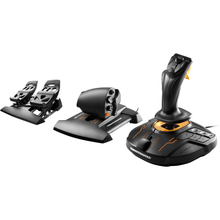
Thrustmaster T.16000M FCS Flight Pack (PC)
Stick, throttle and rudder pedals pack for a complete desk setup, with 16 programmable buttons and an 8-way hat switch on the stick plus 14 more on the throttle.
Precio habitual $259.99Precio de oferta $259.99 Precio habitualPrecio unitario por -
 Proveedor:Thrustmaster
Pedales de timón Thrustmaster T.Flight (PS5, PS4, Xbox Series X|S, One, PC)
Pedales de timón con frenos de puntera y resistencia ajustable para simuladores, un diseño con centrado automático que añade frenado diferencial y dirección realistas en PS5, Xbox y PC.
Precio habitual $129.99Precio de oferta $129.99 Precio habitualPrecio unitario por -
 Proveedor:Logitech G
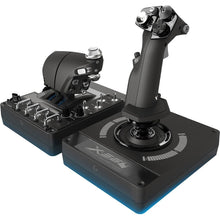
Sistema HOTAS Logitech G Saitek Pro Flight X-56 (PC)
Dual-throttle HOTAS with RGB lighting for immersive space sims, using 16-bit precision contact-free sensors for the most accurate control response in flight sims.
Precio habitual $249.99Precio de oferta $249.99 Precio habitualPrecio unitario por$249.99 -
 Proveedor:Logitech G
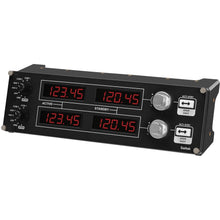
Panel de radio Logitech G Saitek Pro Flight (PC)
Panel de radio y frecuencia de navegación que se conecta a una cabina de simulador de hardware mediante USB para control en tiempo real en Microsoft Flight Simulator, X-Plane y FSX.
Precio habitual $169.99Precio de oferta $169.99 Precio habitualPrecio unitario por$199.99 -
 Proveedor:Thrustmaster
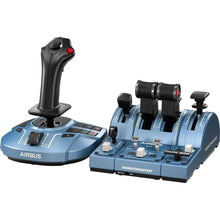
Thrustmaster TCA Captain Pack X Edición Airbus (Xbox Series X|S, One, PC)
Airbus-style sidestick and throttle captain set with officially licensed 1:1 scale replicas, built for pilots practicing A320neo procedures on a realistic airliner rig.
Precio habitual $299.99Precio de oferta $299.99 Precio habitualPrecio unitario por -
 NuevoProveedor:Thrustmaster
Thrustmaster TCA Sky Yoke (Xbox Series X|S, PC)
All in one general aviation yoke with throttle, trim, and yaw built in, Thrustmaster's first GA yoke with a steel pitch axis shaft and 16 bit Hall effect sensors, for Xbox and PC.
Precio habitual $199.99Precio de oferta $199.99 Precio habitualPrecio unitario por


