




Thrustmaster Airbus Add-On Grip (PC)
Upgrade your compatible Thrustmaster modular base with this officially licensed 1:1 Airbus sidestick replica, featuring 5 buttons and 16 bit precision for PC.
43081
Beneficios
Beneficios
Envío y entrega
Envío y entrega
Devoluciones
Devoluciones
The Thrustmaster Airbus Add-On Grip (PC) transforms your modular joystick base into an authentic airliner cockpit experience. Developed in official partnership with Airbus, this 1:1 scale replica sidestick delivers unparalleled realism.
Precision Engineering
This dedicated left hand grip replaces your generic gaming stick with the exact feel of a real Airbus flight deck. It requires a compatible Thrustmaster modular joystick base, sold separately, to bring commercial aviation realism to your PC running Windows 10 or 11.
Realistic Flight Sim Hardware
Wondering how to achieve the ultimate commercial flight experience? This grip answers with 5 buttons, 4 axes, and a dual mode trigger that functions as a button or an axis. The Z axis and mini stick utilize H.E.A.R.T. (HallEffect AccuRate Technology) for contactless 16 bit resolution that never drifts. Enthusiasts appreciate the integrated mechanical lock on the native Z axis twist, allowing you to disable it when using dedicated rudder pedals to prevent stray yaw inputs.
Shaped for the Captain's Seat
Designed for the left seat, this single handed grip is not ambidextrous, mirroring the actual airliner layout. Measuring 3.1 inches wide by 3.3 inches deep by 7.7 inches high and weighing 203 g (0.45 lb), it captures the precise proportions of the real article. A modular design includes an A400M module and a removable button cover, converting the grip between an A300 series airliner and an A400M military transport layout. All inputs are fully programmable in Thrustmaster's free T.A.R.G.E.T. software.
Versatile Base Compatibility
This grip mounts seamlessly on the Thrustmaster Sol-R, HOTAS Warthog MKII, and AVA bases. AVA base owners require firmware 2.07 or newer alongside T.A.R.G.E.T. v3.0.25.127_rev1 or later. The original HOTAS Warthog base offers limited compatibility through a separately sold Warthog Converter. This listing is for the grip only, and a compatible base is required.
Put a genuine Airbus sidestick in your left hand and command your simulator the way the real aircraft is flown. Upgrade your cockpit now!
Frequently Asked Questions
Does the Thrustmaster Airbus Add-On Grip include a joystick base?
No. This is the grip only, and it cannot be used on its own. You need a compatible Thrustmaster joystick base, sold separately, before the grip will do anything at all. This is the single most common reason an add-on grip gets returned, so please confirm which base you own before ordering.
Which joystick bases does the Airbus Add-On Grip fit?
It mounts on the Thrustmaster Sol-R, HOTAS Warthog MKII and AVA bases. AVA bases need firmware 2.07 or newer, which arrives with T.A.R.G.E.T. version 3.0.25.127_rev1 or later, a free download from Thrustmaster. The original HOTAS Warthog base has limited compatibility through the Warthog Converter, which is also sold separately. PilotMall carries a full range of flight sim controls. Check out our Thrustmaster flight sim controls collection for compatible bases.
What platforms does it work with?
PC only, running Windows 10 or Windows 11. Thrustmaster does not offer an Xbox or a PlayStation version of this grip, and it will not work on a console.
Which base should I buy with this?
PilotMall stocks two compatible bases. The Thrustmaster SOL-R 4 HOTAS Advanced Flight Simulation System is in the catalog now and takes the grip directly. The Thrustmaster HOTAS Warthog MKII Stick and Throttle is a new release arriving September 16, 2026, and it takes the grip directly as well. Neither one needs the Warthog Converter that the original HOTAS Warthog base requires. We do not stock the AVA base, so if you want that one you will need to source it elsewhere.
Is this the same thing as the Thrustmaster TCA Sidestick X Airbus Edition?
No, and the two are easy to confuse. The Thrustmaster TCA Sidestick X Airbus Edition is a complete, self contained controller with its own base. The Airbus Add-On Grip is a grip alone, built for Thrustmaster's modular joystick bases, and it is a 1:1 scale replica of the Airbus sidestick.
Is the grip left handed or right handed?
It is shaped for the captain's left hand, matching the left seat position on a real Airbus flight deck. It is a single handed grip and it is not ambidextrous, so plan on mounting it to the left of your seating position.
How many buttons and axes does it have?
5 buttons and 4 axes, plus a dual mode trigger that can be assigned as either a button or an axis. That gives you a trigger that acts as a switch in one aircraft and as a proportional control in another, with no hardware change.
What is H.E.A.R.T. and where is it used on this grip?
H.E.A.R.T. stands for HallEffect AccuRate Technology, Thrustmaster's contactless magnetic sensing system. On this grip it reads the Z axis and the mini stick at 16 bit resolution. Because nothing physically touches, those axes hold their accuracy without drifting.
Can I turn off the twist axis?
Yes. The native Z axis twist has an integrated mechanical lock, so it can be disabled completely. That is worth doing if you fly with rudder pedals, because it stops an unintended wrist rotation from commanding yaw.
What is the A400M module for?
The grip is modular. The included A400M module and removable button cover let you convert it between an A300 series airliner layout and an A400M military transport layout, so one grip covers both civil and military Airbus flying.
Can I remap the buttons and axes?
Yes. The grip is fully programmable with T.A.R.G.E.T., Thrustmaster's free programming software for Windows. You can build a separate profile for each aircraft, or one for each of the two button layouts.
What comes in the box, and how big is the grip?
The box contains the Airbus Add-On Grip, one A400M module, one button cover and a warranty information flyer. The grip itself measures 3.1 inches wide by 3.3 inches deep by 7.7 inches high, 78 by 83 by 195 mm, and weighs 203 g (0.45 lb).
-
 Proveedor:Logitech G
Paquete de simulación de vuelo básica Logitech G Saitek con descarga digital estándar de Microsoft Flight Simulator (PC)
Paquete completo para principiantes: yugo, acelerador, pedales de timón y software, una configuración USB plug-and-play con 20 aviones y 30 aeropuertos listos para volar desde el primer momento.
Precio habitual $389.99Precio de oferta $389.99 Precio habitualPrecio unitario por$519.97 -
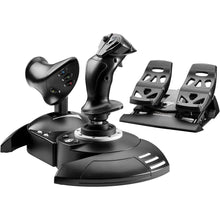 Proveedor:Thrustmaster
Kit completo Thrustmaster T.Flight X (Xbox Series X|S, One, PC)
Kit todo en uno de stick HOTAS, acelerador y timón para principiantes, con 14 botones de acción y 5 ejes de control en una configuración plug-and-play lista para volar en Xbox o PC.
Precio habitual $199.99Precio de oferta $199.99 Precio habitualPrecio unitario por -
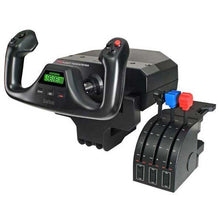 Proveedor:Logitech G
Sistema de cuadrante de aceleración y yugo de vuelo Saitek Pro de Logitech G (PC)
Desktop yoke and throttle quadrant for realistic GA sim flying, with programmable buttons across multiple profiles that build real muscle memory for the cockpit.
Precio habitual $179.99Precio de oferta $179.99 Precio habitualPrecio unitario por$229.99 -
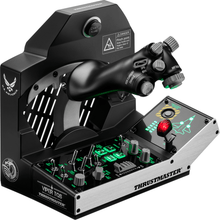 Proveedor:Thrustmaster
Paquete de misión Thrustmaster Viper TQS: sistema de cuadrante de aceleración de metal (PC)
All-metal fighter throttle and control panel with an authentic F-16 Viper design, a 1:1 scale replica for combat simmers who want genuine cockpit switchology.
Precio habitual $499.99Precio de oferta $499.99 Precio habitualPrecio unitario por -
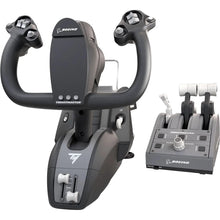 Proveedor:Thrustmaster
Paquete de yugo TCA de Thrustmaster edición Boeing (Xbox Series X|S, One, PC)
Boeing-style yoke and throttle quadrant for airliner sim flying, replicating full-scale 787 flight deck controls for authentic airliner procedures.
Precio habitual $499.99Precio de oferta $499.99 Precio habitualPrecio unitario por -
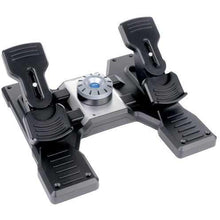 Proveedor:Logitech G
Pedales de timón de vuelo Saitek Pro de Logitech G (PC)
Pedales de timón con autocentrado y frenos de puntera para simuladores de escritorio, una sencilla configuración USB compatible con Microsoft Flight Simulator, X-Plane, FSX y Prepar3D.
Precio habitual $179.99Precio de oferta $179.99 Precio habitualPrecio unitario por$229.99 -
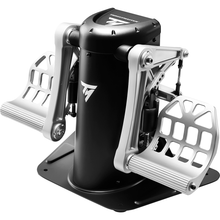 Proveedor:Thrustmaster
Pedales de timón pendulares Thrustmaster TPR (PC)
Pendular rudder pedals with contactless magnetic sensors delivering over 65,000 positions per axis, built on a 15.4-pound all-metal frame for serious sim pilots.
Precio habitual $599.99Precio de oferta $599.99 Precio habitualPrecio unitario por -
 NuevoProveedor:Thrustmaster
Thrustmaster SOL-R 4 HOTAS - Sistema avanzado de simulación de vuelo (PC)
An ambidextrous joystick and a robust throttle combine into an accessible HOTAS setup that gives everyday flight simmers precise, confident control without a steep price.
Precio habitual $339.99Precio de oferta $339.99 Precio habitualPrecio unitario por$349.99 -
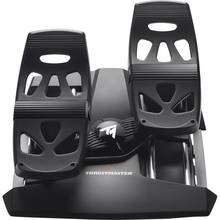 Proveedor:Thrustmaster
Pedales de timón Thrustmaster T.Flight (PS5, PS4, Xbox Series X|S, One, PC)
Pedales de timón con frenos de puntera y resistencia ajustable para simuladores, un diseño con centrado automático que añade frenado diferencial y dirección realistas en PS5, Xbox y PC.
Precio habitual $129.99Precio de oferta $129.99 Precio habitualPrecio unitario por -
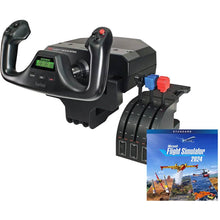 Proveedor:Logitech G
Paquete de vuelo Logitech G Saitek Pro Yoke con Microsoft Flight Simulator Standard (descarga digital para PC)
Conjunto de mando y acelerador con el simulador para empezar a volar hoy mismo, una configuración USB plug-and-play que incluye 20 aeronaves listas para explorar desde el primer vuelo.
Precio habitual $229.99Precio de oferta $229.99 Precio habitualPrecio unitario por$289.98


