How to Read a TAF (Terminal Aerodrome Forecast)
For all the new pilots wondering how to read a TAF, you are not alone. Pull up a terminal aerodrome forecast, and you will quickly realize that the entire thing is written using codes or acronyms that must be deciphered and decoded. The good news is that TAFs and METARs use many of the same abbreviations, so once you learn one, the other will be much easier and quicker to grasp.



For all the new pilots wondering how to read a TAF, you are not alone. Pull up a terminal aerodrome forecast and you will quickly realize the entire thing is written in codes and abbreviations that have to be deciphered before they tell you anything. The good news: TAFs and METARs share most of the same abbreviations, so once you learn one, the other comes fast.
This guide walks through every part of a TAF in order, decodes a real example line by line, and gives you a decoder card you can print and clip to your kneeboard. When you are done here, read the companion guide on how to read METAR reports to cover the observation side of the same coding system.
Key Takeaways
- A TAF is a point forecast covering a 5 statute mile radius around an airport, valid for 24 or 30 hours, issued four times daily at 0000, 0600, 1200, and 1800 Zulu.
- Every TAF has five parts in a fixed order: report type, ICAO station identifier, issue date and time, valid period, and the forecast conditions themselves (wind, visibility, weather, sky condition, and wind shear when expected).
- Change groups tell you how conditions evolve: FM is a rapid, complete change; TEMPO is a fluctuation lasting under an hour at a time; BECMG is a gradual change over a window; PROB30 and PROB40 give the odds of thunderstorms or heavy precipitation.
- A TAF predicts future weather while a METAR reports current conditions. They share the same codes, so learning one teaches you both.
- Print the decoder card in this guide, then back it up with the FAA's weather reference texts and an E6B for crosswind math; the study picks are in the gear section below.
What Is a TAF?

A Terminal Aerodrome Forecast (TAF) is a point meteorological forecast covering expected weather for a 24 or 30 hour timeframe within a 5 statute mile radius of the airport for which the TAF is issued. Beyond that radius, pilots must consult area forecast products. Outside that timeframe, pilots can request an outlook briefing by calling 1-800-WX-Brief.
The 3 Types of TAF Reports
As a pilot, you may encounter three different types of TAF reports. The first type is the most common, with the other two issued as needed depending on circumstances.
1. Routine Forecast (TAF)
The regularly scheduled routine forecast released at the standard issue time is referred to simply as a "TAF." Routine TAFs are issued four times a day at a frequency of every six hours. Pilots receive new TAFs at 0000, 0600, 1200, and 1800 Zulu time each day. Most TAFs are generated for a time period of the upcoming 24 hours, and at some locations TAFs are issued for predicted weather up to 30 hours in advance.
2. Amended Forecast (TAF AMD)
If a change or correction needs to be made to the previously issued standard TAF, the update will be coded as "TAF AMD." The "AMD" signifies that the original TAF has been amended and that the new TAF AMD supersedes the original. Amended TAFs are issued whenever the currently active TAF no longer accurately represents the expected weather conditions.
While routine forecast TAFs are issued for a time period of 24 or 30 hours, an amended TAF may have a much shorter forecast period. A TAF that is issued at a nonstandard time is an amended forecast.
3. Corrected (COR) or Delayed (RTD)
If the TAF being issued has been corrected for an error or was delayed in being issued, this will be indicated by "COR" or "RTD." Look for these abbreviations in the communications header preceding the text of the TAF.
Delayed TAFs are most common at locations that operate on a part-time basis. When the observer returns, they complete two observation cycles prior to issuing a TAF. The first TAF issued during their shift is coded as delayed (RTD).
The 5 Parts of a TAF

The TAF is made up of five parts, always presented in the same order and written using specific codes and abbreviations. The first four parts give the basic information about what the report is, where it is for, when it was created, and the time frame it covers. The fifth part makes up the bulk of the TAF and includes the meteorological condition predictions.
1. Type of Report
As you start reading the TAF, the first information is the type of report. Usually it will say "TAF," indicating a routine forecast. If the TAF is an amendment, it will read "TAF AMD." Remember that corrected or delayed TAFs will still read "TAF" in the body of the report and that the "COR" or "RTD" indicators appear in the communications header only.
2. ICAO Station Identifier
Immediately following the report type is the ICAO station identifier. This is the four-letter code that uniquely identifies each location. The identifier starts with the ICAO international prefix and is followed by the domestic identifier.
Stations within the continental United States have a 3-letter domestic identifier preceded by a "K" prefix. Alaska's 2-letter domestic identifier follows a "PA" prefix, and Hawaii uses a "PH" prefix, with the "P" indicating their location in the Pacific and the "H" standing for "Hawaii." If you will be flying internationally, learn the ICAO prefixes for your destinations. The first one or two letters of international identifiers indicate the region of the world and the country or state of the location. For example, stations in Canada have a "CU, CW, CY, or CZ" prefix, and Mexico uses "MM."
3. Date and Time of Origin
The date and time following the ICAO station identifier indicate when the forecast included in the TAF was prepared. The date is formatted using two digits for the day of the month. Due to the short-term nature of TAFs, the month and year are not part of the date code.
After the date is a four-digit time showing hours and minutes. The two digits for hour are given in 24-hour format from "00" to "23," and are followed by two digits for minutes. A "Z" follows the date and time grouping to remind pilots that like other aviation times, the time listed in the TAF is in UTC, or "Zulu" time, not local time.
The time of origin, or the time the TAF is published, will usually be within an hour of the start of the valid period since forecasters want to give pilots the most current forecast possible.
4. Valid Period Date and Time
The valid period date and time informs pilots of the time range that the information in the TAF applies to. The date and time are formatted using two sets of four digits each, with the first two digits representing the day of the month and the second two the 24-hour time in hours only (no minutes, since TAFs are issued on the hour). The first set of digits is the start date and time, and the second is the end date and time.
Remember that TAFs are published every 6 hours and are valid for either 24 or 30 hours. This means that part of the valid time for a new TAF will overlap with the valid time for an older TAF, but the newer TAF takes precedence because it replaces the older TAF upon issue.
Some locations do not offer full-time reporting services. In this case, the abbreviation "AMD NOT SKED" will be added to the forecast to indicate that there will be no subsequent amendments even if conditions change, because no forecaster is on duty to generate them. On a digital TAF, expanding the "AMD NOT SKED" notification will provide additional information such as the observation ending time (AFT DDHHmm), scheduled time that observations will resume (TIL DDHHmm), and the period of observation unavailability (DDHH/DDHH).
TIP: The further you are from the valid start time, the less current the information is. If a new TAF is scheduled to come out in less than an hour and there is any question regarding weather conditions, it may be safest to wait until the new TAF is available to make a go/no-go decision on your flight.
5. Forecast Meteorological Conditions
The fifth section of the TAF contains the details of the weather forecast. The forecast details are broken down into 5 categories: wind, visibility, weather, sky condition, and optional data (wind shear).
The forecast meteorological conditions portion of the TAF starts out with the initial forecast conditions. Wind, visibility, and sky condition are always included in the initial forecast. Weather and optional data like wind shear are only included in the initial forecast if they are a factor.
Wind
Wind information is for the predicted direction and speed of surface winds. Both of these data points are combined into one block of text. The first three digits relay the wind direction in tens of degrees from true north. If winds are predicted to be sustained, the remaining two or three digits are the wind speed in knots, denoted by a "KT" following the wind speed. Thus, wind information of 12008KT means that the wind is predicted to come from one two zero degrees and reach sustained speeds of 8 knots.
When wind gusts are expected, the wind direction and sustained speed will be given, followed by "G" for gusts, the wind speed of the highest predicted gusts, and the standard "KT" for knots. For example, 26013G21KT means that the wind direction is two six zero degrees with sustained winds at 13 knots and gusts expected up to 21 knots.
If wind speeds of under 3 knots are predicted, the wind data will read "00000KT," meaning that it is calm and there is no significant wind from any direction.
Variable winds that are not sustained from any one direction have "VRB" at the beginning rather than a three-digit wind direction code.
Visibility
Visibility is measured in statute miles down to a quarter mile. If visibility is in even mile increments, the format will be the number of miles immediately followed by "SM" for statute mile. Fractions of a mile are written following the whole mile number with a space between the two. For example, 3SM is a 3-statute mile visibility. 3 1/2SM is a 3 and one-half statute mile visibility. If visibility is over 6 statute miles, the visibility information will read "P6SM."
Weather
Weather phenomena are coded using the same format, qualifiers, and contractions as a METAR. Qualifiers include the intensity or proximity of the phenomenon, a qualifier descriptor, the type of precipitation or obscuration, and other information as relevant.
According to the NOAA Aviation Weather Center, the qualifier codes that you may see are:
Qualifiers of Intensity or Proximity
- - Light
- Moderate (no qualifier)
- + Heavy or well-developed
- VC in the Vicinity
Qualifier Descriptor
- MI Shallow
- BC Patches
- DR Low Drifting
- BL Blowing
- SH Showers
- TS Thunderstorm
- FZ Freezing
- PR Partial
Precipitation
- DZ Drizzle
- RA Rain
- SN Snow
- SG Snow Grains
- IC Ice Crystals
- PL Ice Pellets
- GR Hail
- GS Small Hail or Snow Pellets (less than 1/4 inch in diameter)
- UP Unknown precipitation (automated stations only)
Obscuration
- BR Mist (foggy conditions with visibilities greater than 5/8 statute mile)
- FG Fog (visibility 5/8 statute mile or less)
- FU Smoke
- DU Dust
- SA Sand
- HZ Haze
- PY Spray
- VA Volcanic Ash
Other
- PO Well-Developed Dust/Sand Whirls
- SQ Squalls
- FC Funnel Cloud
- +FC Well-Developed Funnel Cloud, Tornado or Waterspout
- SS Sandstorm
- DS Duststorm
The code "NSW," or No Significant Weather, is used to denote a period of no significant weather following a period where significant weather was predicted.
Sky Condition
The sky condition segment of the report communicates the presence and distribution of clouds along with the visibility. Unlike METARs, TAFs only identify cumulonimbus clouds (CB), as they pose the threat of a developing thunderstorm. The sky condition portion of the TAF will list the sky condition, for example "SKC," meaning sky clear. If the report anticipates clouds, it will describe their distribution (for example, "SCT" for scattered) and altitude (using 3 digits in hundreds of feet, where 001 would be 100 feet). Only the lowest ceiling layer is annotated and described in the TAF. If surface-level phenomena are anticipated, the sky condition will read "VV" followed by 3 digits predicting the vertical visibility (VV) into the obscuration in hundreds of feet.
Optional Data (Wind Shear)
If wind shear is expected, it will be noted immediately after the sky condition portion of the forecast. The format for wind shear is a "WS" for wind shear followed by the 3-digit height of the shear in hundreds of feet AGL up to and including 2,000 feet. A forward slash separates the height from the predicted wind direction and speed at the shear height. "KT" for knots is added to the end of the wind shear data block. As an example, WS015/21040KT means that wind shear is expected at 1,500 feet AGL. The wind will be coming from two one zero degrees at a speed of 40 knots.
TAF Change Groups: FM, TEMPO, PROB, and BECMG

The initial forecast is the beginning of the weather reporting, however as a TAF covers either a 24 or a 30-hour period, conditions can be expected to change during that time frame. When significant change in conditions is expected during the lifespan of the TAF, additional time periods and meteorological conditions information will be added below the initial forecast.
FM
"FM" stands for "From." It is used when conditions are expected to change rapidly over a short time frame, usually less than one hour. This is common when a storm front moves through. You will see "FM" followed by a six-digit group in day-hour-minute format, so FM110600 means the change begins on the 11th at 0600Z. You will often see an "FM" group on one line of the TAF followed by another "FM" group on the next line. This means that conditions are expected to change per the first "FM" and stay at the new state until the next "FM."
TEMPO
If conditions are notable but are expected to last for less than an hour at any given time and occur during a total of less than half of the time period of the TAF, a "TEMPO" group, or temporary code, can be used. Only the conditions that are changing are listed on a TEMPO line. Any condition not listed on this line should be expected to remain as it was during the previous time group.
PROB
"PROB" stands for probability forecast. It is used to estimate the likelihood of a weather event like precipitation or a thunderstorm occurring during the given time. "PROB" is paired with a number representing a probability percentage range: "PROB30" means a 30 to 39 percent chance of the stated conditions, and "PROB40" raises those odds to 40 to 49 percent.
Following "PROB30" or "PROB40," you will see the time window written as two day-and-hour groups separated by a slash, the same DDHH/DDHH format used for the valid period. In "PROB30 1114/1118," the window runs from the 11th at 1400Z through the 11th at 1800Z. Following the time is a description of visibility and what type of conditions to expect.
BECMG
Like "FM," "BECMG" for becoming indicates a change in conditions. In this case, the conditions are changing more slowly over the course of a longer period of time, as is the case when cloud cover slowly dissipates over a two-hour time frame.
A BECMG group lists the transition window as two day-and-hour groups separated by a slash, in the same DDHH/DDHH format, followed by the conditions you should expect once the change is complete. In the line "BECMG 1118/1120 21006KT P6SM NSW SKC," the transition runs from the 11th at 1800Z through the 11th at 2000Z, and by the end of that window the wind, visibility, and sky have settled at the new values. Any element not listed in the BECMG group carries over unchanged from the previous forecast.
Worked Example: Decoding a Real TAF
Theory is one thing; reading a live forecast is another. Here is a representative TAF for Orlando Executive (KORL), decoded line by line the way you would brief it before a flight:
TAF KORL 102340Z 1100/1124 14008KT P6SM SCT040
- Routine forecast for KORL, prepared on the 10th at 2340 Zulu.
- Valid from the 11th at 0000Z through the 11th at 2400Z, a 24-hour period.
- Initial conditions: wind from one four zero degrees at 8 knots, visibility greater than 6 statute miles, scattered clouds at 4,000 feet. A nice VFR start.
FM110600 18010G18KT 5SM -SHRA BKN035
- From 0600Z on the 11th, conditions change quickly and completely: wind from one eight zero at 10 gusting 18 knots, visibility 5 statute miles, light rain showers, broken ceiling at 3,500 feet.
TEMPO 1108/1112 3SM TSRA BKN015CB
- Temporarily between 0800Z and 1200Z: visibility drops to 3 statute miles in thunderstorms with rain, broken cumulonimbus ceiling at 1,500 feet. Anything not listed, like the wind, carries over from the FM group.
BECMG 1118/1120 21006KT P6SM NSW SKC
- Gradually between 1800Z and 2000Z, conditions improve: wind swings to two one zero at 6 knots, visibility returns to greater than 6 statute miles, no significant weather, sky clear.
Read as a story: a pleasant morning, a front arriving around 0600Z with showers, a window of thunderstorm risk through midday, then clearing by evening. If your planned arrival is 1000Z, that TEMPO line is your alternate-planning trigger.
Want to watch a full decode in real time? Watch FLY8MA's video where Jon reads through and explains an entire TAF in 3 minutes.
Printable TAF Decoder Card
Print this section, trim it down, and clip it to your kneeboard. It compresses everything above into one reference you can use mid-briefing until the codes become second nature.
| Code Group | Example | How to Read It |
|---|---|---|
| Report type | TAF / TAF AMD | Routine forecast / amended forecast that supersedes the original |
| Station identifier | KORL | Four-letter ICAO code; K prefix for the continental U.S. |
| Issue time | 102340Z | Day of month (10th) plus time (2340) in Zulu |
| Valid period | 1100/1124 | From the 11th at 0000Z through the 11th at 2400Z |
| Wind | 26013G21KT | From 260 degrees true at 13 knots, gusting 21 |
| Calm wind | 00000KT | Winds under 3 knots, no significant direction |
| Variable wind | VRB04KT | Variable direction at 4 knots |
| Visibility | P6SM / 3SM / 1 1/2SM | Greater than 6 statute miles / 3 miles / 1.5 miles |
| Weather | -SHRA / TSRA / BR | Light rain showers / thunderstorm with rain / mist (see qualifier lists above) |
| Sky condition | BKN035 / SKC | Broken layer at 3,500 feet / sky clear; only CB clouds are flagged |
| Vertical visibility | VV004 | Obscured sky, vertical visibility 400 feet |
| Wind shear | WS015/21040KT | Shear at 1,500 feet AGL, wind 210 at 40 knots above it |
| FM | FM110600 | Rapid, complete change starting the 11th at 0600Z; all elements reset |
| TEMPO | TEMPO 1108/1112 | Fluctuations under an hour at a time between 0800Z and 1200Z; only listed elements change |
| BECMG | BECMG 1118/1120 | Gradual change during the 1800Z to 2000Z window |
| PROB30 / PROB40 | PROB30 1114/1118 | 30 to 39 percent (or 40 to 49 percent) chance of the listed conditions in that window |
| NSW | NSW | No significant weather, following a period when significant weather was forecast |
For the companion observation-side card, see the decoder in our METAR reading guide.
TAF vs METAR: What Is the Difference?

Since TAFs and METARs both involve weather data, it can be easy to get the two confused. The important distinction between them is that a TAF is just a forecast. It predicts future weather. METARs, on the other hand, are issued to advise pilots of current real-time weather conditions. METARs communicate actual weather, not predictions. Both TAF and METAR reports do however use the same weather codes and similar formatting, so once you learn how to read one, the other should be no problem.
Remember that while METARs indicate many cloud types, TAFs only report the expected presence of cumulonimbus clouds, since they are the ones that accompany thunderstorms. A METAR also communicates multiple cloud layers, while a TAF indicates only the lowest ceiling.
On a real preflight briefing you will read them together: the METAR tells you what the airport is doing right now, and the TAF tells you whether to trust that picture through your arrival time. Work through our full guide on how to read METAR aviation reports and you will have both halves of the system.
Gear Up: Weather Study Materials That Make TAFs Stick
Decoding a TAF is a skill you build with the right references and a little deliberate practice. These are the study materials we recommend to student pilots working on aviation weather, plus the flight computers and cockpit tools that turn a decoded forecast wind into an actual crosswind number. No prices listed here; click through for current pricing.

ASA Aviation Weather Handbook
- Softcover FAA reference
- Combines the legacy Aviation Weather (AC 00-6) and Aviation Weather Services (AC 00-45) texts into a single volume
Every code in this guide, explained by the agency that wrote the system.
- Full coverage of TAFs, METARs, charts, and graphical forecast products
- The source material behind the weather questions on FAA knowledge tests
- Clear color graphics that make change groups and cloud coding visual
Perfect for: every pilot's bookshelf; the single reference that answers any TAF or METAR question this article did not.
Click for Price →
Gleim Aviation Weather & Weather Services
- Combined study edition of the FAA's weather and weather services material
- Logical chapter order with explanations alongside the source figures
The FAA's weather material reorganized into a format built for studying.
- Restructures the government texts so concepts build on each other
- Outstanding companion when prepping for the written and oral exams
- Covers reports, forecasts, and charts in one book
Perfect for: checkride prep, when you need the weather material organized for learning rather than for reference.
Click for Price →
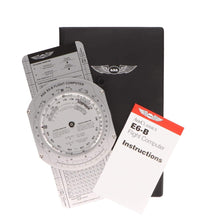
ASA Premium Aluminum E6B Flight Computer
- Solid aluminum construction
- Classic slide-and-wheel design
- Includes instruction booklet and vinyl case
Turn a decoded TAF wind into a crosswind component in seconds, no batteries required.
- Wind side solves crosswind and headwind components straight from the TAF wind group
- Time, speed, distance, and fuel calculations on the calculator side
- Durable enough to outlast your training and live in your flight bag for decades
Perfect for: students and working pilots who want the buy-once metal E6B that handles every wind problem a TAF can throw at it.
Click for Price →
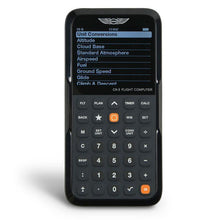
ASA CX-3 Flight Computer
- Electronic flight computer
- Approved for use on FAA knowledge tests
- Built-in clock with UTC display
The electronic E6B that does the wind math for you and is legal in the testing center.
- Crosswind, headwind, and wind correction angle solved with a few keystrokes
- UTC clock function takes the Zulu-to-local conversion out of TAF reading
- Menu-driven interface means less time learning the tool, more time learning weather
Perfect for: test-day speed and pilots who would rather key in the TAF wind than spin a wheel.
Click for Price →
ASA E6B Paper Flight Computer
- Heavy-duty fiberboard construction
- Identical scales and wind side to the aluminum model
- Includes instructions
The same trusted wind face as the metal E6B at a student-budget price.
- Full E6B functionality for ground school and early flight training
- Light enough to live on a kneeboard clipboard
- An easy spare to keep in the flight bag or hand to a study partner
Perfect for: ground school students who want E6B practice now and plan to upgrade to metal or electronic later.
Click for Price →
Aviation Runway Selector and Crosswind Component Tool
- Compact cockpit reference designed by experienced pilots
- Visual runway and wind direction selector
- Crosswind component chart on the reverse side
Set your runways against the TAF wind and see the right choice at a glance.
- Dial the forecast wind against your runways to simplify directional calculations and wind corrections in seconds
- Reverse-side crosswind component chart for quick reference when precision is critical
- Used by flight schools and instructors as well as individual pilots, from traffic-pattern students to seasoned aviators
Perfect for: a fast visual gut-check on runway choice and crosswind after you decode the TAF wind group, before any wheel-spinning or keystrokes.
Click for Price →Browse the full lineup in our Aviation Weather and Meteorology Training collection.
Related Reading
Building your preflight weather and planning skills? These guides are the logical next steps:
Frequently Asked Questions
- What does a TAF tell you?
- A TAF tells you the expected wind, visibility, significant weather, and cloud cover within a 5 statute mile radius of an airport over the next 24 to 30 hours. It is a point forecast written for a specific terminal area, not a regional product, which is why it is the most useful planning document for deciding whether conditions at your departure, destination, and alternate will be legal and safe when you actually arrive. Pair it with a current METAR to compare what was forecast against what is happening right now.
- How often are TAFs issued and how long are they valid?
- Routine TAFs are issued four times a day at 0000, 0600, 1200, and 1800 Zulu, and each is valid for 24 hours at most airports or 30 hours at certain major hubs. Because a fresh TAF arrives every six hours, valid periods overlap, and the newest forecast always supersedes the older one. Amended TAFs (TAF AMD) can appear at any time when conditions stop matching the forecast, and they often carry shorter valid periods. If a new routine TAF is due within the hour, it is usually worth waiting for it before making a go or no-go call.
- What area does a TAF cover?
- A TAF covers a 5 statute mile radius around the airport it is issued for. Beyond that radius the forecast carries no weight, so for the en route portion of a flight you need area products like graphical forecasts, AIRMETs, and SIGMETs rather than terminal forecasts. This small footprint is also why two airports 20 miles apart can publish noticeably different TAFs: each forecaster is committing only to conditions at that specific terminal. For airports without a TAF, check nearby fields and the graphical forecast products on aviationweather.gov.
- What is the difference between FM, TEMPO, and BECMG in a TAF?
- FM means conditions change rapidly and completely at the stated time, TEMPO means a temporary fluctuation lasting under an hour at a stretch, and BECMG means a gradual change over the stated window. After an FM group, every element of the forecast resets, so read it as a brand-new forecast line. A TEMPO group lists only the elements that fluctuate, and everything not listed stays as previously forecast. BECMG carries conditions through a slow transition, such as cloud cover dissipating over two hours, and the new conditions apply once the window closes.
- What does PROB30 mean in a TAF?
- PROB30 means the forecaster puts the probability of the stated conditions, usually thunderstorms or heavy precipitation, at 30 to 39 percent during the listed time window. PROB40 raises those odds to 40 to 49 percent. Anything judged 50 percent or more likely is written into the body of the forecast as expected weather rather than as a probability group. The National Weather Service does not use PROB groups during the first nine hours of a TAF's valid period, so any PROB you see applies to the later portion of the forecast. Treat PROB30 thunderstorms at your ETA as an alternate-planning trigger, not a footnote.
- What does P6SM mean in a TAF?
- P6SM means visibility is forecast to be greater than 6 statute miles, which is good VFR visibility. The P stands for plus. TAF visibility is reported in statute miles down to quarter-mile increments: 3SM is three miles, 1 1/2SM is one and a half miles, and P6SM is the best value a TAF will publish, since forecasters do not commit to exact figures above six miles. If visibility trends downward through the change groups, from P6SM to 5SM to 3SM, the forecaster is telegraphing deteriorating conditions, and the weather codes alongside those numbers tell you why.
- Why do TAFs only mention cumulonimbus clouds?
- TAFs identify only cumulonimbus (CB) because that is the cloud type that signals thunderstorms, the most dangerous convective threat near a terminal. A METAR may report multiple layers and other convective cloud types, but a TAF keeps the sky condition group lean: distribution (SKC, FEW, SCT, BKN, OVC), height in hundreds of feet, and a CB tag when convection is expected. TAFs also annotate only the lowest ceiling layer rather than every layer aloft. If you need the full cloud structure for an IFR departure or arrival, combine the TAF with current METARs and the graphical area forecast products.
- Are TAF times local or Zulu?
- Every time in a TAF is in UTC, also called Zulu time, never local. The Z after the issue time is the reminder. To convert, subtract 5 hours for Eastern Standard Time or 4 for Eastern Daylight Time, and adjust for your own zone accordingly. Mixing up Zulu and local is one of the most common student decoding errors, and it can put your planned arrival inside a TEMPO thunderstorm window you thought had passed. A flight computer such as the ASA CX-3 displays UTC on its built-in clock, which removes the mental math during planning.
About the Author
Neil S. Glazer is a commercial pilot with multi-engine and instrument ratings and the founder of PilotMall.com. He has briefed thousands of TAFs across decades of flying, and he built Pilot Mall to put trustworthy gear and honest advice in the hands of working pilots and the next generation training behind them.