




Pilot USA Universal Aviation Push to Talk Switch
Universal in-line push-to-talk switch for any GA headset, a simple plug-and-play install that student pilots and aircraft renters can set up in seconds themselves.
30680
Benefits
Benefits
Shipping & Delivery
Shipping & Delivery
Returns
Returns
The Pilot USA Universal Aviation Push to Talk Switch revolutionizes pilot communication with Air Traffic Control by eliminating the need for aircraft hand microphones during flight.
This aircraft PTT switch offers universal compatibility across all general aviation aircraft, working seamlessly with standard aviation headsets and intercom systems.
Consistent Communication for Instructors
Certified Flight Instructors benefit from a consistent communication solution that transitions smoothly between different cockpits. The yoke-mounted push to talk design, featuring a secure Velcro fastener, positions the switch where your thumb naturally rests on any general aviation control yoke. This provides instant access without taking your hands off the controls.
Simple Installation for Student Pilots
Student pilots and aircraft renters enjoy the simple plug-and-play installation. Connect your headset's standard aviation microphone connector to the switch, then plug the unit into the aircraft's mic port. Connecting the PTT switch to the aircraft intercom becomes effortless, as this pilot headset PTT adapter works flawlessly with or without intercom systems.
Reliable Communication for All Pilots
Whether you're a weekend warrior flying rental aircraft or a professional instructor managing ATC communication, this aviation headset adapter ensures clear, reliable transmission every time. Its portable design maintains professional communication standards, making it essential for anyone valuing consistent, hands-free operation during critical flight phases.
Fly any aircraft with confidence using the Pilot USA Universal Push to Talk Switch, ensuring clear, hands-free Air Traffic Control communication and effortless yoke-mounted control. Upgrade your flight experience now!
Frequently Asked Questions
Which headsets and aircraft does this PTT switch work with?
The switch is designed for universal compatibility across general aviation aircraft and works with standard aviation headsets. It connects via the standard .206-inch aviation microphone plug, so it fits GA headsets and aircraft mic ports across a wide range of airplanes.
How do I install the Pilot USA PA-50/PTT switch?
Installation is plug-and-play. Connect your headset's standard aviation microphone connector into the switch, then plug the switch into the aircraft's microphone port. No tools or wiring are required, and the process can be reversed just as quickly.
How does the switch attach to the yoke?
The switch mounts to the control yoke using a hook-and-loop fastener. This positions the button where your thumb naturally rests, giving you instant push-to-talk access without removing your hand from the controls. It is removable and works on any general aviation control yoke.
Will it work if my rental aircraft has no intercom system?
Yes. The switch functions with or without an aircraft intercom system. You can plug it directly into the aircraft microphone port regardless of whether an intercom is installed, making it practical for both simple trainers and more equipped cockpits.
Is this a good option for flight instructors who fly in multiple aircraft?
It is specifically designed for that use case. CFIs who move between different cockpits benefit from a consistent communication setup rather than relying on each aircraft's hand microphone. The yoke-mount design and universal plug compatibility mean the same switch travels from one airplane to the next.
Can student pilots and aircraft renters use this switch?
Yes. The plug-and-play design requires no permanent installation, so it is well suited for students and renters who do not own the aircraft. Attach it to the yoke before your flight and remove it afterward with no impact on the airplane.
What is the model number for this switch?
The Pilot USA model number is PA-50/PTT. Use this number when contacting the manufacturer or a dealer for support, warranty questions, or to confirm compatibility with specific intercom or headset models.
-
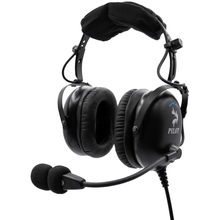 Vendor:Pilot USA
Pilot USA Pro Max ANR Aviation Headset with Bluetooth
Value ANR with a 25-hour battery for the cost-conscious GA pilot, pairing with two devices at once so your phone and tablet both stay connected in the cockpit.
Regular price $439.00Sale price $439.00 Regular priceUnit price per$449.00 -
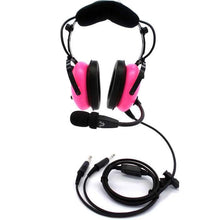 Vendor:Pilot USA
Pilot USA PA-1181T Women's Passive Aviation Headset
24 dB passive noise reduction sized and weighted for a smaller head shape, giving women pilots a comfortable, secure fit for long training and cross country flights.
Regular price $220.00Sale price $220.00 Regular priceUnit price per$230.00 -
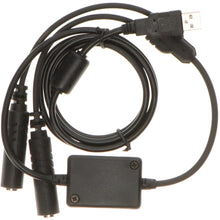 Vendor:Pilot USA
Pilot USA GA Aviation Headset to PC USB Adapter (Enhanced Audio Edition)
USB adapter to use a GA headset with a flight sim, enhanced audio that re-engineers the previous design to eliminate humming for cleaner in-sim voice and radio calls.
Regular price $129.99Sale price $129.99 Regular priceUnit price per$109.00 -
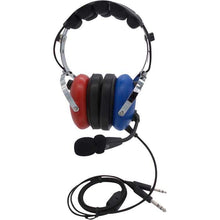 Vendor:Pilot USA
Pilot USA PA-1151 Child Size Passive Aviation Headset
Child-size passive at 11.9 oz with 24 dB noise reduction, purpose-built for a safe, comfortable fit on young aviators instead of a downsized adult headset.
Regular price $151.00Sale price $151.00 Regular priceUnit price per$161.00 -
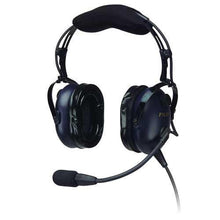 Vendor:Pilot USA
Pilot USA PA-1761T ANR Aviation Headset
Affordable ANR that cuts fatigue on long cross-country legs, delivering clear cockpit communication through proprietary noise-reducing technology built for everyday flying.
Regular price $341.00Sale price $341.00 Regular priceUnit price per$351.00 -
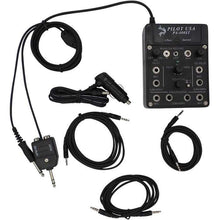 Vendor:Pilot USA
Pilot USA PA-400ST: Portable 4-Place Intercom
Portable 4-place stereo intercom that links crew and passengers, built for flight instructors running training flights and private pilots flying with family aboard.
Regular price $226.00Sale price $226.00 Regular priceUnit price per$236.00 -
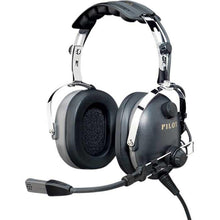 Vendor:Pilot USA
Pilot USA PA-1169T Passive Aviation Headset
Budget passive noise reduction for students and occasional flyers, with a noise-cancelling microphone that cuts through engine noise for crystal-clear radio calls.
Regular price $151.00Sale price $151.00 Regular priceUnit price per$161.00 -
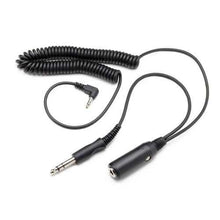 Vendor:Pilot USA
Pilot USA GA Aviation Headset Audio Adapter for Crystal-Clear Cockpit Recordings
Adapter to record crisp cockpit audio to a recorder, letting student pilots and certified flight instructors review communication skills after every training flight.
Regular price $45.99Sale price $45.99 Regular priceUnit price per$53.00 -
 Vendor:Pilot USA
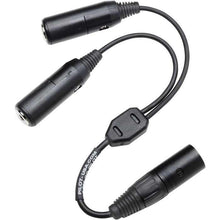
Pilot USA GA to Airbus XLR-5 Aviation Headset Adapter
Adapter to plug a GA headset into an Airbus XLR-5 panel, an updated high-durability design that saves pilots from buying an expensive new headset for the type.
Regular price $59.99Sale price $59.99 Regular priceUnit price per$69.00 -
 Vendor:Pilot USA
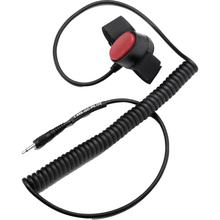
Pilot USA Aviation Headset PTT Switch for ICOM Radios
Push-to-talk adapter linking a headset to an ICOM handheld, built to work across five different adapter configurations for flexible cockpit radio setups.
Regular price $27.99Sale price $27.99 Regular priceUnit price per$32.00
