




-
 SaleVendor:Logitech G
Logitech G Saitek Basic Flight Simulation Bundle w/Microsoft Flight Simulator Standard Digital Download (PC)
Regular price $389.99Sale price $389.99 Regular priceUnit price per$519.97 -
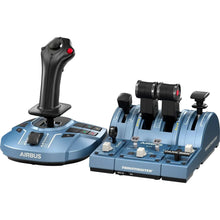 Vendor:Thrustmaster
Thrustmaster TCA Captain Pack X Airbus Edition (Xbox Series X|S, One, PC)
Regular price $299.99Sale price $299.99 Regular priceUnit price per -
Fresh from The Hangar
The latest from top aviation brands. -
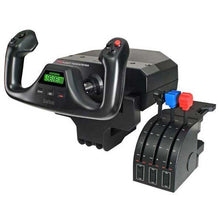 SaleVendor:Logitech G
Logitech G Saitek Pro Saitek Flight Yoke & Throttle Quadrant System (PC)
Regular price $179.99Sale price $179.99 Regular priceUnit price per$229.99 -
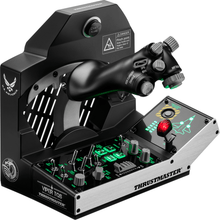 Vendor:Thrustmaster
Thrustmaster Viper TQS Mission Pack: Metal Throttle Quadrant System (PC)
Regular price $499.99Sale price $499.99 Regular priceUnit price per -
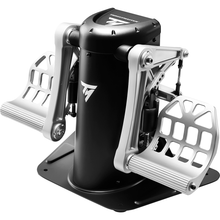 Vendor:Thrustmaster
Thrustmaster TPR Pendular Rudder Pedals (PC)
Regular price $599.99Sale price $599.99 Regular priceUnit price per -
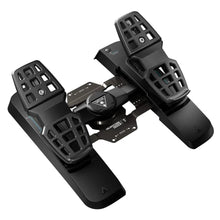 Vendor:Turtle Beach
Turtle Beach VelocityOne Precision Flight Simulator Rudder Pedals (Xbox Series X|S, One, PC)
Regular price $319.99Sale price $319.99 Regular priceUnit price per$299.95 -
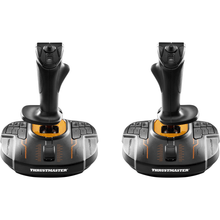 Vendor:Thrustmaster
Thrustmaster T.16000M FCS Space Sim Duo Stick (PC)
Regular price $159.99Sale price $159.99 Regular priceUnit price per -
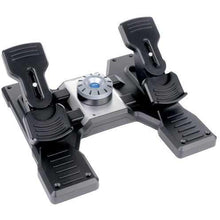 SaleVendor:Logitech G
Logitech G Saitek Pro Saitek Flight Rudder Pedals (PC)
Regular price $179.99Sale price $179.99 Regular priceUnit price per$229.99 -
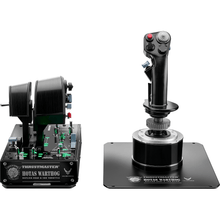 Vendor:Thrustmaster
Thrustmaster HOTAS Warthog Stick and Throttle (PC)
Regular price $549.99Sale price $549.99 Regular priceUnit price per -
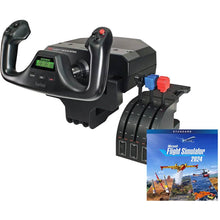 SaleVendor:Logitech G
Logitech G Saitek Pro Yoke Flight Bundle w/Microsoft Flight Simulator Standard Digital Download (PC)
Regular price $229.99Sale price $229.99 Regular priceUnit price per$289.98 -
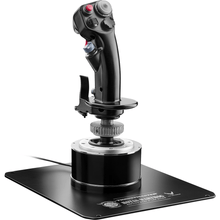 Vendor:Thrustmaster
Thrustmaster HOTAS Warthog Flight Stick (PC)
Regular price $279.99Sale price $279.99 Regular priceUnit price per -
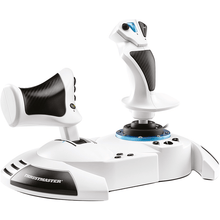 Vendor:Thrustmaster
Thrustmaster HOTAS One Microsoft Flight Simulator Edition (Xbox Series X|S, One, PC)
Regular price $99.99Sale price $99.99 Regular priceUnit price per -
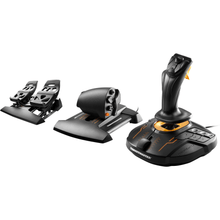 Vendor:Thrustmaster
Thrustmaster T.1600M FCS Flight Pack (PC)
Regular price $259.99Sale price $259.99 Regular priceUnit price per -
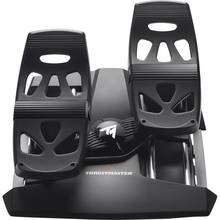 Vendor:Thrustmaster
Thrustmaster T.Flight Rudder Pedals (PS5, PS4, Xbox Series X|S, One, PC)
Regular price $129.99Sale price $129.99 Regular priceUnit price per -
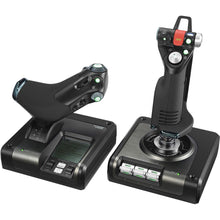 SaleVendor:Logitech G
Logitech G Saitek X52 Pro H.O.T.A.S. Flight Control System (PC)
Regular price $229.99Sale price $229.99 Regular priceUnit price per$259.99 -
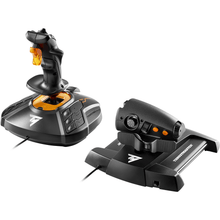 Vendor:Thrustmaster
Thrustmaster T.1600M FCS HOTAS (PC)
Regular price $169.99Sale price $169.99 Regular priceUnit price per -
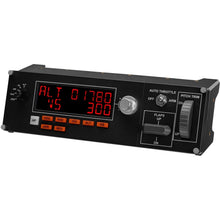 SaleVendor:Logitech G
Logitech G Saitek Pro Flight Multi Panel (PC)
Regular price $169.99Sale price $169.99 Regular priceUnit price per$199.99 -
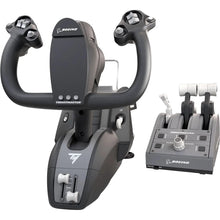 Vendor:Thrustmaster
Thrustmaster TCA Yoke Pack Boeing Edition (Xbox Series X|S, One, PC)
Regular price $499.99Sale price $499.99 Regular priceUnit price per -
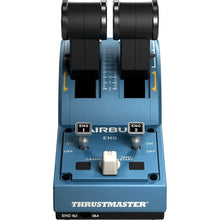 Vendor:Thrustmaster
Thrustmaster TCA Quadrant Airbus Edition (PC)
Regular price $129.99Sale price $129.99 Regular priceUnit price per -
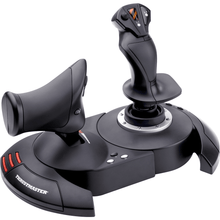 Vendor:Thrustmaster
Thrustmaster T-Flight HOTAS X (PC)
Regular price $69.99Sale price $69.99 Regular priceUnit price per -
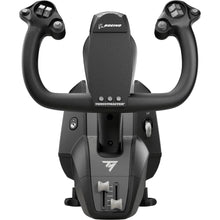 Vendor:Thrustmaster
Thrustmaster TCA Yoke Boeing Edition (Xbox Series X|S, One, PC)
Regular price $399.99Sale price $399.99 Regular priceUnit price per -
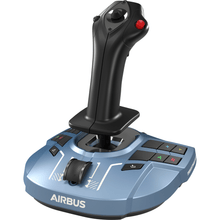 Vendor:Thrustmaster
Thrustmaster TCA Sidestick X Airbus Edition (Xbox Series X|S, One, PC)
Regular price $119.99Sale price $119.99 Regular priceUnit price per -
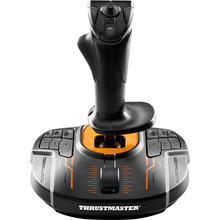 Vendor:Thrustmaster
Thrustmaster T.16000M FCS (PC)
Regular price $79.99Sale price $79.99 Regular priceUnit price per -
 SaleNewVendor:Thrustmaster
Thrustmaster SOL-R 4 HOTAS - Advanced Flight Simulation System (PC)
Regular price $339.99Sale price $339.99 Regular priceUnit price per$349.99

























Flight simulator controls that turn a desktop or console into a real practice environment
The right flight simulator controls come down to two questions: what platform do you fly on, and what do you fly? A general aviation pilot drilling instrument approaches wants a yoke, throttle quadrant, and rudder pedals. A combat or fast-jet enthusiast wants a HOTAS. Console pilots need hardware that is explicitly listed as Xbox or PlayStation compatible. Pilot Mall stocks Logitech G (Saitek), Thrustmaster, and Turtle Beach controls across all three platforms, plus complete bundles that pair hardware with software.
| Control type | Best for | Example |
|---|---|---|
| Yoke & throttle quadrant | GA and airliner flying on PC | Logitech G Saitek Pro Flight Yoke & Throttle Quadrant |
| Rudder pedals | Coordinated turns and crosswind practice | Logitech G Saitek Pro Flight Rudder Pedals |
| HOTAS | Fast jets and combat sims | Thrustmaster HOTAS Warthog Stick & Throttle |
| Console all-in-one | Xbox flying out of the box | Thrustmaster TCA Yoke Pack Boeing Edition |
| Instrument panels | Tactile radios, autopilot, and switches | Logitech G Saitek Pro Flight Radio Panel |
Shop flight simulator controls by platform
PC (Microsoft Flight Simulator, X-Plane, DCS)
PC has the deepest hardware ecosystem. Start with a yoke and pedals for general aviation and airliner flying, then add a throttle quadrant and instrument panels as your rig grows. For fast jets and combat sims, choose a HOTAS such as the Saitek X52 Pro or the metal-built Thrustmaster HOTAS Warthog. Browse Logitech G (Saitek) and Thrustmaster hardware to compare options.
Xbox (Series X|S and One)
Look for controllers listed as Xbox compatible, like the all-in-one Turtle Beach VelocityOne systems or the Thrustmaster TCA Yoke Pack Boeing Edition. For Airbus airliner flying, the TCA Captain Pack X Airbus Edition bundles a sidestick and throttle.
PlayStation (PS5 and PS4)
Choose hardware listed as PS5 or PS4 compatible, such as the Thrustmaster T.Flight Rudder Pedals. Many Thrustmaster T.Flight controls carry multi-platform support, so check the platform tag in each product title before you buy.
How to choose the right flight simulator controls
Match the hardware to what you fly
A yoke and throttle quadrant feel right for general aviation and airliners, while a side-mounted joystick or HOTAS suits military jets and aerobatics. Rudder pedals add realistic yaw control and are the single biggest upgrade for coordinated flight and crosswind landings.
Confirm platform compatibility first
PC controls do not automatically work on console. Always confirm the platform listed in the product title before buying, and look for multi-platform hardware if you fly on more than one system.
Start with a bundle, then expand
Beginners get the best value from a complete flight simulator package that pairs controls with software. Advanced pilots can add instrument panels, a second throttle, or upgraded pedals one piece at a time.
Why buy from Pilot Mall
- Aviation-only focus, so every product is chosen for pilots and aviation enthusiasts, not a general electronics catalog.
- Trusted by pilots for over 25 years.
- Free U.S. shipping on orders over $100.
- Expert guidance from a team that flies, with bundles and brand pages that make building a rig simple.
Frequently Asked Questions
What flight simulator controls do I need for PC?
A solid PC flight simulator setup for general aviation and airliner flying uses a yoke, a throttle quadrant, and rudder pedals, while fast-jet and combat sims are best flown with a HOTAS stick and throttle. You can add instrument panels for radios and autopilot once the core controls are in place.
Do flight simulator controls work on Xbox and PlayStation?
Only controls explicitly listed as console compatible will work on Xbox or PlayStation, since most PC hardware is not recognized by consoles. Check the platform shown in each product title, and choose multi-platform Thrustmaster or Turtle Beach hardware if you fly across more than one system.
Can a flight simulator be used for pilot training?
A home flight simulator is excellent for practicing instrument scan, procedures, and approaches in a safe environment, but desktop sim time generally cannot be logged toward FAA certificates or ratings. For loggable time you need an FAA-approved aviation training device, which is a separate category from consumer sim hardware.
How much does a complete flight simulator setup cost?
A complete flight simulator setup ranges from a few hundred dollars for an entry-level yoke-and-software bundle to several thousand dollars for a multi-panel rig with premium pedals and HOTAS, depending on the realism and number of components you want.
What is the single best upgrade for realism?
Adding rudder pedals is the single biggest upgrade for realism, because they let you fly coordinated turns and handle crosswind landings the way you would in a real aircraft instead of relying on automatic rudder.
