GPS & ADS-B Portable Buyers Guide


Is your cockpit ready for the FAA's NextGen air traffic control system? Getting real-time traffic and weather used to cost thousands in equipment and subscription fees.
Today, many pilots can add subscription-free ADS-B weather/traffic to a tablet setup with a compact receiver on the glare shield (plus the right app).
Table of Contents
 Does a Portable ADS-B Device Meet FAA Requirements?
Portable receivers are great for ADS-B In (subscription-free weather and traffic on your tablet), but they do not make an aircraft “ADS-B Out compliant.”
To fly in ADS-B rule airspace, the aircraft needs an installed ADS-B Out transmitter paired with an approved position source that meets the FAA’s performance requirements.
The good news: for ADS-B In, you typically pay for the receiver once, and there are no FAA subscription or usage fees for the broadcast services (your flight app may have its own subscription).
 What is ADS-B?
ADS-B stands for Automatic Dependent Surveillance–Broadcast. In simple terms, it’s a modern surveillance system that uses satellite-based position data to improve how aircraft are tracked and separated.
How ADS-B Works
Aircraft equipped with ADS-B Out transmit their position, altitude, velocity, and other data. Ground stations and other aircraft can receive that information, improving situational awareness.
If you also have ADS-B In, you can receive FAA broadcast services on compatible equipment—typically including traffic and weather products displayed on a cockpit MFD or a tablet.
One important detail: FAA’s FIS-B weather broadcast is available on the 978 MHz UAT link (not on 1090ES). Depending on the receiver you choose, that may affect what you can receive.
ADS-B Out Usage
Most airliners and many turbine aircraft are equipped with ADS-B Out, and many GA aircraft have been upgraded as well.
However, not every older airplane is equipped. If your aircraft does not have installed ADS-B Out, you may still fly outside ADS-B rule airspace (and other requirements), but you’ll want to understand the airspace rules before you launch.
If you're building a more complete traffic picture, remember that ADS-B In traffic is not the same as “seeing everything.” Some traffic solutions add additional inputs (like transponder-based traffic) to help fill in gaps.
If you're ready to explore portable options, take a look at these receivers:

Garmin GDL Series (ADS-B In Receivers)
Garmin’s portable GDL receivers can bring ADS-B In weather/traffic to compatible apps, plus position data (model-dependent). Some models also support SiriusXM weather/audio (subscription required) in addition to ADS-B.
Compatibility note: Always confirm your specific receiver model is supported by the flight app you plan to use.
Common models include:
- GDL 50: Portable ADS-B In receiver (model features vary by configuration).
- GDL 52: Adds SiriusXM capability (subscription required) plus ADS-B In.
- GDL 51/51R: SiriusXM-focused models (features vary by model).
- Dimensions: 4.9" x 1.3" x 3.4" (varies slightly by model)
- Battery: Rechargeable lithium-ion (model-dependent)
- Connectivity: Bluetooth / wired power options (model-dependent)

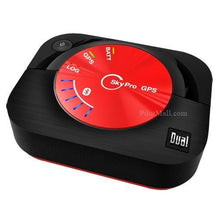
Dual XGPS160 SkyPro (Bluetooth GPS Receiver)
The Dual XGPS160 SkyPro is a Bluetooth GPS receiver. It improves position accuracy and reliability for tablets and EFB apps, and it can share its GPS signal with multiple devices.
Important: The XGPS160 is a GPS receiver—it does not provide ADS-B weather or ADS-B traffic by itself. Pair it with an ADS-B In receiver if you want subscription-free traffic/weather.
- Dimensions: Approximately 2.7″ W x 2.2″ H x 0.8″ thick
- Battery Life: Around 10 hours (typical use)
- Connection Type: Bluetooth (multi-device support), USB charging
- Compatible With: Many iOS/Android apps that accept external GPS
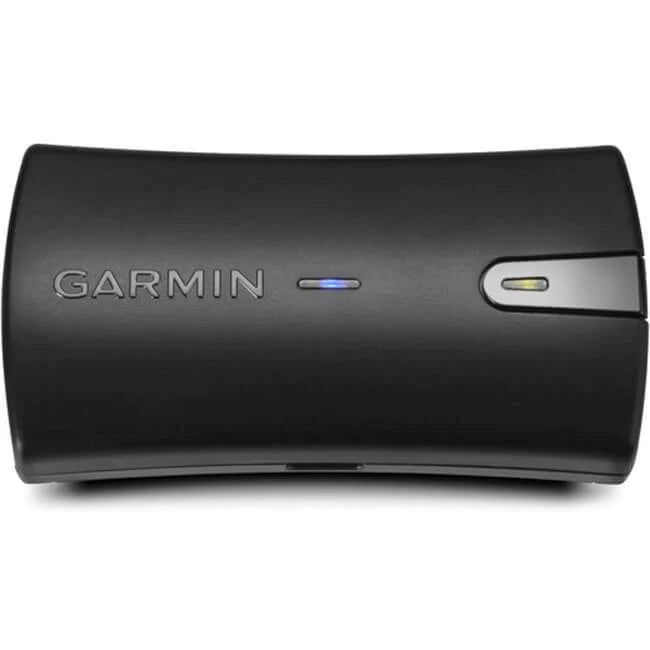
Garmin GLO 2 for Aviation (Bluetooth GPS Receiver)
The Garmin GLO 2 is also a Bluetooth GPS receiver. It can use both GPS and GLONASS satellites, which may help with acquisition and coverage in some conditions.
Important: Like the Dual, the GLO 2 provides position data only—it does not provide ADS-B weather or ADS-B traffic by itself.
- Battery Life: Up to ~12 hours (typical)
- Connection Type: Bluetooth and USB
- Compatible With: Many EFB apps that accept external GPS receivers
FAQs

-
Can I fly without ADS-B Out?
Yes, depending on where you fly. ADS-B Out is required in ADS-B rule airspace, but there are places you can fly outside that airspace without it (always verify the specific airspace requirements for your route).
-
Does ADS-B In make my aircraft ADS-B compliant?
No. ADS-B In is for receiving traffic/weather. ADS-B Out is what the FAA requires for operating in ADS-B rule airspace.
-
Do I need a subscription for ADS-B weather and traffic?
FAA broadcast services received via ADS-B In do not require subscription or usage fees. (Your EFB app may have a subscription.)
-
Will I get weather on any ADS-B receiver?
Not always. FAA’s FIS-B weather broadcast is available on 978 MHz UAT. If your setup only receives 1090ES, you won’t receive FIS-B weather through ADS-B.
-
Do GPS receivers like the GLO 2 or XGPS160 provide traffic and weather?
No. They provide GPS position to your tablet/EFB. For traffic and weather, you’ll need an ADS-B In receiver.
Want to know more about ADS-B and transponders?
- How to Get your Aircraft Compliant with ADS-B Requirements
- Aircraft Transponders: Which Type do You Need (And What’s the Difference?)
- A Nuts-and-Bolts Guide to Transponder Codes (Bonus: Squawk Code PDF)
Did you find this article helpful?
Do you think we missed anything important or made a mistake? Let us know in the comments below!